







Spot the customer who stops coming back before they go to a competitor
Customer analysis – loyalty, visit frequency and average order value.
Sound familiar?
A regular customer stopped coming, and you only notice six months later.
You don’t know how many customers come back for another service and how many come only once.
You send promotional texts to everyone, although only some of them need one.
To check who spends the most, you have to go through jobs one by one.
Customer analytics reviews the history of visits and jobs on its own, marks customers as new, active or at risk, and lets you filter them so you can send a reminder to the right people by text message.
Try it free for 14 daysWhat is Customer Analytics?
It is a feature that lets you understand your customers – how often they return, how much they spend and when they stop being active. The system classifies them automatically and gives you a full picture of loyalty and the risk of losing a customer.
How does this module work?
The system analyzes each customer visit and order history, automatically assigning the right status and allowing quick filtering and launching of marketing actions.
1) Visit history analysis
The system analyzes data on all visits and orders.
2) Customer classification
Automatic status assignment: New, Active or At-risk.
3) Risk detection
The system recognizes customers who have exceeded their return cycle.
4) Filtering and segmentation
You can filter customers by attributes and behavior.
5) Reminder campaigns
SMS integration – automatic visit reminders.
What does it look like in practice?
When you enter the module you see all customers along with their status: New, Active or At-risk. You can filter them by car make, order value, visit frequency and launch retention campaigns.
Insight into loyalty
Check the frequency of returns and the value of customers.
Status "At-risk"
Automatic flagging of customers who have stopped returning.
Win-back campaigns
Send SMS messages to customers who have not shown up for a long time.
How does it look in the system?
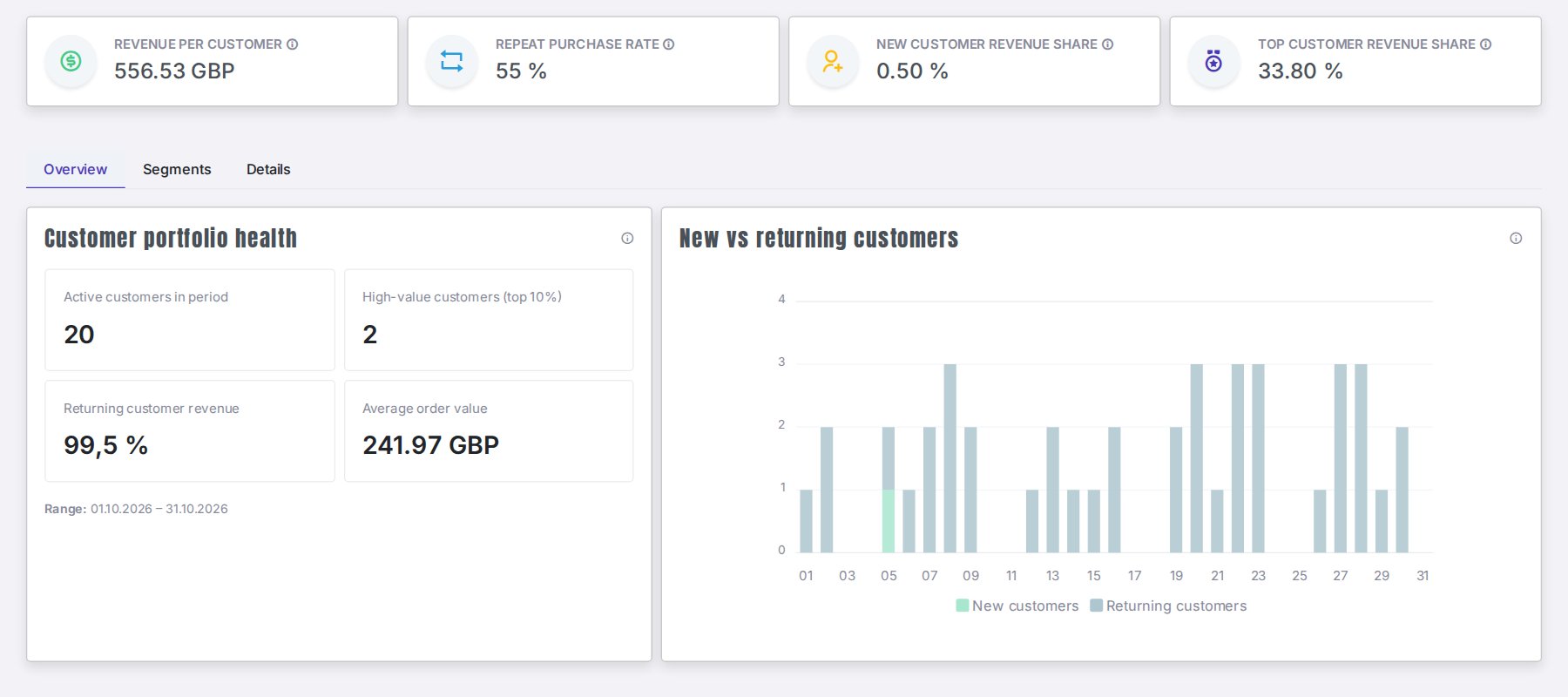
Customer analytics presents the number of completed orders and the total payment value of each customer, helping you determine who generates the most revenue.
Join more than 50 studios working with Bonaveo
Average Google rating of 5.0. The first 14 days are free, no card needed.
What do you gain with Customer Analytics?
In auto detailing, losing a customer often happens quietly – without a negative review or cancellation. Customer Analytics was created to detect such situations earlier and let you act before it is too late.
Control over customer churn
The system automatically detects churn risk and lets you act in advance.
More effective marketing campaigns
You communicate with the right customers based on data.
Greater loyalty
You analyze returns and build lasting relationships.
Better planning of activities
You know which customer groups bring the most revenue.
A strategic advantage
You make decisions based on facts, not guesswork.
Related system features
Customer Analytics works best in combination with other CRM modules. See what else will help grow your studio.
Frequently asked questions
What is Customer Analytics?
It is a module that analyzes visit and order history, classifying customers as new, active or at risk of being lost.
How does the system recognize at-risk customers?
The system analyzes the frequency of returns and detects when a customer has exceeded the expected visit cycle.
Can I launch SMS campaigns from this module?
Yes. The module integrates with automatic campaigns that can remind customers to return to the studio.
Can I download the customer summary to Excel?
Yes. You can download the data for the selected period as an Excel file.
My customers are in my old system. Will the analysis include them?
When you start, we move your customers and vehicles over from a spreadsheet or your previous system. The analytics is based on jobs recorded in Bonaveo, so the full picture of returns builds up with every new job.
Run your studio like a leader
Create an account in 2 minutes and try Bonaveo on your own orders. If you prefer, we’ll show you the system live.
