







Every enquiry from your website lands in the CRM, none gets lost in the inbox
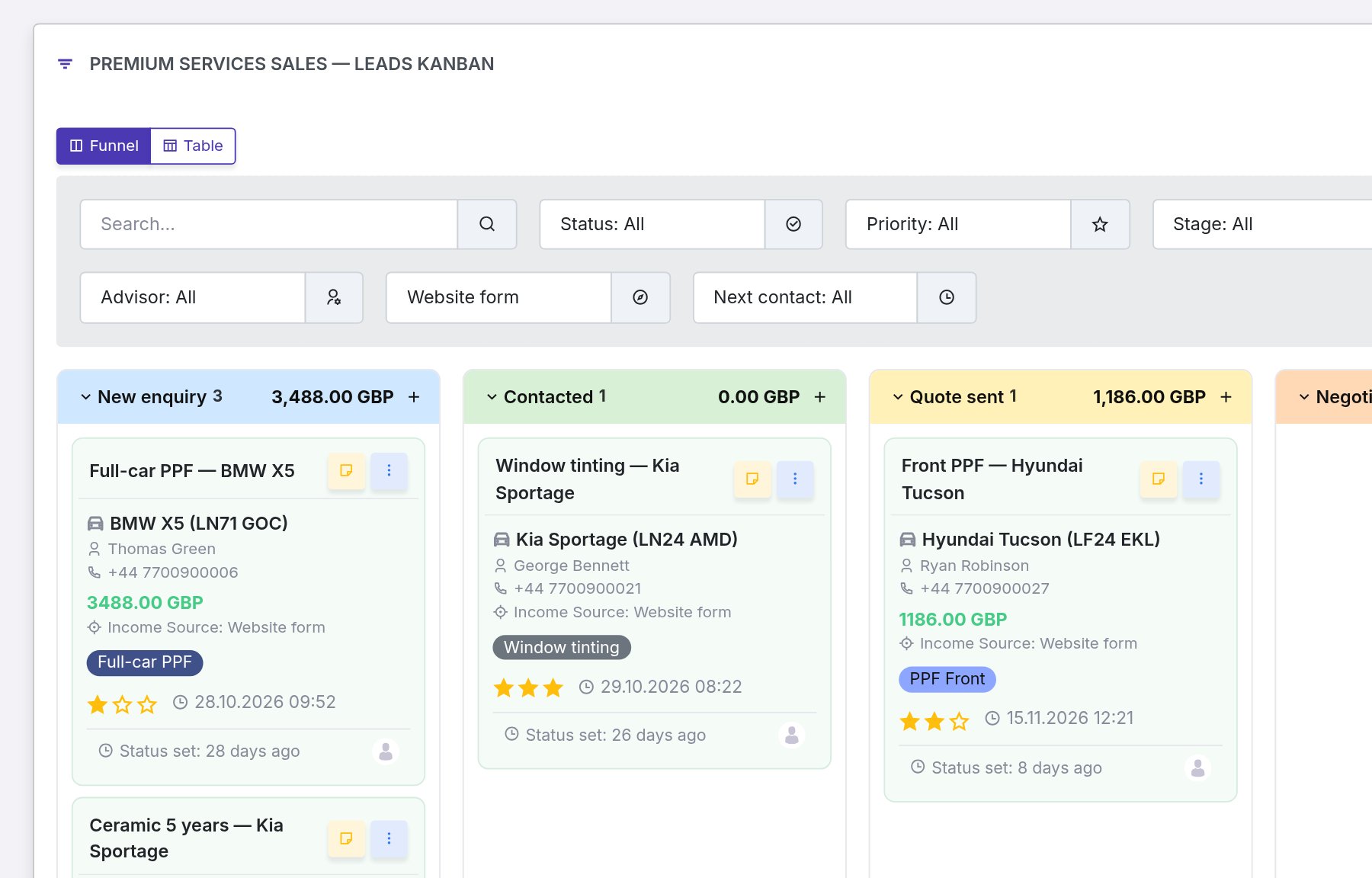
Enquiries from the form on your website go straight into the CRM sales funnel. The system matches them to an existing customer or creates a new one, opens a case and notifies your team. We connect the form for you.
Sound familiar?
An enquiry from your website drowned in the inbox, and the customer chose a studio that replied faster.
Someone has to copy the name, phone, car and service from the email into the system.
The same customer writes a second time and ends up in the database as a new person.
You don’t know how many enquiries the website brought in or what happened to them afterwards.
We connect the form on your website to the CRM: every enquiry instantly becomes a case in the funnel, the customer is recognised by phone or email, and your team gets a notification.
Try it free for 14 daysWhat is the contact form integration?
The contact form integration connects the form on your website with the CRM. Every submitted enquiry instantly becomes a case in the sales funnel – no retyping emails and no risk of an enquiry getting lost.
How does the form integration work in practice?
We connect the form on your website and agree which fields go into the CRM. From then on, every enquiry arrives in the system on its own.
Form submission
The customer fills in the form on your website, and the data is sent securely to the CRM.
Customer recognition
The system looks for the customer by phone number, then by email. If none is found, a new one is created.
New case
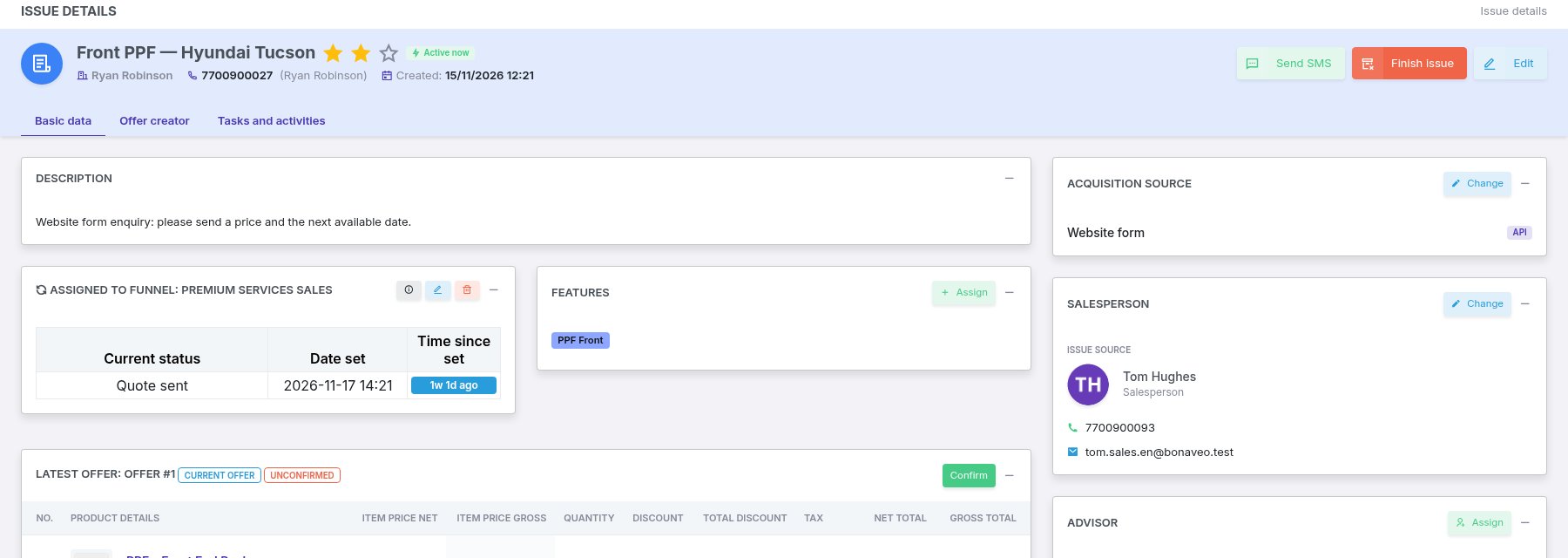
Every enquiry creates a case in the chosen funnel and stage, with the description from the form.
Tags and source
The case gets its lead source and tags according to agreed rules, e.g. for a selected service.
Car details
If the form asks about the car, the make, model or registration go into the customer card.
Team notification
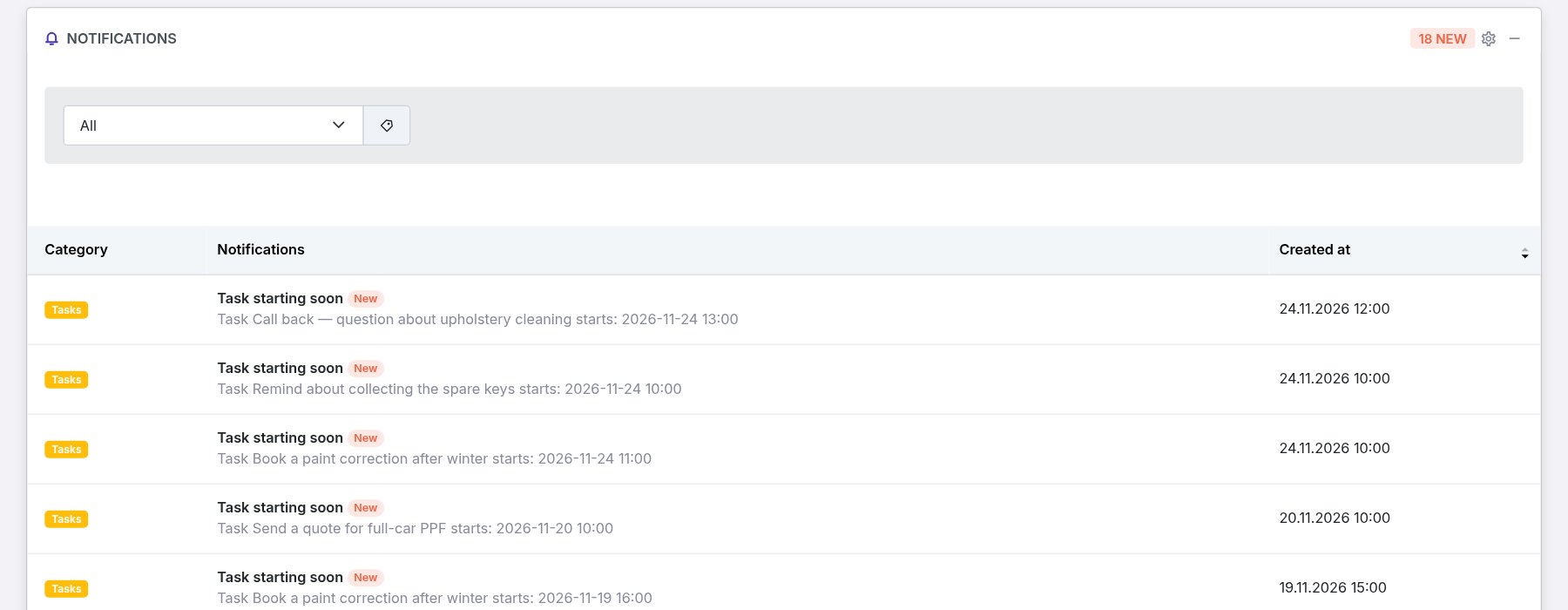
People who can see leads get a notification about the new enquiry in the CRM.
What does the form integration look like in the system?
Form enquiries in the sales funnel and notifications for your team.
Join more than 50 studios working with Bonaveo
Average Google rating of 5.0. The first 14 days are free, no card needed.
What do you gain with the form integration?
Website enquiries usually end up in an inbox where they are easy to miss, and retyping them into the system takes time. The integration puts every enquiry into the funnel straight away, so nobody has to retype it.
Faster response
You see a new enquiry in the CRM moments after it is sent.
No retyping
Customer details and the enquiry description arrive in the system on their own.
An orderly funnel
Enquiries land in the right funnel and stage.
Know where customers come from
The lead source is saved with every case.
Secure connection
Each form has its own access key, which can be replaced at any time.
We connect it for you
We configure the integration to match the fields of your form.
Related system features
The form integration works best together with these CRM modules for auto detailing.
Frequently asked questions
How do I connect my website form to the CRM?
Get in touch – we configure the integration to match your form's fields and provide the access details for your website.
Does the system create duplicate customers?
No. The customer is recognised by phone number, then by email address. Each enquiry does, however, create a separate case in the funnel.
Which funnel do enquiries go to?
To the funnel and stage agreed when the integration is configured. The case also gets its lead source straight away.
Will my team know about a new enquiry?
Yes. People with access to leads get a notification in the CRM about every new enquiry.
Can I connect several forms?
Yes. Each form has a separate integration with its own access key and its own funnel settings.
Do I have to change my form or website?
You don’t need to build a new form. The integration works with the form you already have on your website, and we configure it for its fields.
Will the car details from the form reach the CRM too?
Yes. If your form asks about the car, the make, model or registration go to the customer card.
Run your studio like a leader
Create an account in 2 minutes and try Bonaveo on your own orders. If you prefer, we’ll show you the system live.
