







A car’s service history behind one QR code — and customers come back to you
A dedicated link for the customer with the vehicle history and orders, available online 24/7.
Sound familiar?
A customer sells a car with your coating or film, and the buyer has no way to check what was done and when.
A customer calls to ask when the last service was, and you dig through notes and messages.
After the visit, nothing in the car reminds the customer of your studio.
Good work goes unseen, because the service history stays inside your system.
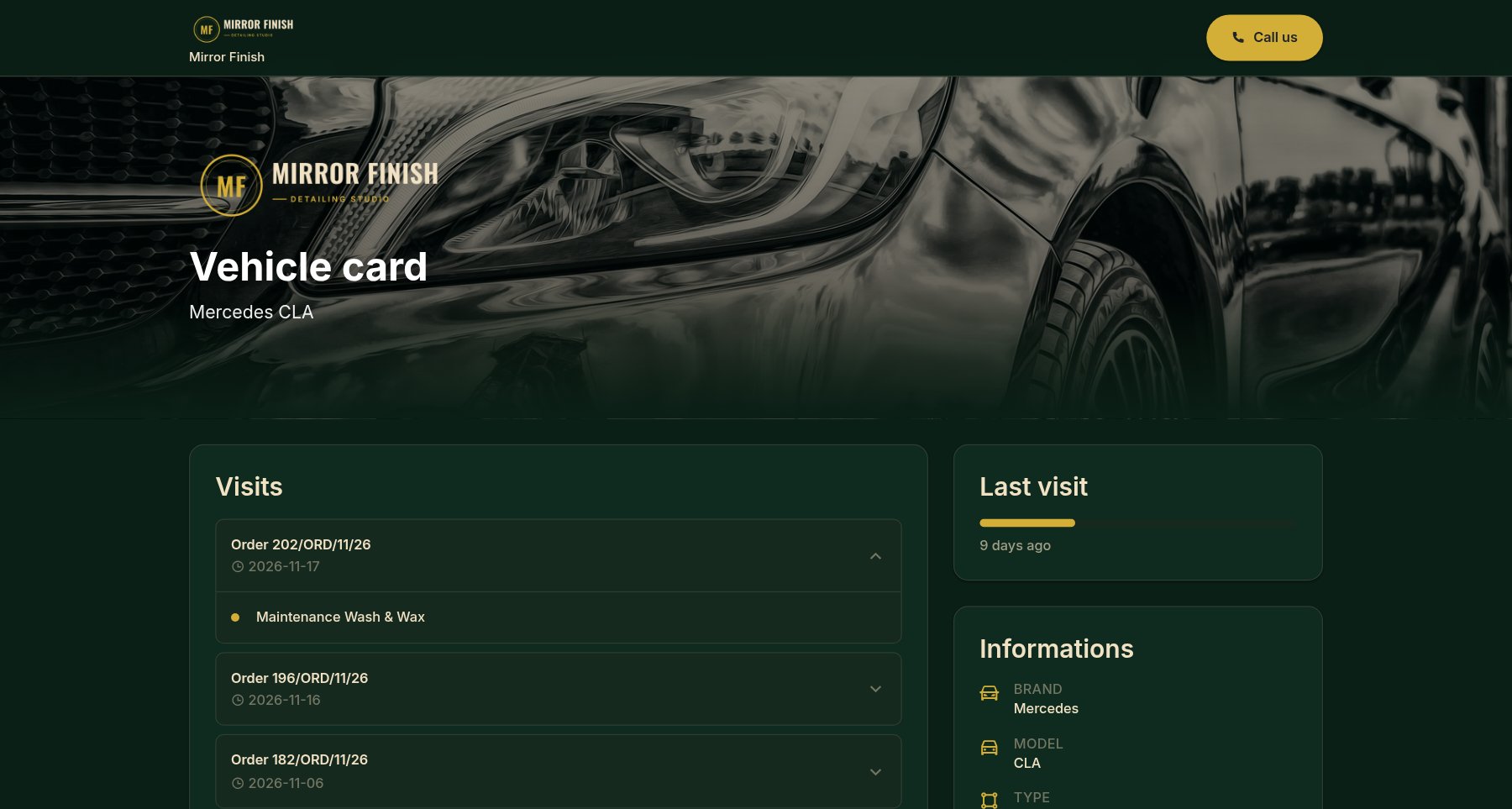
The public vehicle page shows the car’s service history, available without logging in via a link or QR code. You decide which jobs are visible, and new ones appear on the page automatically.
Try it free for 14 daysWhat is the Public Vehicle Card?
A dedicated page with the history of services performed in your studio. The customer shares it via a link or QR code assigned to the vehicle, gaining transparency and higher car value, while your studio gains a premium image and an influx of new customers.
How does the feature work?
The card is assigned to the vehicle and available without logging in. You generate a link and QR code, choose service visibility – the rest happens automatically.
You generate a link and QR code
The system creates a unique address and QR code for a specific vehicle.
You set visibility
You choose which orders are presented publicly.
History presentation
Service scope, dates, studio and contact on an elegant online card.
You share it with the customer
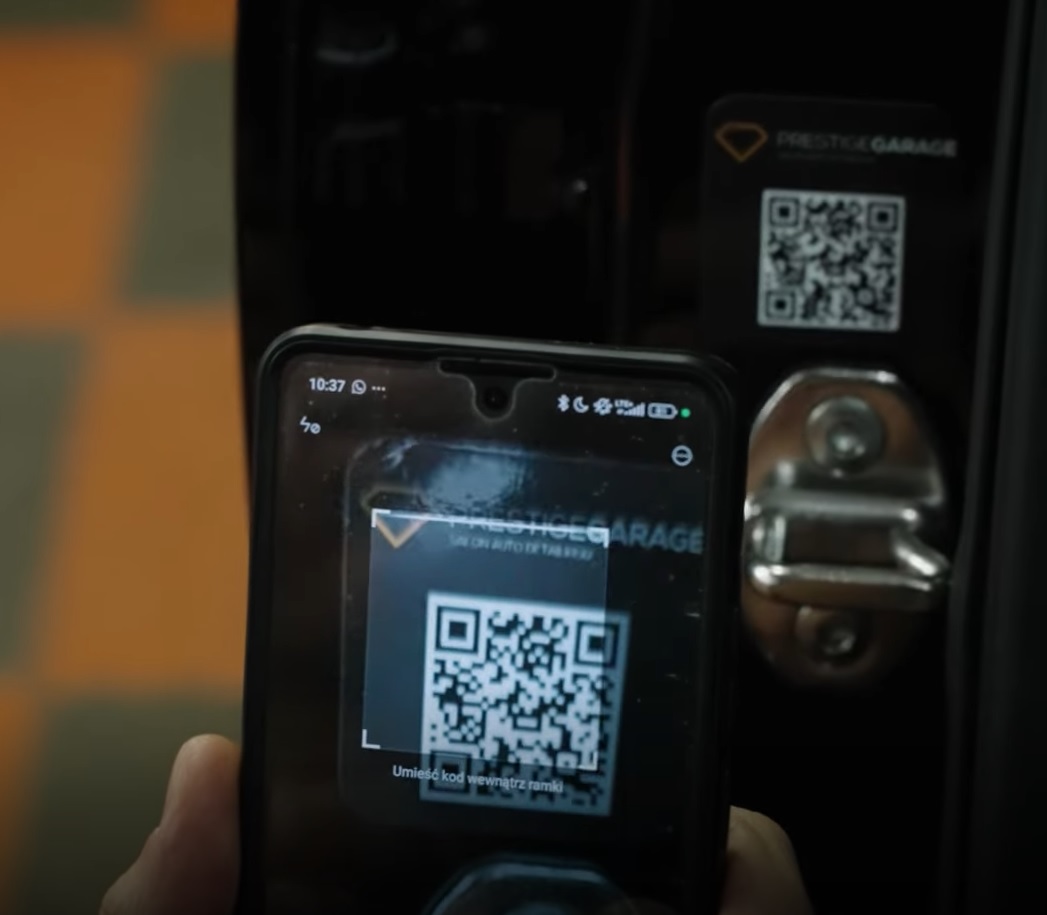
Link/QR on a sticker, tag or in a message – no login required.
Automatic updates
New public orders are added by themselves – zero manual work.
What does using it look like in practice?
You generate a link/QR code, place it on the vehicle or hand it to the customer. Once scanned – the full, curated service history and studio contact. It all works with no extra effort.
QR sticker/label
You place it in the car; the new owner gets quick access to the card.
Sharing the link
Send it by email/SMS – the card opens without logging in.
Premium image
A modern history presentation increases trust in your studio.
How does it look in the system?
The public vehicle card lets you share basic information about the car without logging in – e.g. via a link or a code in the vehicle.
Join more than 50 studios working with Bonaveo
Average Google rating of 5.0. The first 14 days are free, no card needed.
What do you gain with the Public Vehicle Card?
A modern studio image
You stand out with an offering that traditional workshops do not have.
Customer loyalty
You show care for the car's value and transparency of your work.
Passive acquisition
The vehicle's new owner finds you through the card.
More trust
A documented service history works like a quality certificate.
A strong selling point
The card supports the car sale – it works for you 24/7.
Related system features
Discover other CRM modules that work with the Public Vehicle Card.
Frequently asked questions
What is the Public Vehicle Card?
It is a digital online card with the official service history of the car. Access via a unique link or QR code assigned to the vehicle – no login required.
Can I choose which orders are visible publicly?
Yes. You decide on visibility for each order. You show only the services you want to make public.
Does the card update automatically?
Yes. The card is integrated with the CRM – new orders marked as public appear automatically.
Does the customer need an account or an app?
No. The page opens in an ordinary browser after scanning the QR code or clicking the link, without logging in.
Where do I get QR code stickers?
You design and print the stickers in the system settings: choose the shape, size, colours and logo, then print the sheet of codes or save it as a PDF. You assign a code to a car on its vehicle card.
Run your studio like a leader
Create an account in 2 minutes and try Bonaveo on your own orders. If you prefer, we’ll show you the system live.
