







Proof of every car’s condition — before and after the service
Store vehicle photos in the system to document and verify their condition and keep an archive.
Sound familiar?
At pick-up a client claims you made the scratch on the bumper, and you have nothing to prove otherwise.
Car photos get lost on employees’ phones, mixed with private pictures.
A regular client comes back and you can’t remember what the paint looked like a year ago.
You want to post a before-and-after on Instagram, but nobody took the “before” photo.
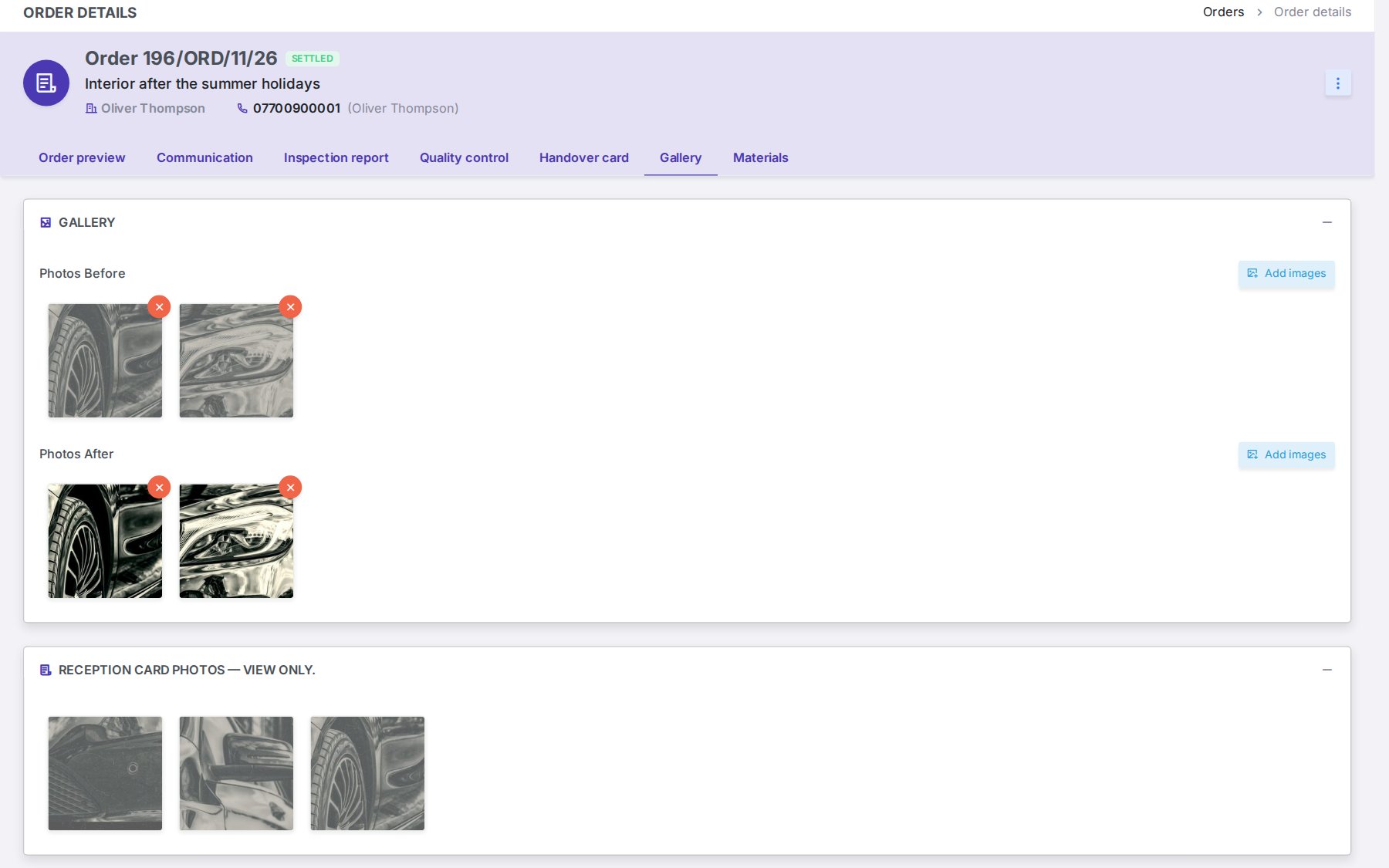
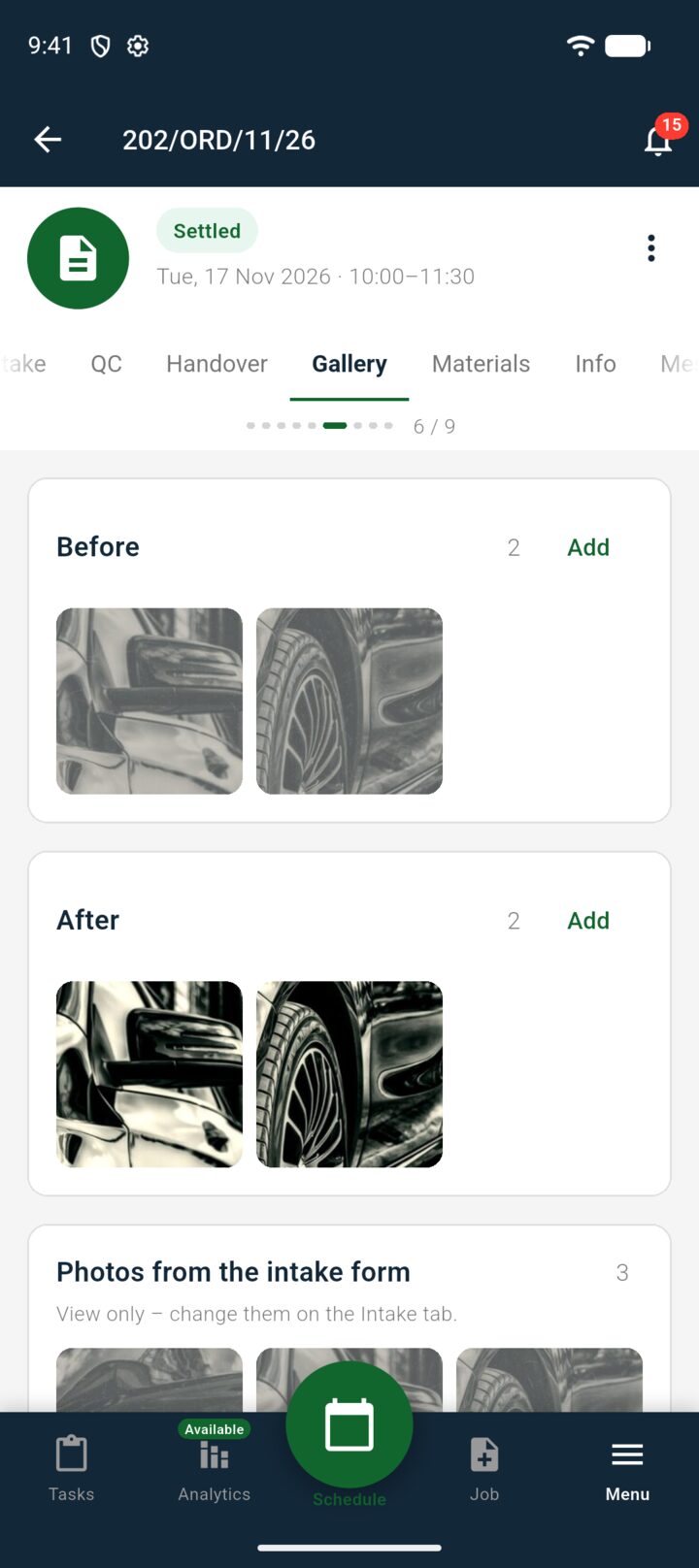
Before and after photos go to the vehicle record and to the order — proof of the car’s condition, a history for years and ready material for social media.
Try it free for 14 daysWhat are Before & After Photos?
The photo gallery in the CRM is a central place for all photos related to the vehicle and customer service. You can add photos of the car condition, details, elements during the work, the final result, damage or documents. You pin photos to the Vehicle Card and to a specific Order, so you build an organized visual history of the vehicle available at every next appointment.
How do Photos work in practice?
You add photos in the CRM and assign them to the Vehicle Card or an Order. Full context — whether these are "before and after" photos, details during the work, or damage documentation.
Before and after record
Paint, rims, interior – the condition at intake and the final result in one place.
Linked to context
Pin photos to the vehicle and order – full documentation continuity.
Fewer complaints
Hard proof of the vehicle condition – fewer disputes and full transparency.
The "wow" effect
Show the difference on social media – the best proof of the quality of your work.
What does it look like in the system?
You assign photos to Orders and the Vehicle Card. The complete visual history of the car is always at hand.
Join more than 50 studios working with Bonaveo
Average Google rating of 5.0. The first 14 days are free, no card needed.
What do you gain with Photos?
To resolve disputes over the vehicle condition, build trust and always have a complete visual record of the work at hand. It is also powerful marketing support.
Legal protection
Proof of the car condition – no more "was it like that or not" arguments.
Trust and transparency
The customer sees the result and understands the value of the service.
Visual history
Photos pinned to the Vehicle Card and the Order – for years.
Strong marketing
"Before & after" sells quality best on social media.
Related system features
The photo gallery works together with these CRM modules.
Frequently asked questions
How does photo storage work in the CRM?
You add photos directly in the CRM and assign them to the Vehicle Card or a specific Order. This creates an organized visual history of the car available at every next appointment.
Do photos have to be only "before and after" the service?
No. You can add any photos: damage, elements during the work, the final result, details, accessories or documents. "Before and after" is just one of the use cases.
What is the photo gallery useful for?
Photos increase transparency and customer trust, reduce complaints and are a great base of marketing materials (e.g. posts on social media).
Can I take the photos with my phone, right by the car?
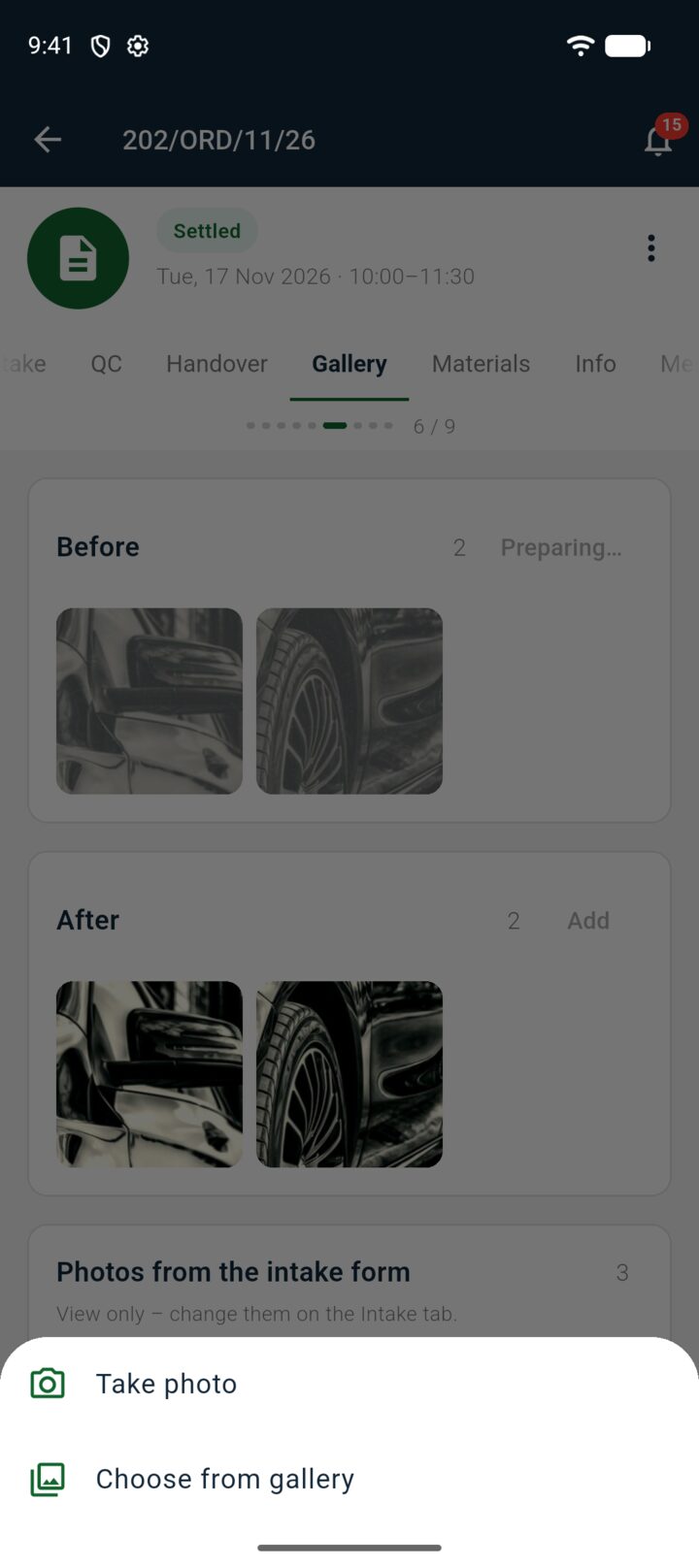
Yes. In the Bonaveo mobile app you add photos straight from the camera or the phone’s gallery — they land in the order right away.
Will you move my clients and their cars from Excel or another program?
Yes. At the start we move your clients and their cars from your spreadsheet or previous system, so you don’t start from scratch.
Run your studio like a leader
Create an account in 2 minutes and try Bonaveo on your own orders. If you prefer, we’ll show you the system live.
