







Record the car’s condition at check-in and end the “that scratch wasn’t there” debate
Vehicle condition at intake, damage description and photo documentation linked to the order.
Sound familiar?
After pick-up, a customer claims a scratch or chip happened at your studio, and you have no way to check.
The car’s condition at check-in stays on paper, in an employee’s head or in photos on someone’s phone.
Everyone on the team checks cars in a little differently, and things slip through.
You hunt for before photos when a customer asks about details weeks later.
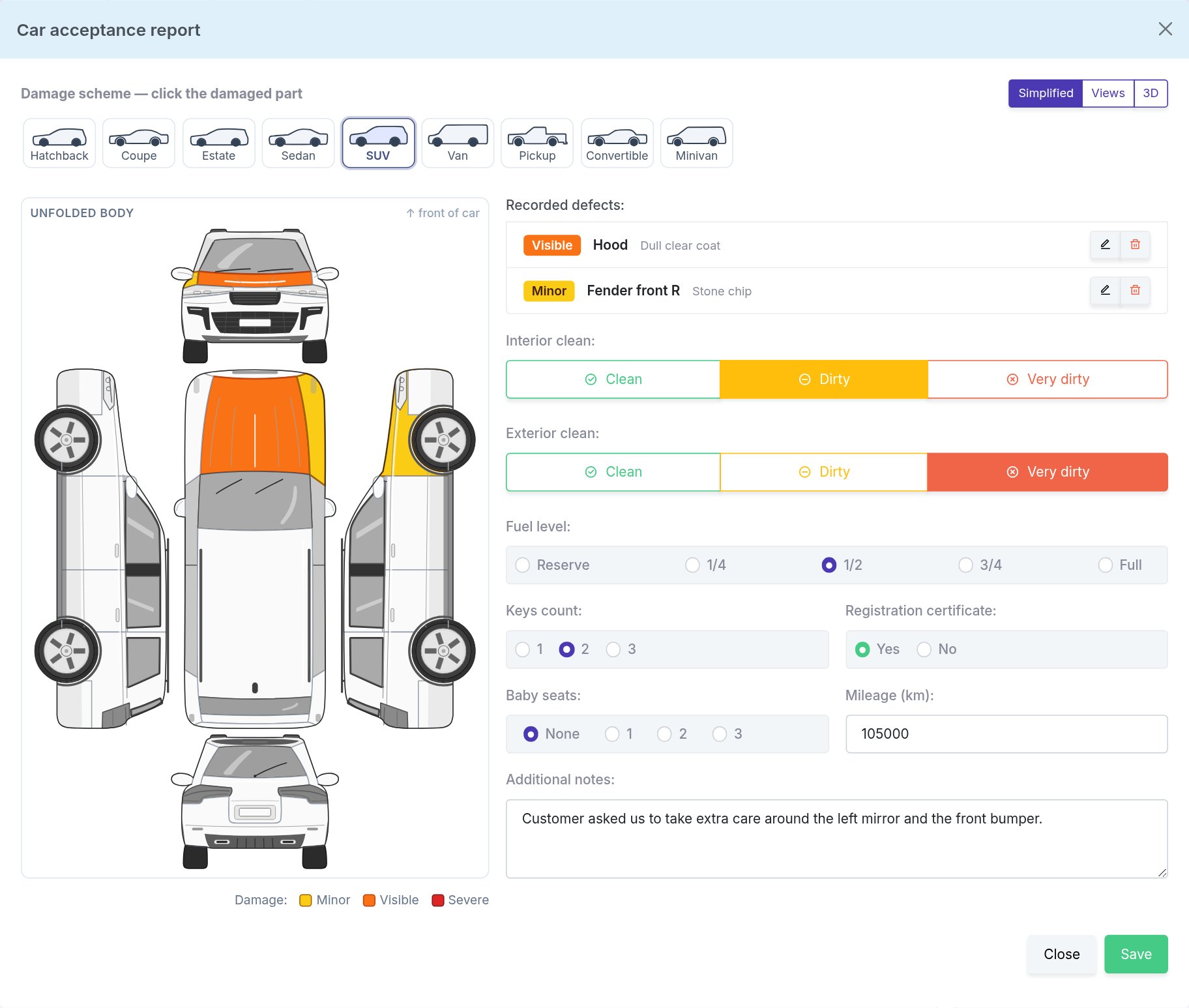
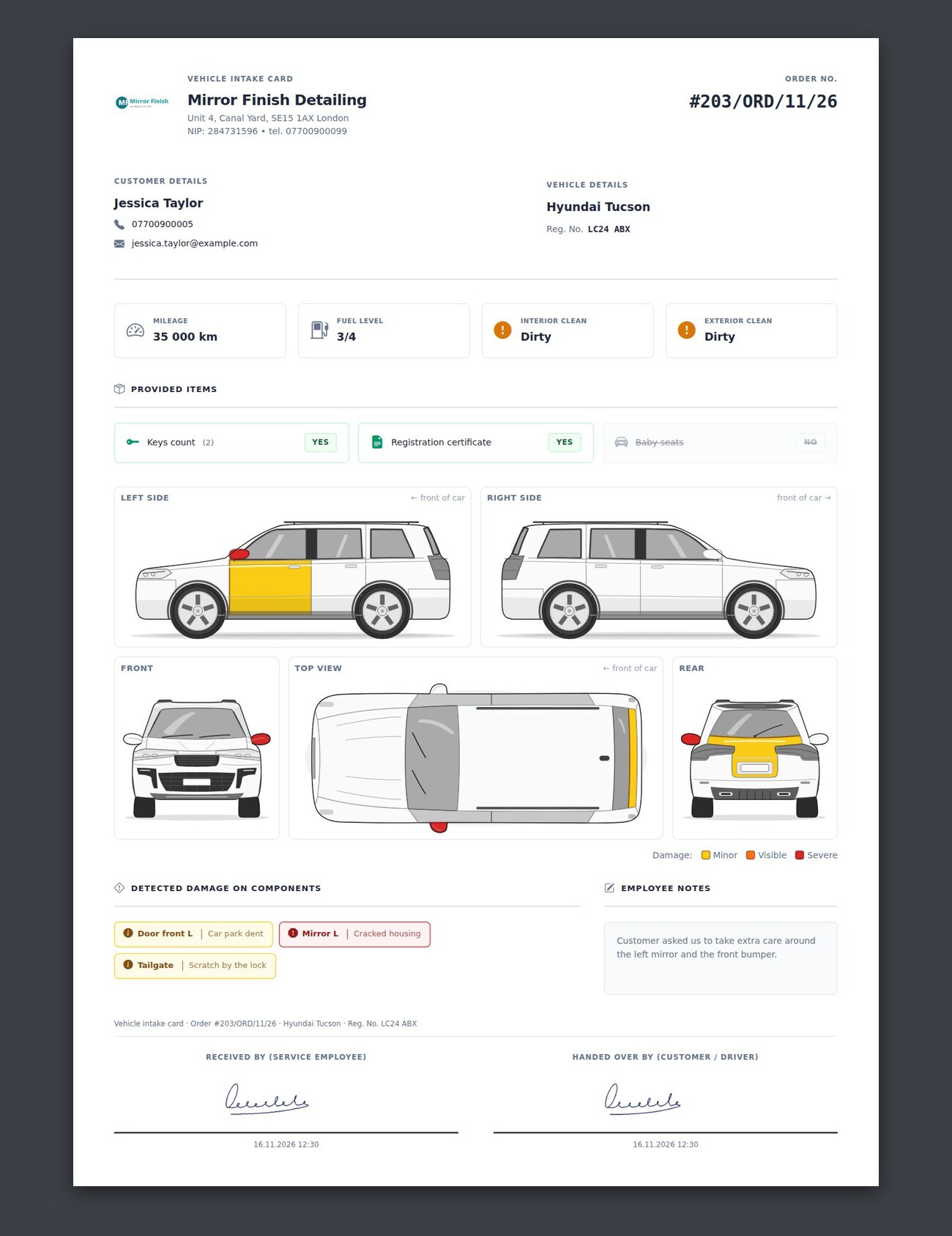
The vehicle intake card records the car’s condition, damage and photos at check-in, on the specific job. Once saved, you have a clear document ready to print or send to the customer.
Try it free for 14 daysWhat is the vehicle intake card?
The vehicle intake card is a document created the moment a vehicle is taken in for a service. It contains the vehicle data, a description of its condition, noted damage and photo documentation. The card is linked to a specific Order and serves as a reference point for the entire job.
How does the intake card work in practice?
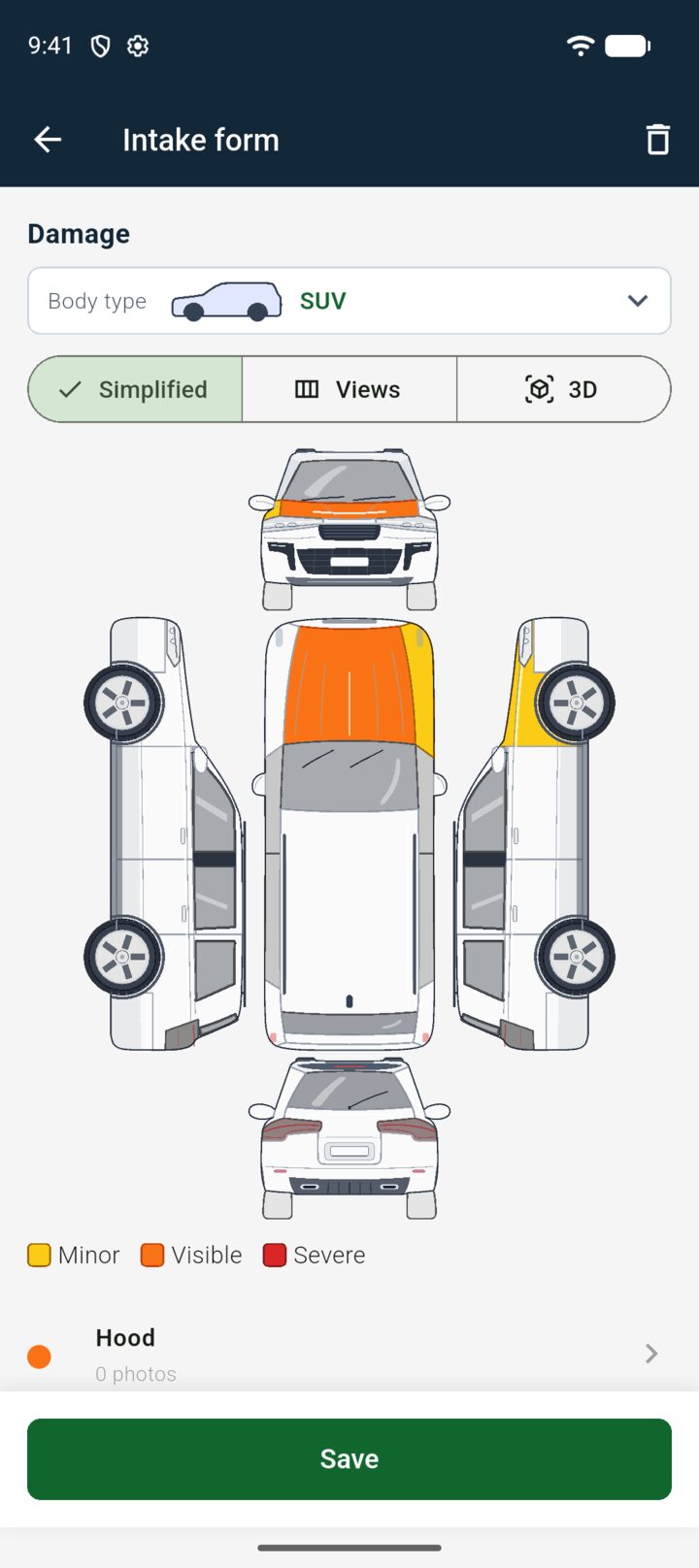
When you take a vehicle in, you fill out the vehicle intake card. You describe the condition, mark the damage and add photos. Everything is saved in the CRM and linked to the order.
Vehicle intake
Starting the order and registering the vehicle in the CRM.
Condition description
Scratches, damage, notes and additional information.
Photos
Visual documentation of the vehicle condition before work begins.
Link to the order
One history, one context – the card and the order together.
What does the intake card look like in the system?
The vehicle intake card is created as an interactive form in the CRM, and once saved it is available as a clear document ready to print or send to the customer.
Join more than 50 studios working with Bonaveo
Average Google rating of 5.0. The first 14 days are free, no card needed.
Protect every order from the very start
To clearly document the vehicle condition at intake, avoid misunderstandings and protect the interests of both the company and the customer. Every detailing studio should have this process automated and digital.
The vehicle intake card protects your company and builds customer trust. Photo documentation and a written description of the vehicle condition are the standard of a professional detailing studio.
Related system features
The vehicle intake card works best together with these CRM modules for auto detailing.
Frequently asked questions
What is the vehicle intake card?
It is a document created the moment a vehicle is taken in for a service. It contains the vehicle data, a description of its condition, noted damage and photo documentation.
Is the card linked to the order?
Yes. The intake card is directly linked to a specific order and serves as a reference point for the entire job.
Does the card protect against complaints?
Yes. The photo documentation and description of the intake vehicle condition are hard evidence in the event of disputes or complaints.
Can the card be printed or sent to the customer?
Yes. Once saved, the card is available as a clear document ready to print or send to the customer as a PDF.
Can I fill in the intake card on my phone?
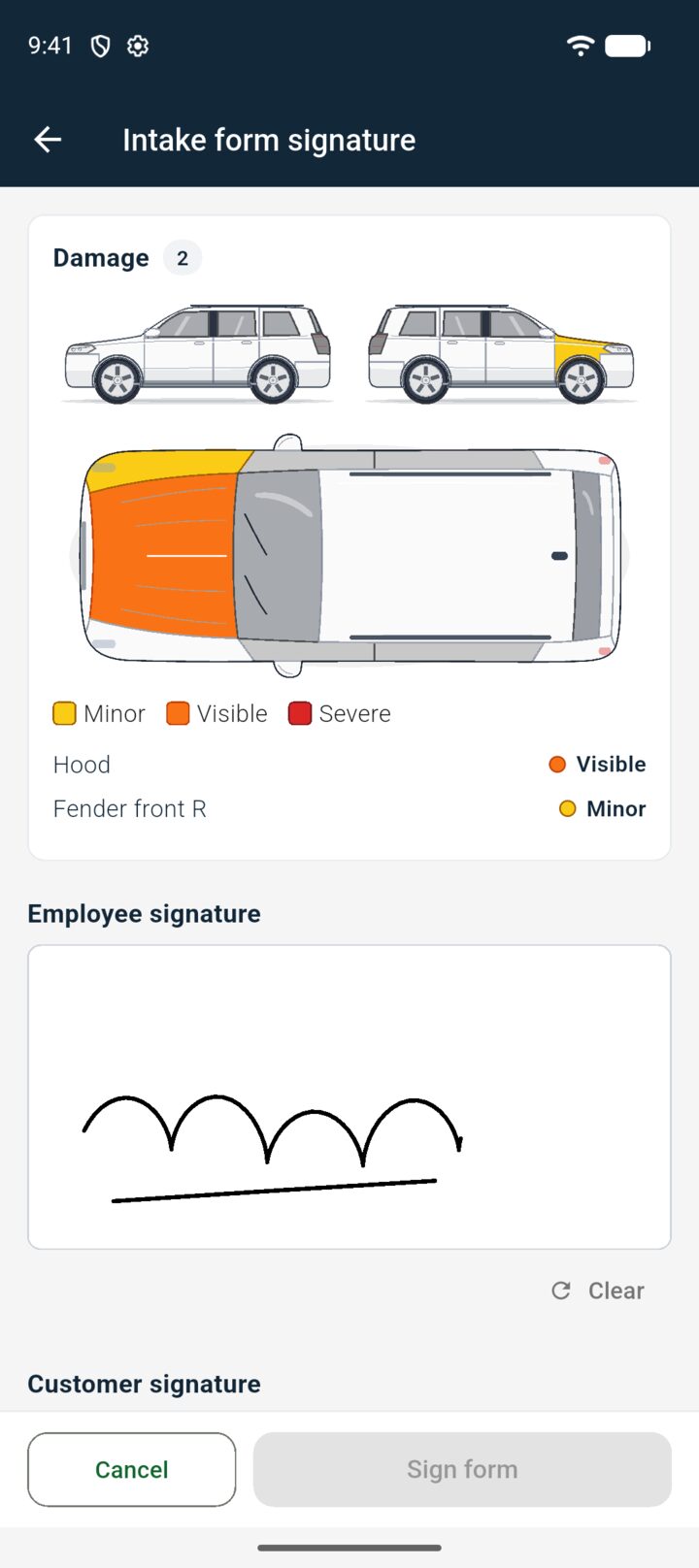
Yes. In the Bonaveo mobile app you fill in the card next to the car: describe its condition and damage, and the customer signs with a finger on the screen.
Can the card include my terms and the customer’s consents?
Yes. You set up your own consents and check-in terms in the settings, and the customer accepts them when the car is checked in.
Run your studio like a leader
Create an account in 2 minutes and try Bonaveo on your own orders. If you prefer, we’ll show you the system live.
