







Every order from drop-off to invoice in one place
All your orders managed in one place.
Sound familiar?
Your orders live in a notebook, on your phone and in your head — and they don’t always add up.
A technician isn’t sure what exactly to do on the car and keeps asking.
At the end of the day you don’t know how much you made or who did what.
You call every client to tell them their car is ready.
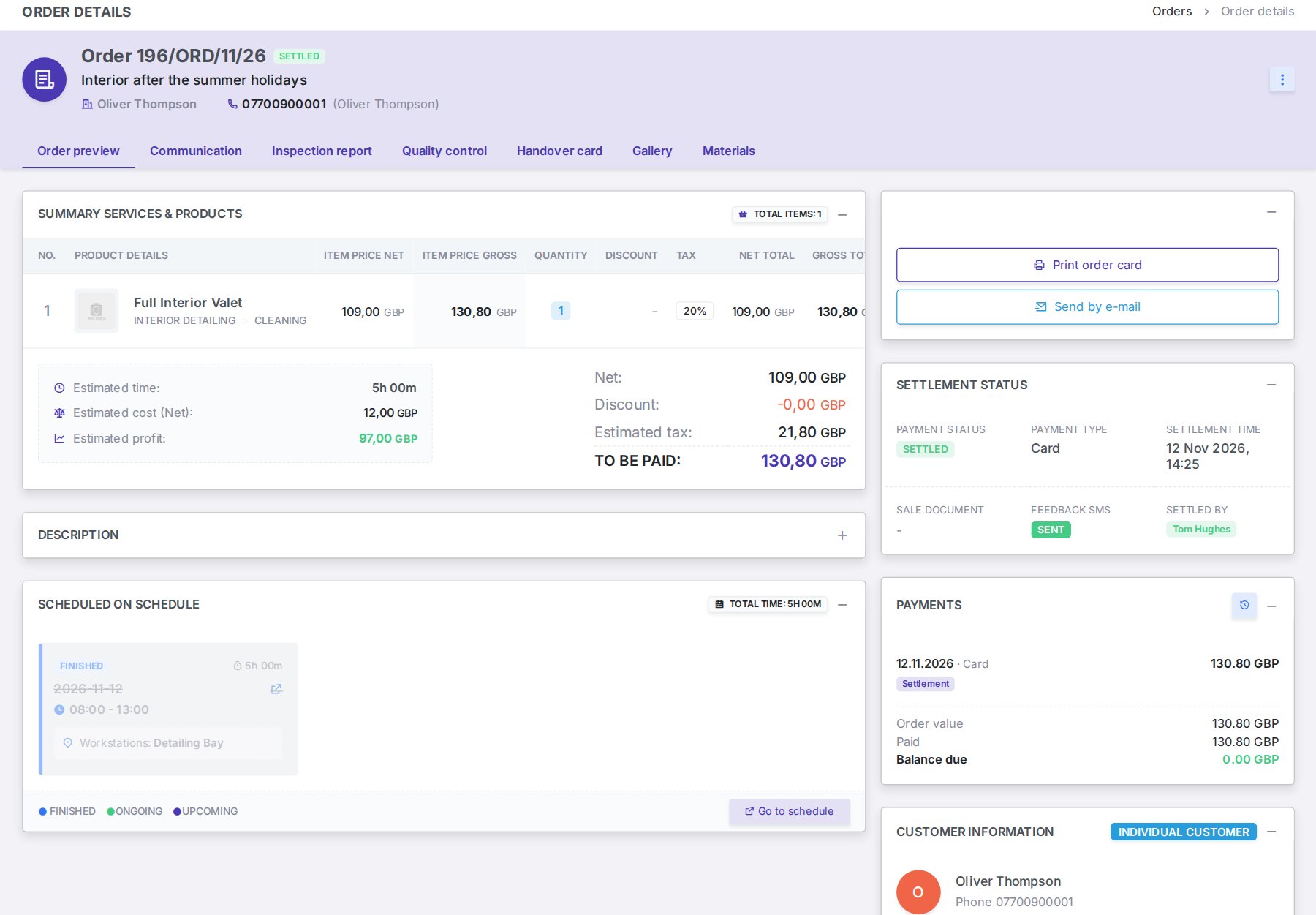
Orders bring order to every visit: services and prices, technicians, the slot in the scheduler, photos, payment and invoice — and you text the client straight from the system.
Try it free for 14 daysWhat are Orders?
Orders are one of the three pillars of the system — alongside the Customer Card and the Vehicle Card.
An order is a complete visit "folder": customer, vehicle, services, notes, payments and schedule. You create it with a single click, and the system automatically handles employee and workstation assignment, time planning, customer communication, settlement and invoicing.
How does the Orders module work in practice?
You turn every visit into a predictable, measurable and optimized process — from quoting to invoicing.
Professional service from A to Z
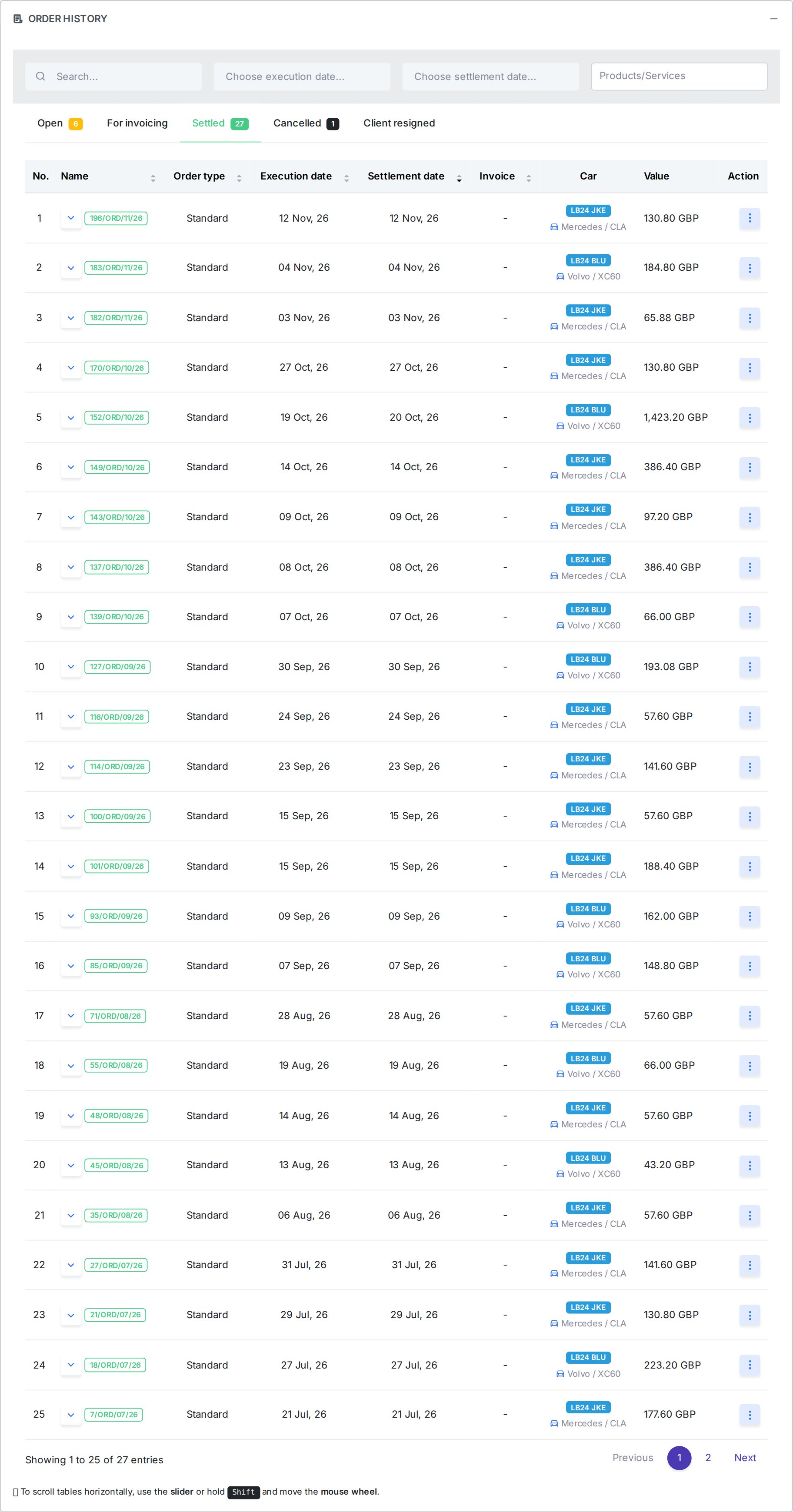
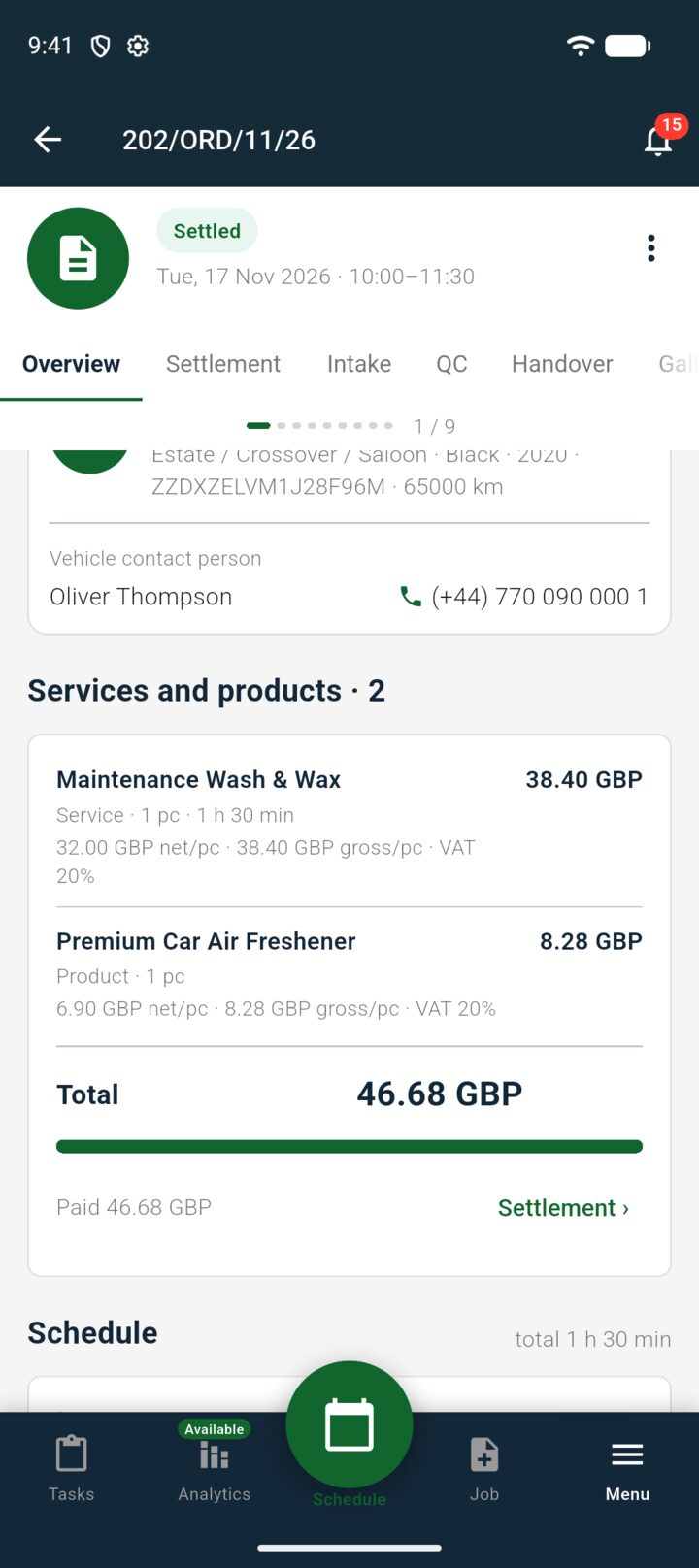
Add services and prices, apply discounts, note remarks, assign employees and workstations, split orders across days, attach photos, settle and invoice.
Automation and time savings
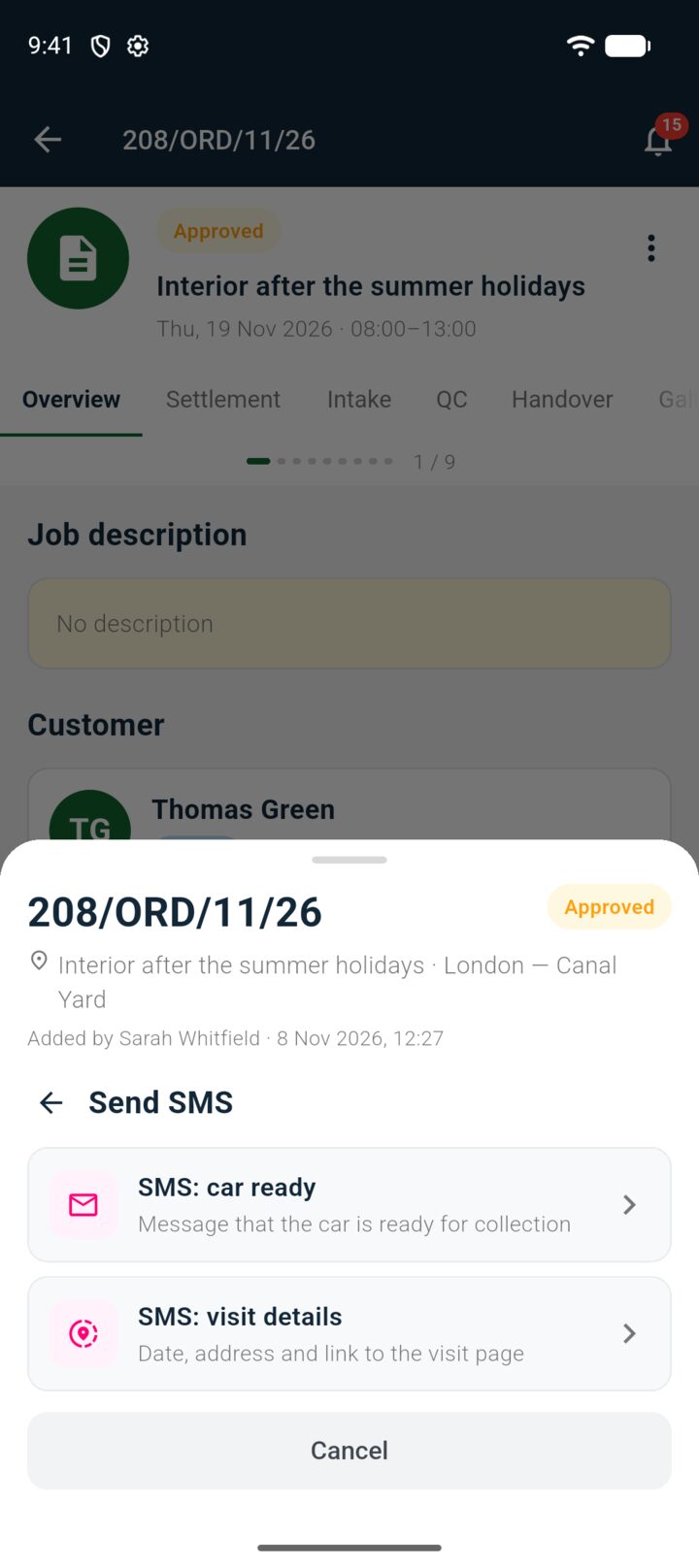
Completion SMS, appointment reminders, thank-you messages with a review request. Synchronization with the Schedule, Work Schedule and Vehicle Card.
Flexible planning and settlement
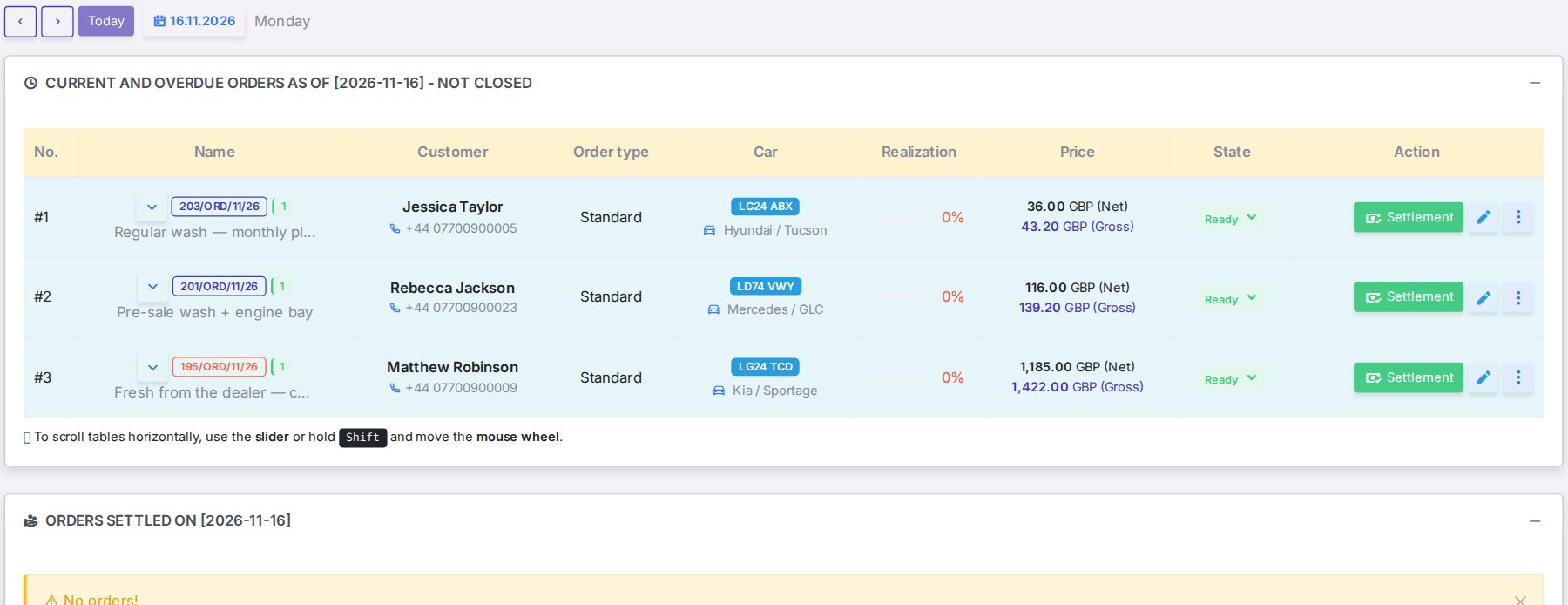
Drag, stretch and assign orders in the Schedule. The system counts visits, turnover and the number of orders, and the owner receives an SMS with the daily summary.
Quoting and large contracts
Integration with Sales Funnels: configure offers in the Kanban, and after acceptance create an Order and track fulfillment all the way to the final invoice.
How does it look in the system?
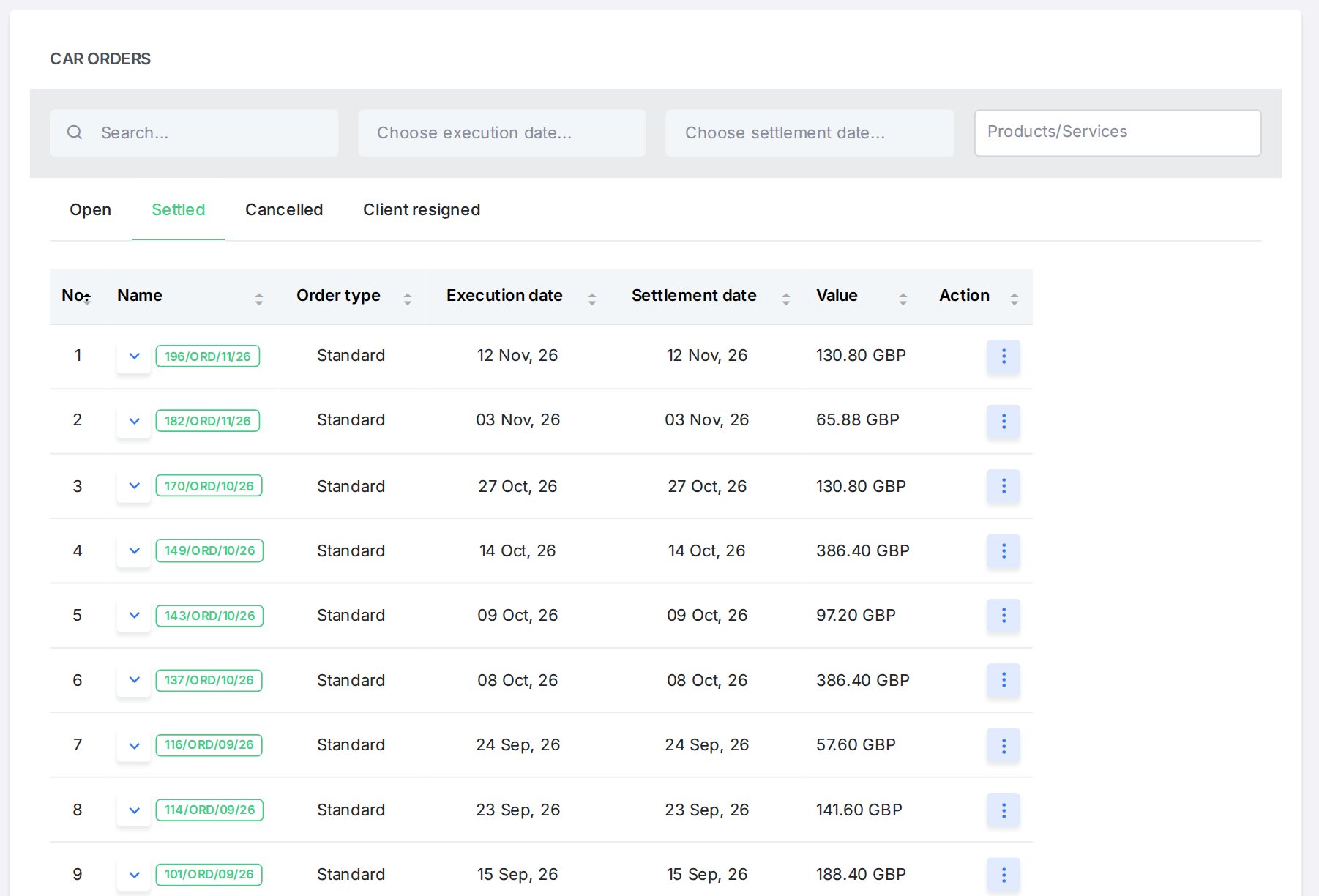
Planning, scheduling and settlements in one place.
Join more than 50 studios working with Bonaveo
Average Google rating of 5.0. The first 14 days are free, no card needed.
What do you gain with Orders?
It is the operational nervous system of the company: process control, quality standards, flawless communication, fast settlements and data for decisions. From the first contact to the invoice — everything leaves a trace right here.
Organized work
Elimination of mistakes — a clear plan, description, responsibility and settlement.
Better communication
Instructions, notes and automatic notifications — the customer feels looked after.
Time savings
After an order is completed: SMS, invoice, reminders — they happen automatically.
Analytics for an edge
Reports on services, seasonality, top revenue and loyalty.
Loyalty and pricing policy
Points, promotions, custom categories and service modifications — full flexibility.
Financial control
You know how many orders were completed, what the turnover was and who did what — without Excel.
Related system features
Orders work best together with these CRM modules.
Frequently asked questions
What are Orders in the CRM for auto detailing?
It is a complete visit folder: customer, vehicle, services, schedule, notes, payments and invoice — all in one place.
What automations does the Orders module support?
Automatic SMS messages (car ready, reminders, thank-you messages with a review request), synchronization with the Schedule and Vehicle Card, and fast settlements.
Do Orders integrate with the Schedule?
Yes. Orders can be dragged, stretched and split across days/workstations, and the system counts visits, turnover and the number of orders.
Can I quote and handle large contracts?
Yes. With Sales Funnels you configure the offer in the Kanban, and after acceptance you create an Order and track fulfillment to the final invoice.
In which packages is the Orders module available?
In all packages — from STARTER to PREMIUM — with no functional limitations.
Will you move my clients and cars from my current system?
Yes. At the start we move your clients and their cars from your spreadsheet or previous system, so from day one you create orders for clients you already know.
Can I handle orders on my phone?
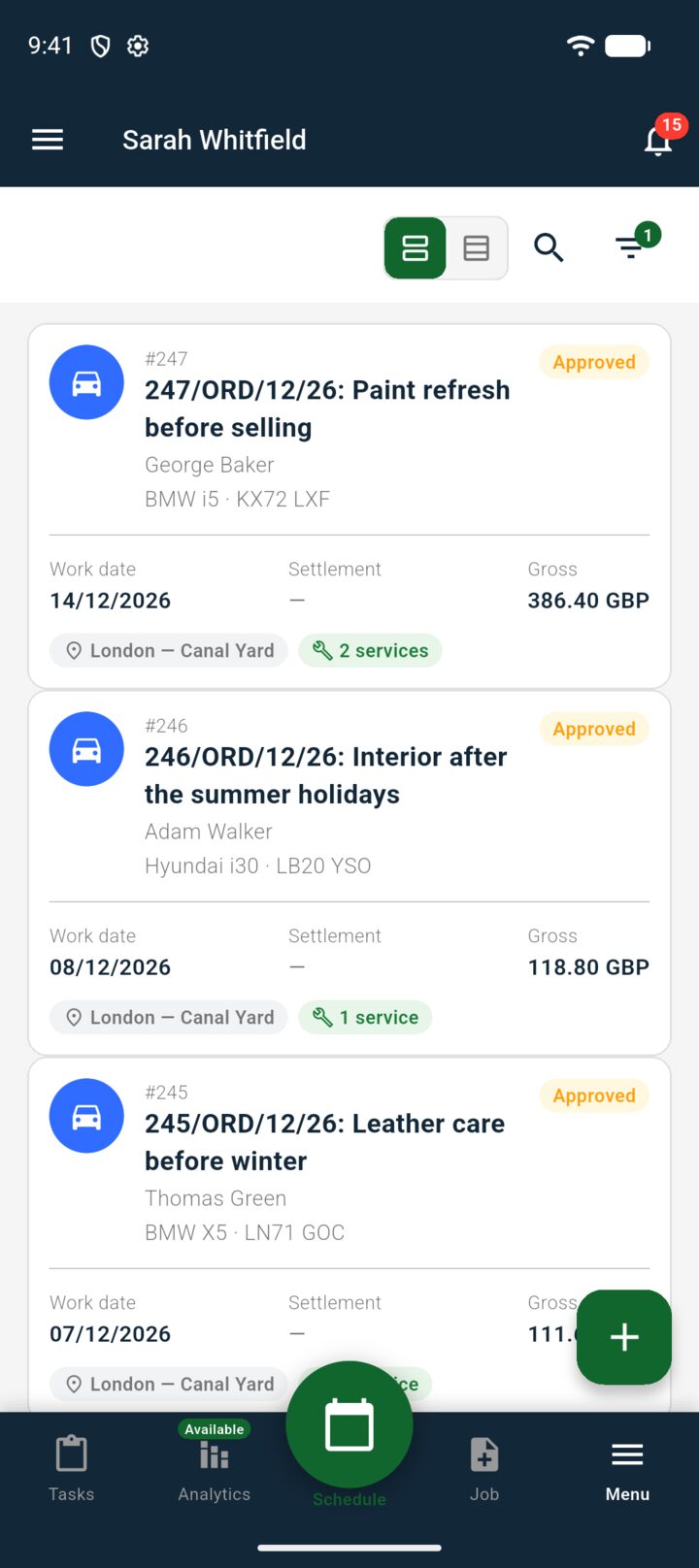
Yes. In the Bonaveo mobile app you have the order list, the order card with items and amounts, and text messages to the client.
Run your studio like a leader
Create an account in 2 minutes and try Bonaveo on your own orders. If you prefer, we’ll show you the system live.
