







Your studio’s whole day on one screen — no notebook, no phone tag
Plan appointments and tasks in a clear calendar.
Sound familiar?
Two clients booked into the same bay at the same time.
You plan a multi-day job, and meanwhile someone books another car into that bay.
You don’t know who on the team is in tomorrow and who has the day off.
An important note about a car gets lost somewhere between a scrap of paper and a conversation.
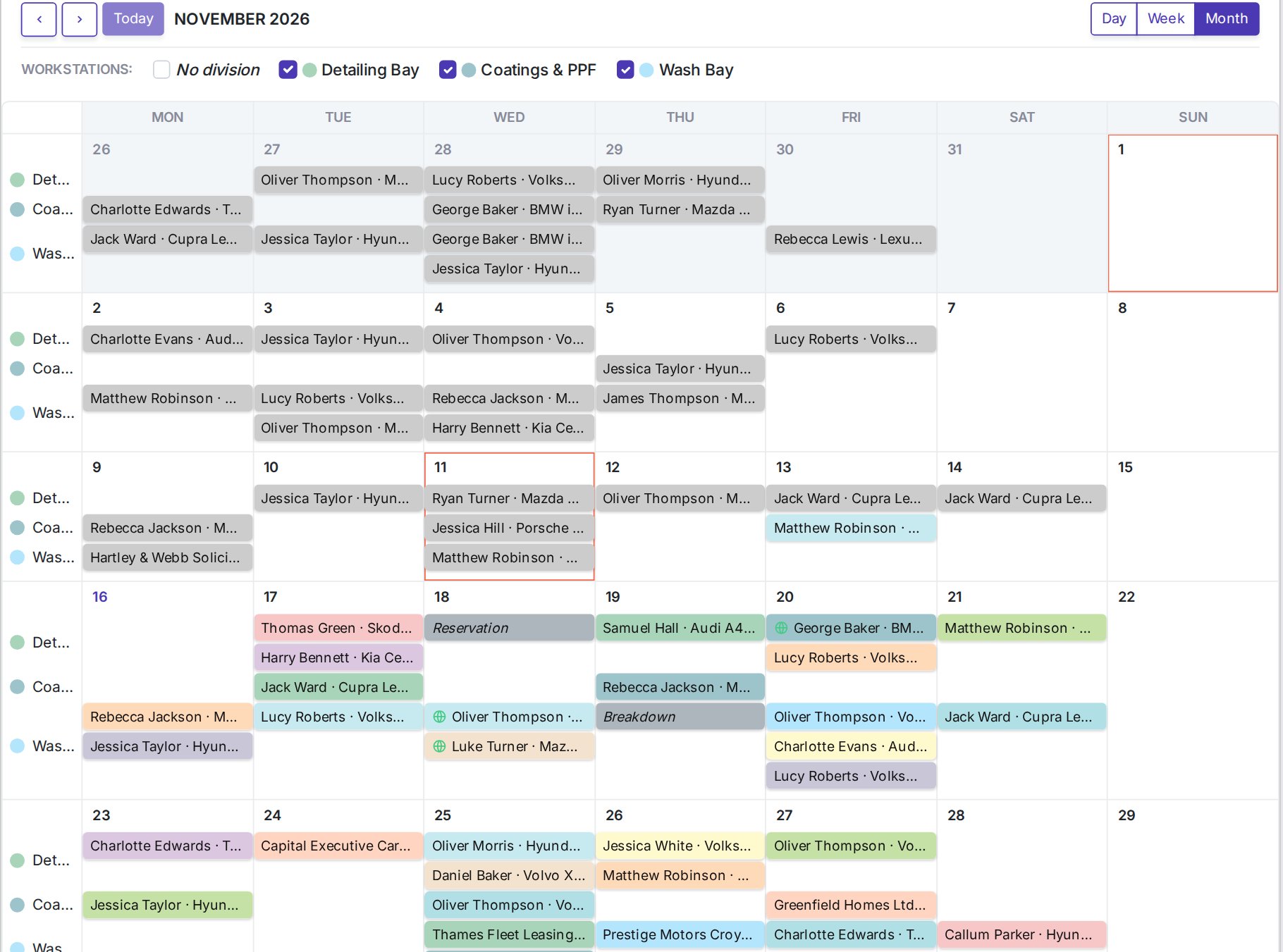
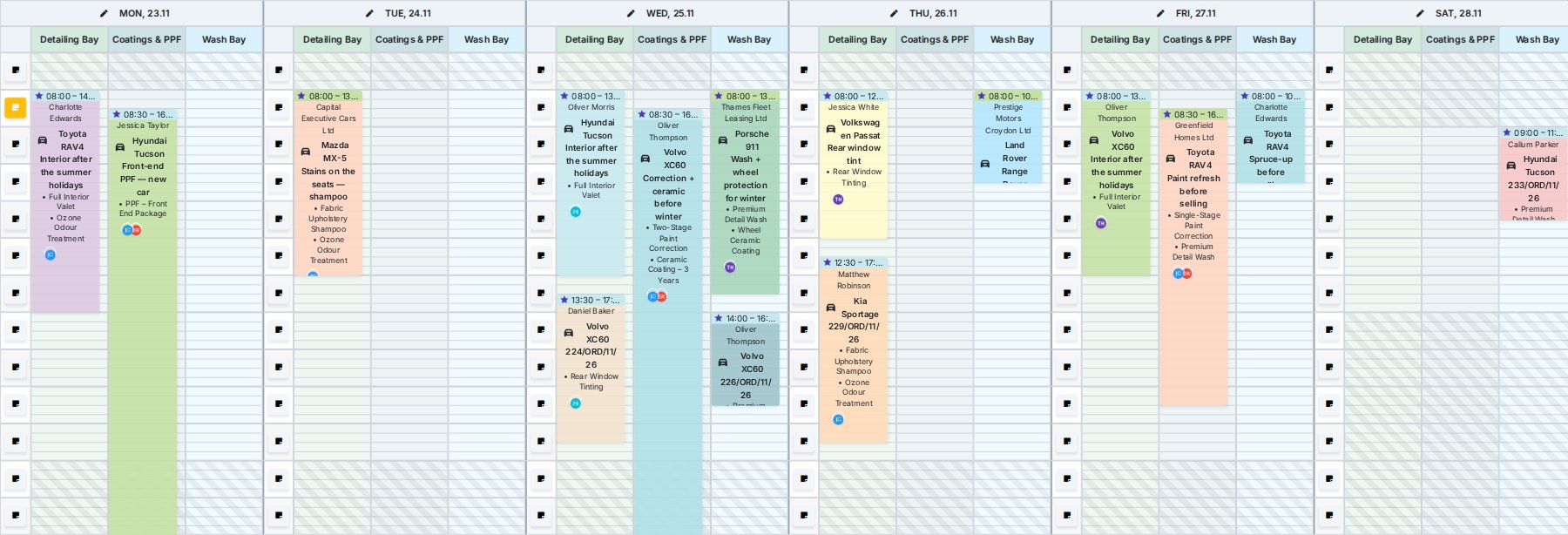
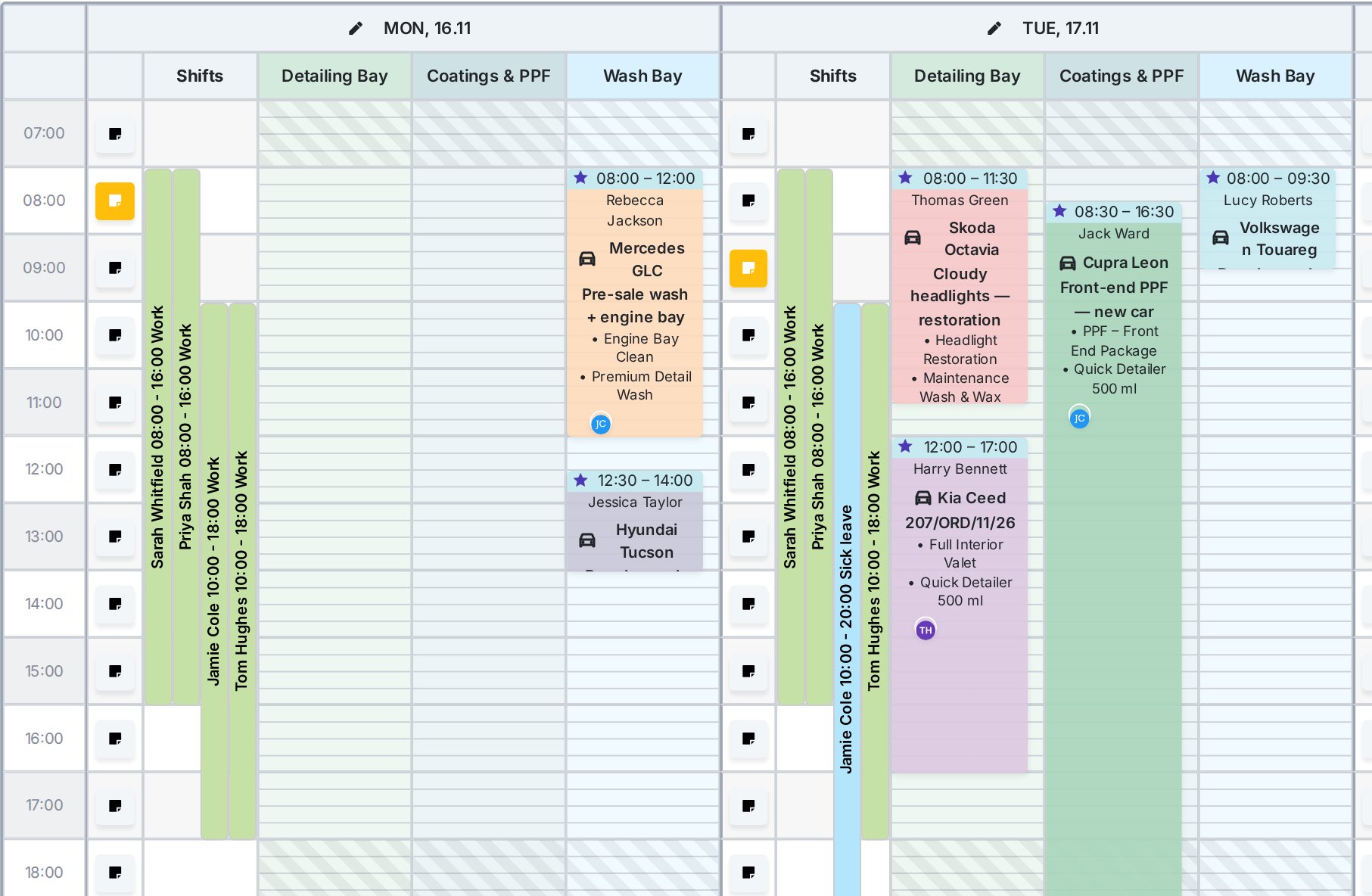
The scheduler shows orders on bays, spreads multi-day jobs over the days, blocks bays for servicing and breakdowns, highlights staff availability from the rota and flags important notes.
Try it free for 14 daysWhy was the Schedule created?
No more handwritten notes and scattered communication. The Schedule organizes daily work, gives full control over reservations, workstations and staff, improves service quality and eliminates errors that come from having no system.
How does the Schedule work in practice?
Drag/stretch orders, plan multi-day services, block workstations and manage the team — all in a single view.
Creating and managing orders
Editing directly in the calendar. Parallel orders on a workstation = maximum use of resources.
Automatic multi-day planning
"Plan automatically" spreads long services across the following days — then you can easily adjust them.
Realistic resource planning
Reservation/Service/Breakdown blocks take workstations out of use.
Managing the team's working time
Integration with the work schedule: it highlights orders, days off, holidays and shifts.
Quality control
Key remarks are marked with an exclamation icon — nothing gets lost and customer satisfaction grows.
Customer communication
Send an SMS about service completion and readiness for pickup directly from the Schedule.
Notes and tasks
Tasks/announcements for the whole team — e.g. "Chemical delivery at 1:00 PM", "Place an order".
How does it look in the system?
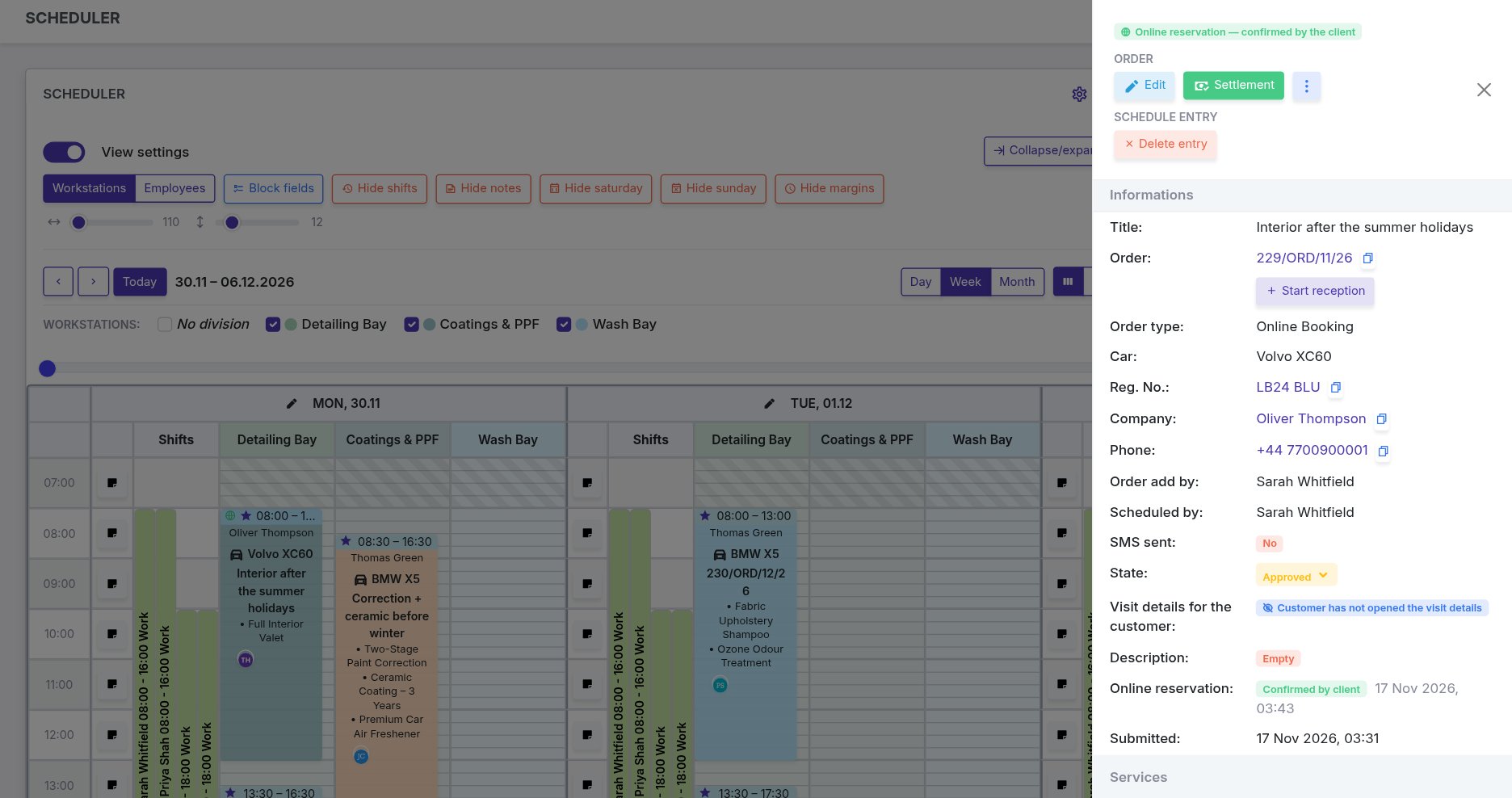
A calendar preview: quick access to information, workstation blocks and the employee work schedule.
Join more than 50 studios working with Bonaveo
Average Google rating of 5.0. The first 14 days are free, no card needed.
What do you gain with the Schedule?
It is the foundation of modern studio management: decisions, planning, delegation and work monitoring — day in, day out.
Full control
Orders, time and employee availability under control.
Less downtime
Parallel orders and workstation blocks remove gaps in the schedule.
Faster planning
Automation of multi-day services shortens the time needed to plan the day.
Better communication
SMS to the customer and team announcements — everything in one place.
Fewer errors
Clear remarks and resource blocks eliminate mistakes.
Professional image
Order and predictability = satisfied customers.
Related system features
The Schedule works best together with these CRM modules.
Frequently asked questions
Why was the Schedule created?
To eliminate the chaos of handwritten notes and scattered communication. It gives control over reservations, workstations and staff.
Can I drag and stretch orders in the calendar?
Yes. You edit orders directly in the calendar and can arrange parallel tasks on a workstation.
How does multi-day planning work?
"Plan automatically" spreads long services across the following days, which can be modified later.
Can I block a workstation for service/breakdown?
Yes. Reservation/Service/Breakdown blocks (and custom ones) take a workstation out of use and are visible in the calendar.
Does the Schedule integrate with the employee work schedule?
Yes. It highlights orders, days off, holidays and shifts — making it easier to plan the team's work.
Can I send an SMS to a customer from the Schedule?
Yes. You can send a notification about service completion and readiness for pickup directly from the calendar.
Do I have the scheduler on my phone too?
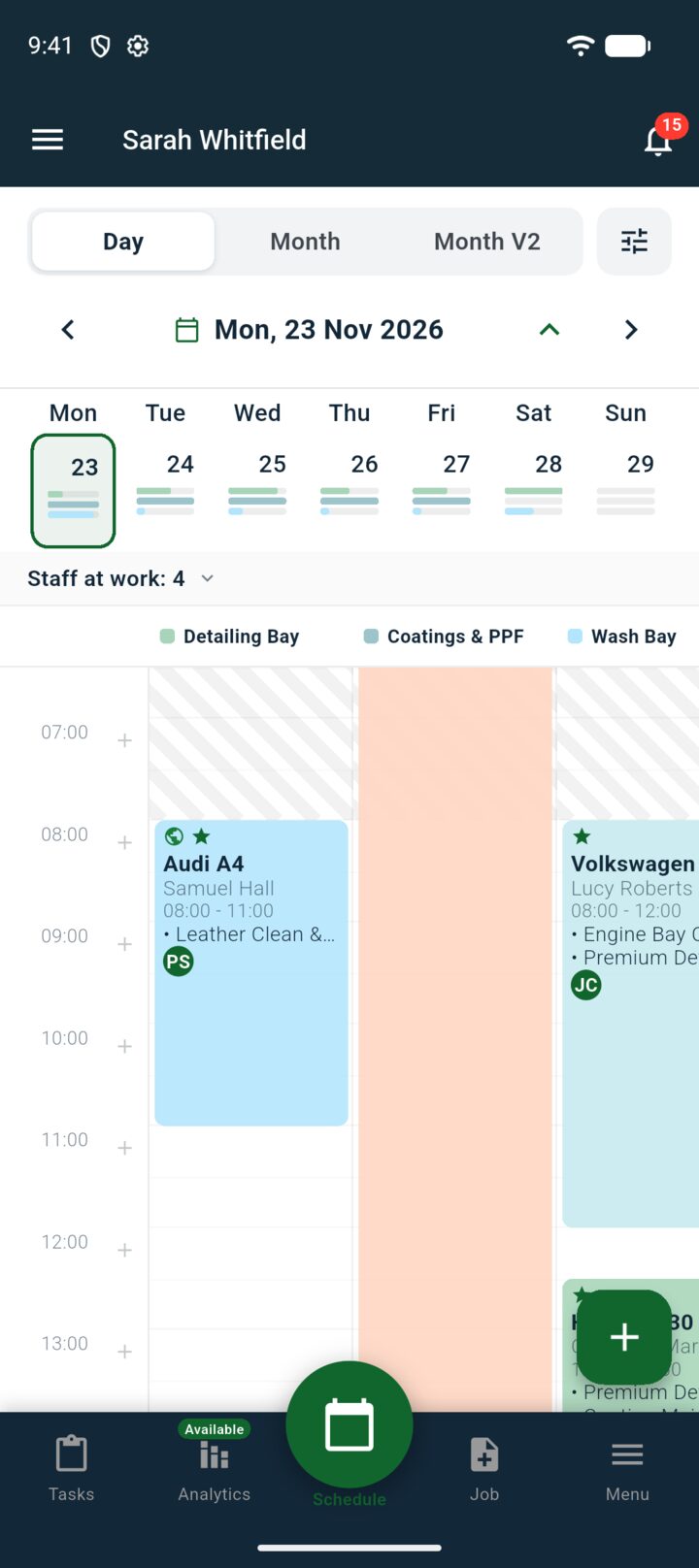
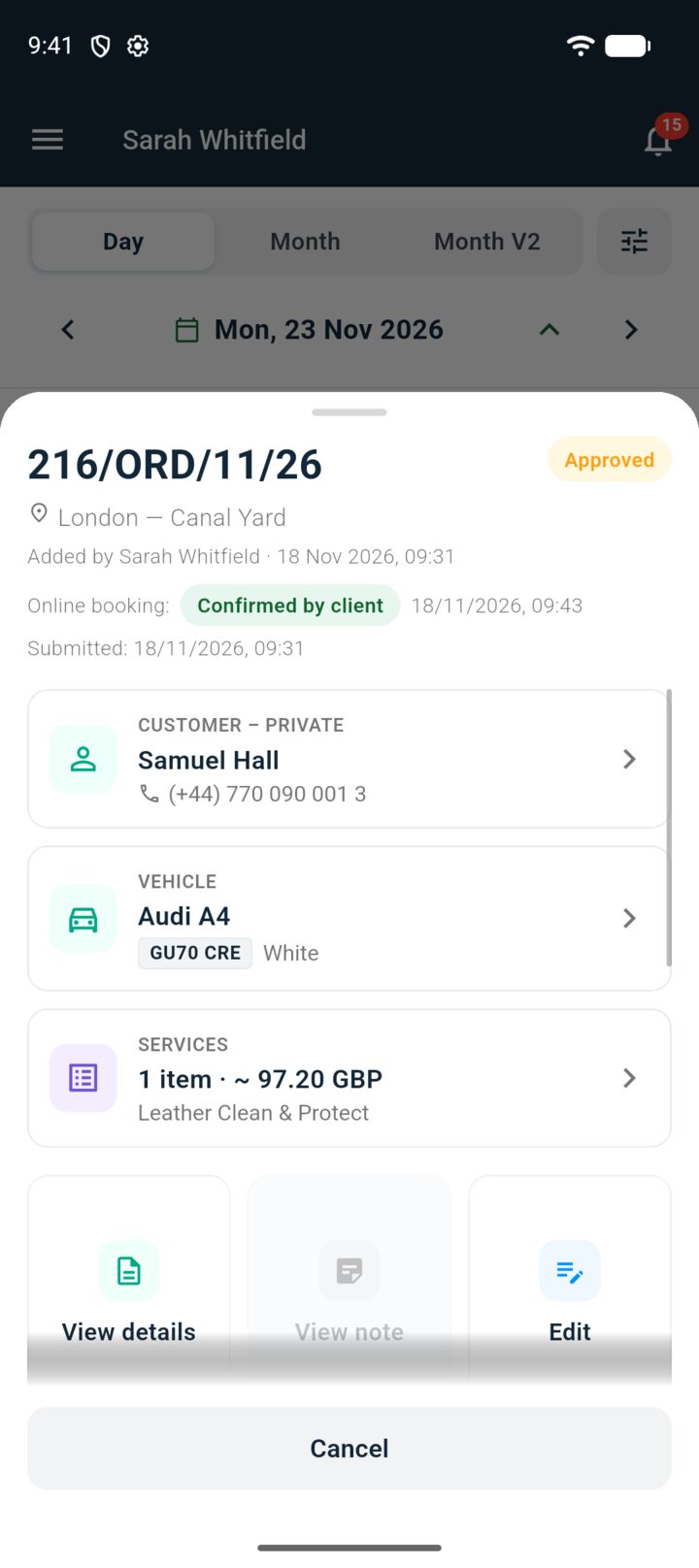
Yes. In the Bonaveo mobile app you see the day with its bays, and tapping an order shows its details.
Will you move my clients and cars at the start?
Yes. At the start we move your clients and their cars from your spreadsheet or previous system, so you can plan orders right away.
Run your studio like a leader
Create an account in 2 minutes and try Bonaveo on your own orders. If you prefer, we’ll show you the system live.
