







Your whole team’s rota in one place, with no jobs for people who are off
Create and manage staff rotas, print them to PDF and link them to the appointment scheduler.
Sound familiar?
The rota hangs on a sheet of paper or sits in a spreadsheet, and nobody is sure which version is current.
A job goes to an employee who happens to be on holiday or sick leave.
Your staff call and message you to check when their shift is.
Every week you build the rota from scratch and copy it out for printing.
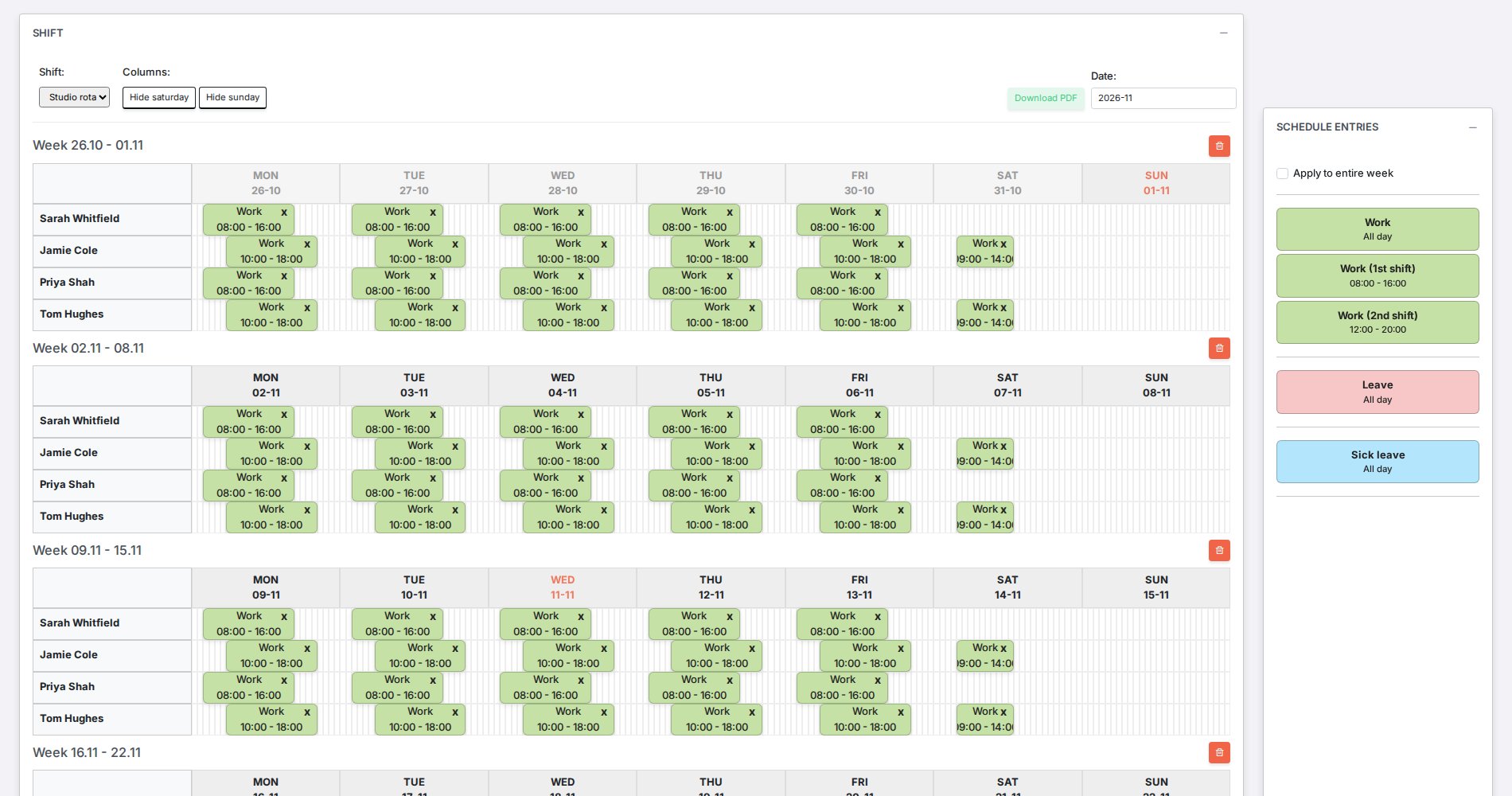
The staff rota brings shifts, holidays, sick leave and unavailability together in one view, links them with the job schedule, lets you set a whole week at once and print the rota to PDF.
Try it free for 14 daysWhat is the Employee Schedule?
A comprehensive tool for planning and coordinating your team's work. It does more than record who works when — it instantly shows the links between working time and orders, giving you full insight into capacity and enabling quick operational decisions.
How does this module work?
You define shifts and time blocks, assign them to employees (also in bulk), and the system integrates the schedule with the order calendar and blocks task planning during absences.
Define shifts and blocks
First/second shift, time off, sick leave, unavailability – as clear time blocks.
Assign in bulk
Set the schedule for the whole week with a single click.
Calendar integration
Hover over an employee to see their orders and days off.
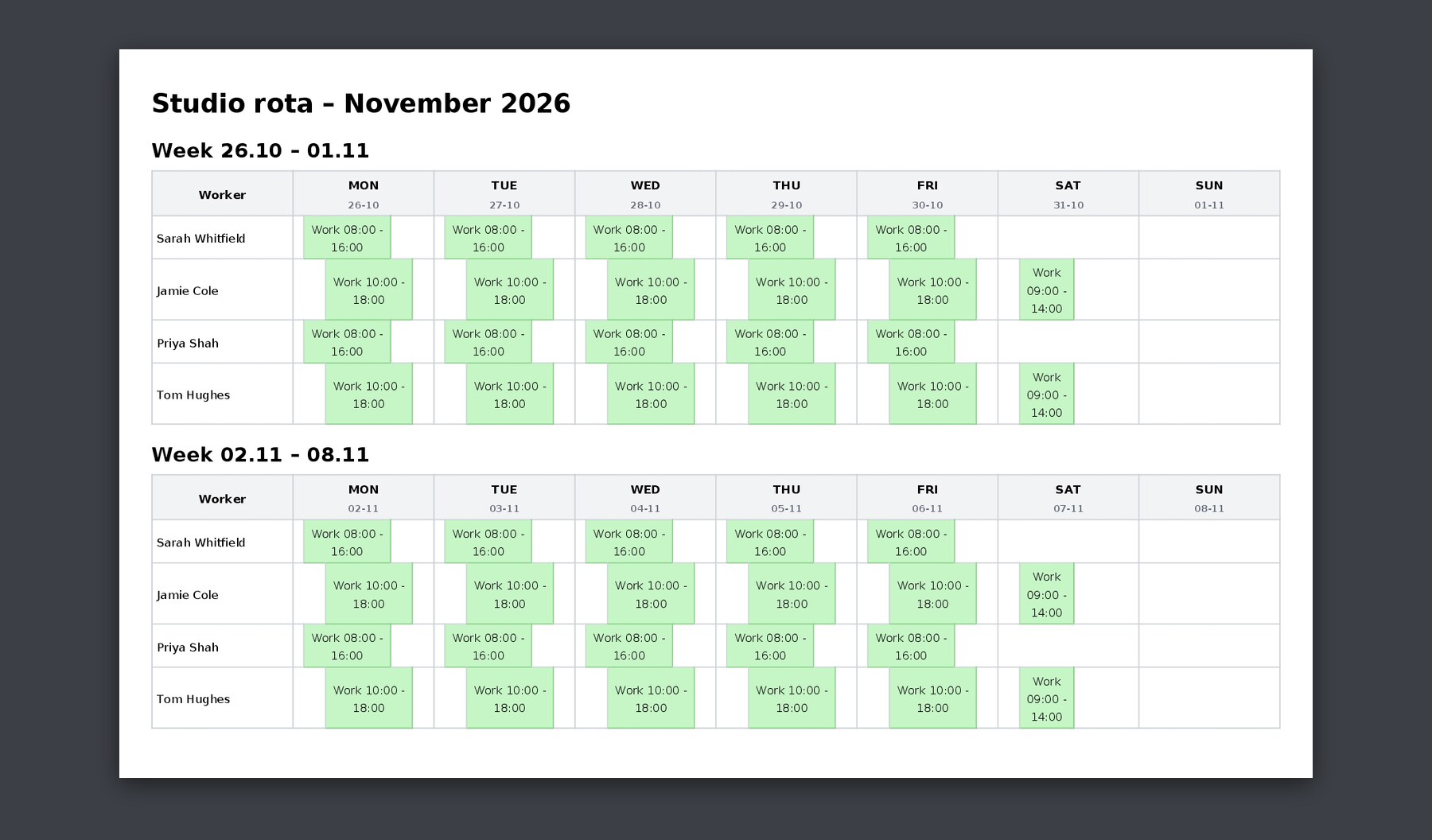
Export to PDF
Printing and archiving for the team or the office.
What does it look like in the system?
Work schedule in the auto detailing CRM – a quick view of availability, shifts and PDF export.
Join more than 50 studios working with Bonaveo
Average Google rating of 5.0. The first 14 days are free, no card needed.
What do you gain with the Employee Schedule?
As your team grows, planning becomes more complex. The Employee Schedule removes the chaos, gives the owner control over availability and provides a foundation for analysing efficiency and staff costs.
Better resource planning
Zero clashes – no orders for unavailable people.
Higher efficiency
Quickly spot gaps and fill them with extra orders.
Data for analytics
Compare working hours with time spent on orders.
Professional organisation
Transparent planning strengthens your company image.
Team consistency
Everyone knows when they work and what tasks they have.
Related system features
The Employee Schedule works best together with these CRM modules.
Frequently asked questions
What is the Employee Schedule?
It is a tool for planning shifts, time off and team availability, instantly linked to the order calendar.
Does the schedule integrate with the Calendar?
Yes. Hover over an employee to see their orders and unavailability, and the system prevents assigning an order on a day off.
Can I assign shifts in bulk and export the schedule?
Yes. You can set the schedule for the whole week with a single click and export it to PDF.
Can I define different types of absences?
Yes — you can define time off, sick leave, unavailability and day/night shifts as separate time blocks, each with its own colour and label.
Will my staff see the rota on their phones?
Yes. The rota is also in the mobile app, in day, week and month view.
What if plans change during the week?
You change the hours of a block or delete it, and you can clear the whole week and plan it again with one button.
Run your studio like a leader
Create an account in 2 minutes and try Bonaveo on your own orders. If you prefer, we’ll show you the system live.
