







Important notes reach the right person at the right moment
Save and manage notes linked to a customer or an order.
Sound familiar?
A client asked for something on their last visit, but nobody wrote it down.
A new team member doesn’t know the notes everyone else has known for ages.
You know about a recurring issue with a car, but nobody remembers it on the next order.
Announcements for the team get lost in conversations and on sticky notes.
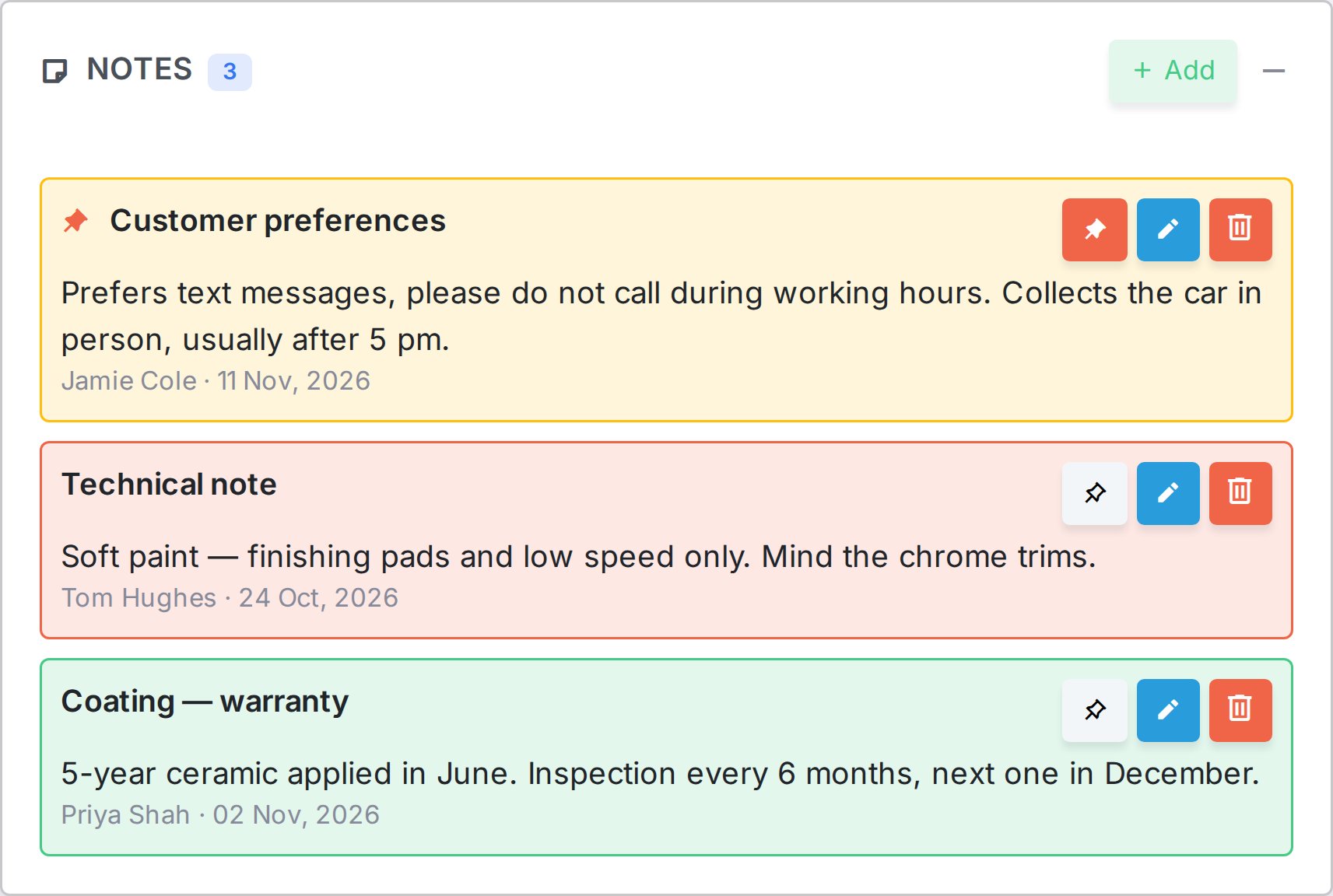
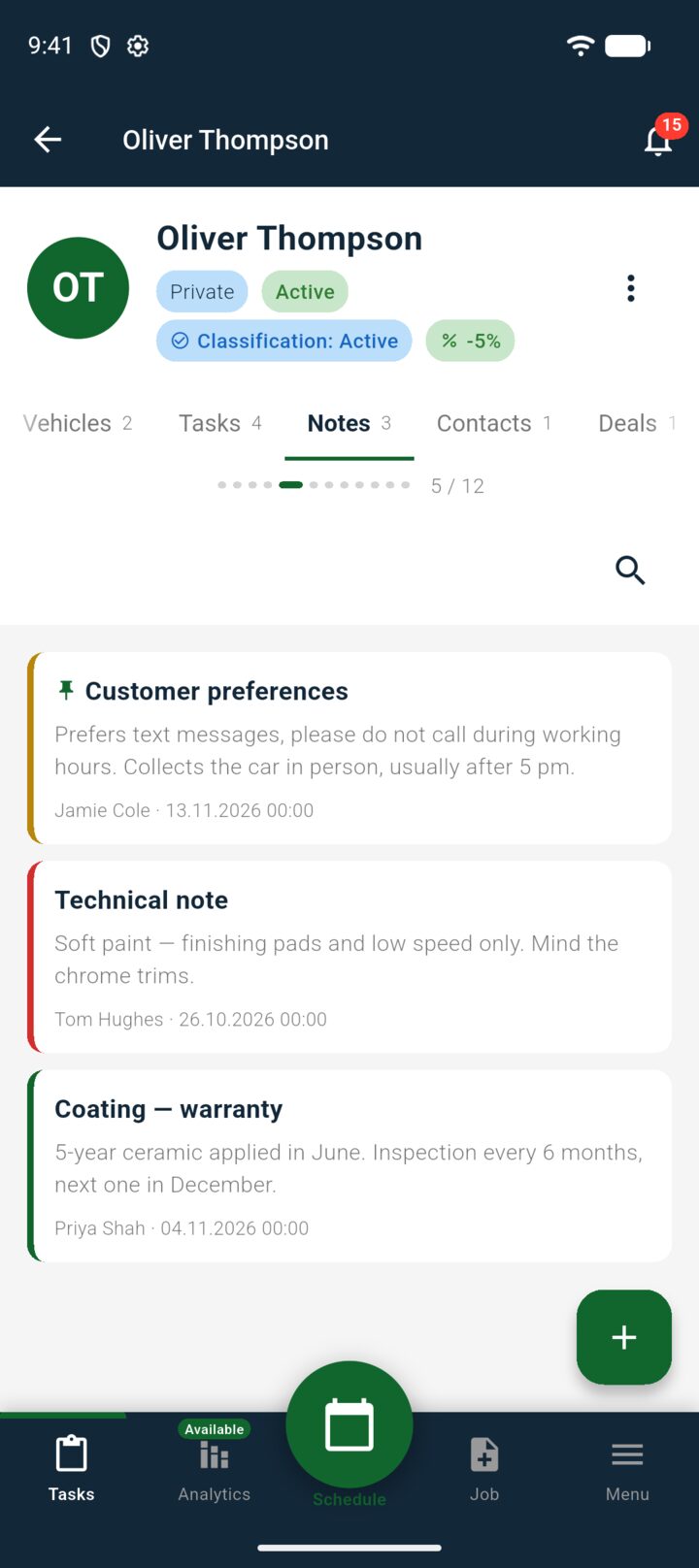
You attach notes to a client, a vehicle or an order, and the system shows them when an order is added and in the work views. Global notes are visible to the whole team in the scheduler.
Try it free for 14 daysWhat are Notes?
Notes capture information important for service: for a customer (preferences/remarks), for a vehicle (e.g. a recurring damage) or for an order (e.g. a specific stain to remove). There are also global notes visible in the Schedule for the whole team.
How do Notes work in practice?
The system shows notes automatically when adding an order and in the work views. The entire crew follows the right procedures — without searching and without having to remember.
Automatic display
The right information at the right moment (e.g. when creating an order).
Linked to context
Customer/vehicle/order – an employee immediately knows what to do differently and why.
Less risk and fewer mistakes
"Do not use a heat gun" — remarks like this instantly change how a service is carried out.
Shared team knowledge
A new employee also sees the key information – service quality stays consistent.
What does it look like in the system?
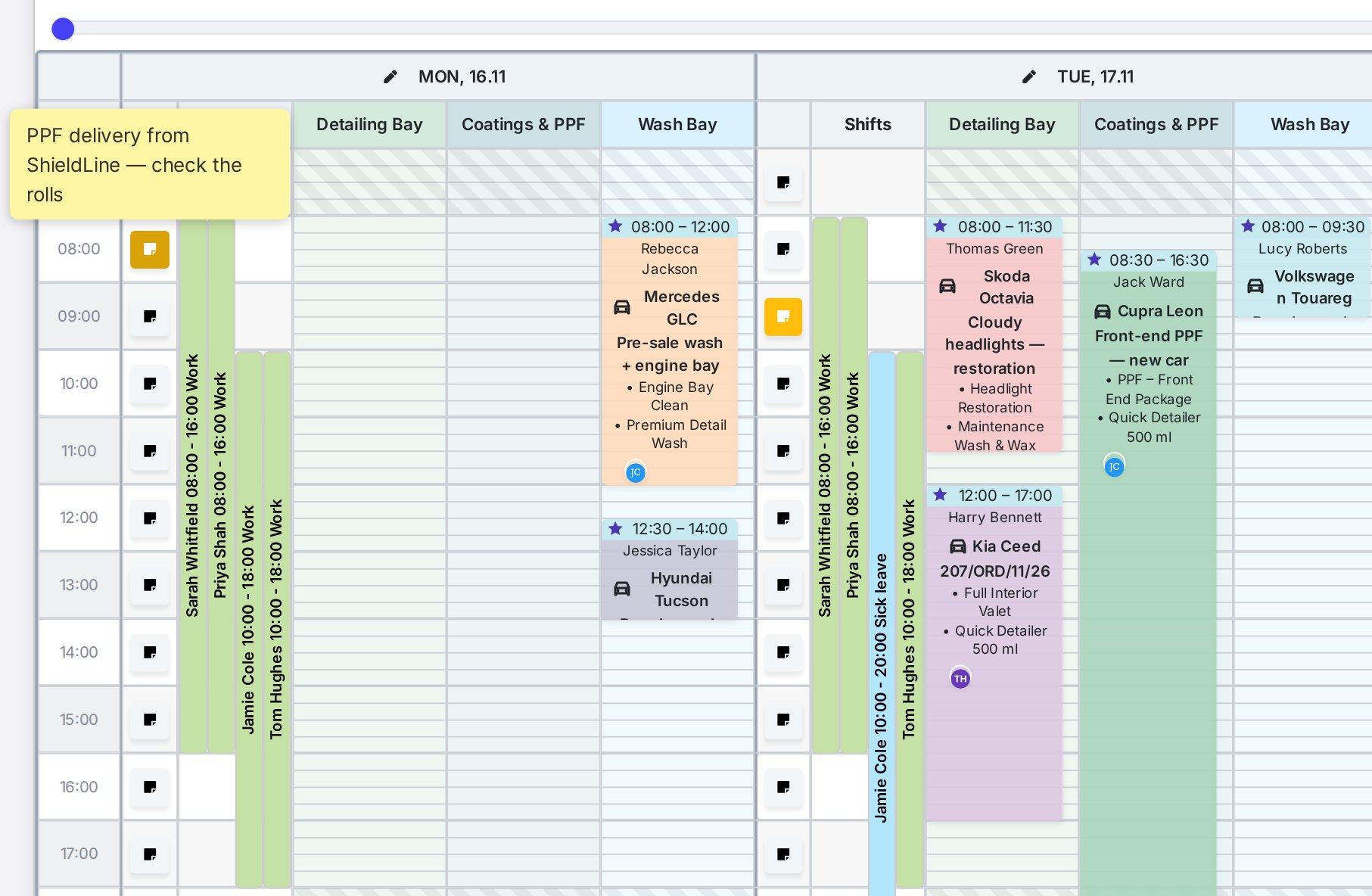
Notes assigned to customers and general reminders visible in the schedule.
Join more than 50 studios working with Bonaveo
Average Google rating of 5.0. The first 14 days are free, no card needed.
What do you gain with Notes?
So that no important information gets lost in the rush of tasks. The system reminds you in the right place, improving service quality and communication with the customer.
Consistent service quality
No matter who is serving the customer – the information is at hand.
Stronger relationships
You remember what matters to customers – loyalty grows.
Fewer mistakes
Automatic reminders eliminate the risk of error.
Better communication
Knowledge is shared and visible – it does not get lost in conversations.
Related system features
Notes complement these CRM modules.
Frequently asked questions
What are Notes in the CRM?
It is a record of important information pinned to a customer, vehicle or order – information that affects service and work organization.
How do Notes work?
They appear automatically at the right moment (e.g. when creating an order), so you do not have to search for them or remember them.
Are there global Notes?
Yes. Selected information can be visible to the whole team in the Schedule.
Why were Notes introduced?
So that no important information gets lost in the course of the day and to raise the quality and consistency of customer service.
Can I see notes in the mobile app?
Yes. In the Bonaveo mobile app a note on an order shows up as a yellow sticky note with a preview in the panel.
Will you move my clients and cars at the start?
Yes. At the start we move your clients and their cars from your spreadsheet or previous system, so you can add notes to them right away.
Run your studio like a leader
Create an account in 2 minutes and try Bonaveo on your own orders. If you prefer, we’ll show you the system live.
