







Everyone on the team knows what to do and by when
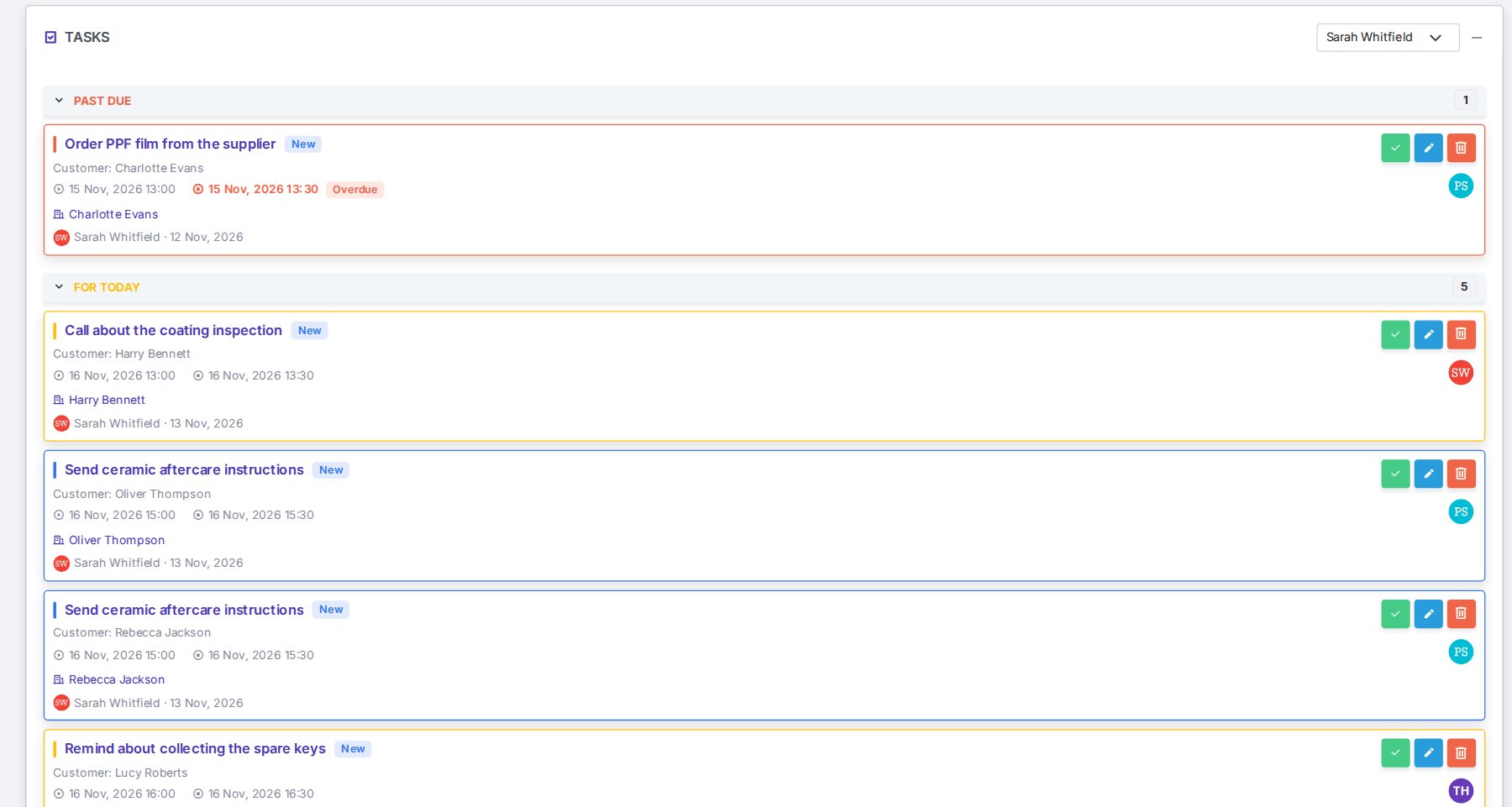
Create tasks and assign them to customers and employees.
Sound familiar?
Verbal agreements get lost before anyone acts on them.
A promised call to a client slips through because nobody wrote it down.
Ordering supplies or picking up parts depends on whoever happens to remember.
You don’t know what the team has done and what is still waiting.
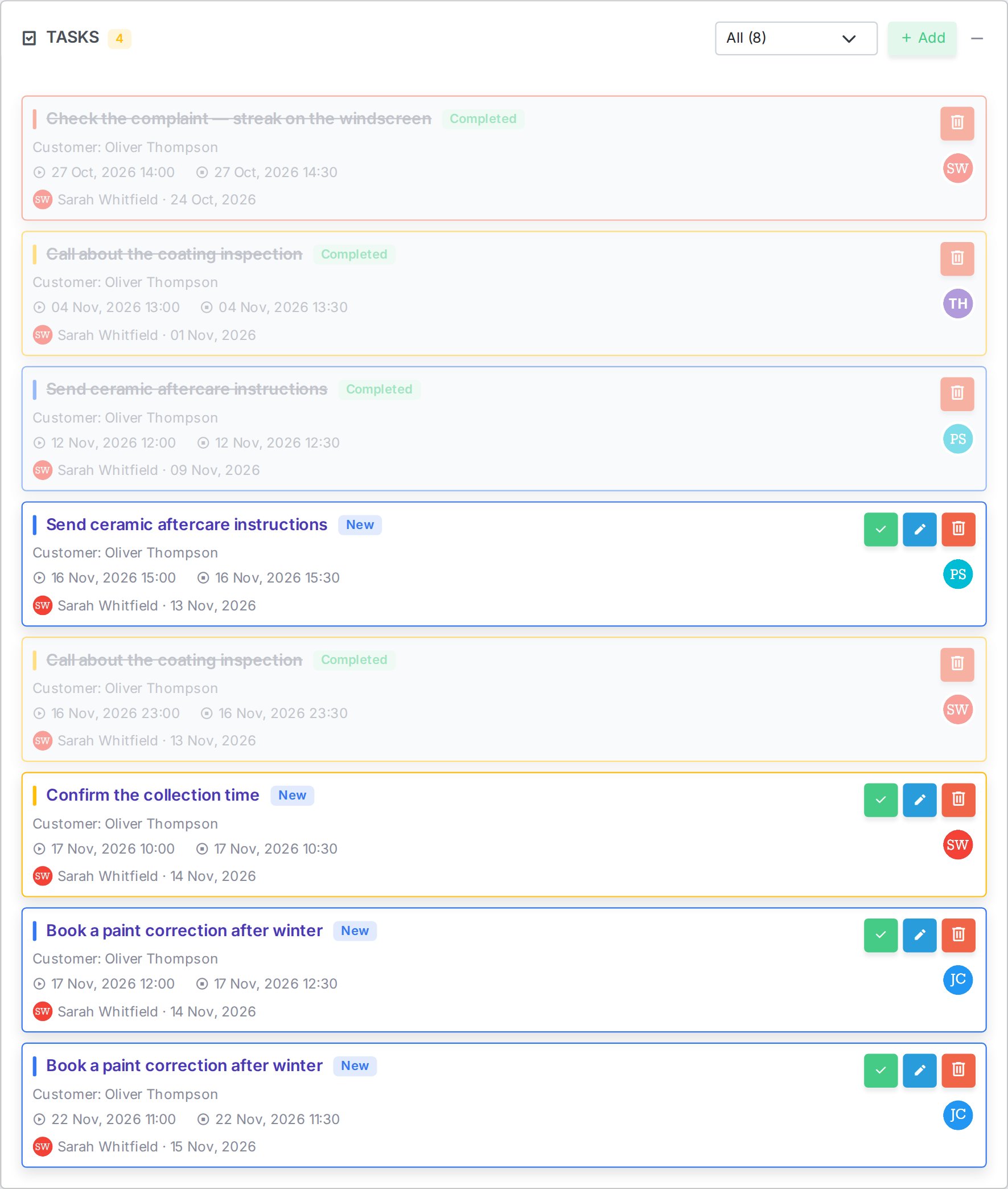
Tasks have an owner, a deadline and a link to a client, car or order. The system keeps track of deadlines, and you see the status at a glance.
Try it free for 14 daysWhat are Tasks?
Tasks bring order to your team's activities: from customer follow-ups to operational processes. Every task has a person responsible, a deadline and a context — so an employee knows exactly what to do, for whom and by when.
How do Tasks work in practice?
One click: content, assignee and deadline. The system reminds you and the status is visible right away. The customer/vehicle/order context provides all the data you need to act.
Quick adding
Add the content, pick a person and a deadline. Priority and reminder – in the same place.
Full context
A link to a customer, vehicle or order – contact, history and preferences at hand.
Monitoring and enforcement
Status, progress and accountability – visible to you and the whole team.
Reminders
The system keeps an eye on deadlines – no task will "vanish" without being done.
What does it look like in the system?
The tasks module in the CRM – creating, assigning and tracking the status of your team's activities.
Join more than 50 studios working with Bonaveo
Average Google rating of 5.0. The first 14 days are free, no card needed.
What do you gain with Tasks?
So that everyone knows what to do and by when. No more verbal arrangements that leave no trace. Clear assignments, deadlines and the ability to verify completion – that is the foundation of an efficient team.
Better organization
Clear priorities, accountability and deadlines for everyone.
Greater effectiveness
Nothing gets lost — tasks are reminded and closed out.
Processes under control
Follow-ups, logistics, supplies — all in one place.
Full transparency
Who does what, when and for whom — zero ambiguity.
Related system features
Tasks work best together with these auto detailing CRM modules.
Frequently asked questions
What are Tasks in the CRM?
It is a module for creating, assigning and monitoring tasks linked to customers, vehicles, orders or operational processes.
How do Tasks work?
You add the content, the person responsible and a deadline. The system reminds you and lets you track the status. A task has context: customer/vehicle/order.
Why was the Tasks module created?
To bring order and predictability to the team's everyday work and to make arrangements enforceable.
Do Tasks help with follow-ups and logistics?
Yes. They streamline sales follow-ups and internal processes (supplies, stock control, team announcements).
Do I have tasks on my phone too?
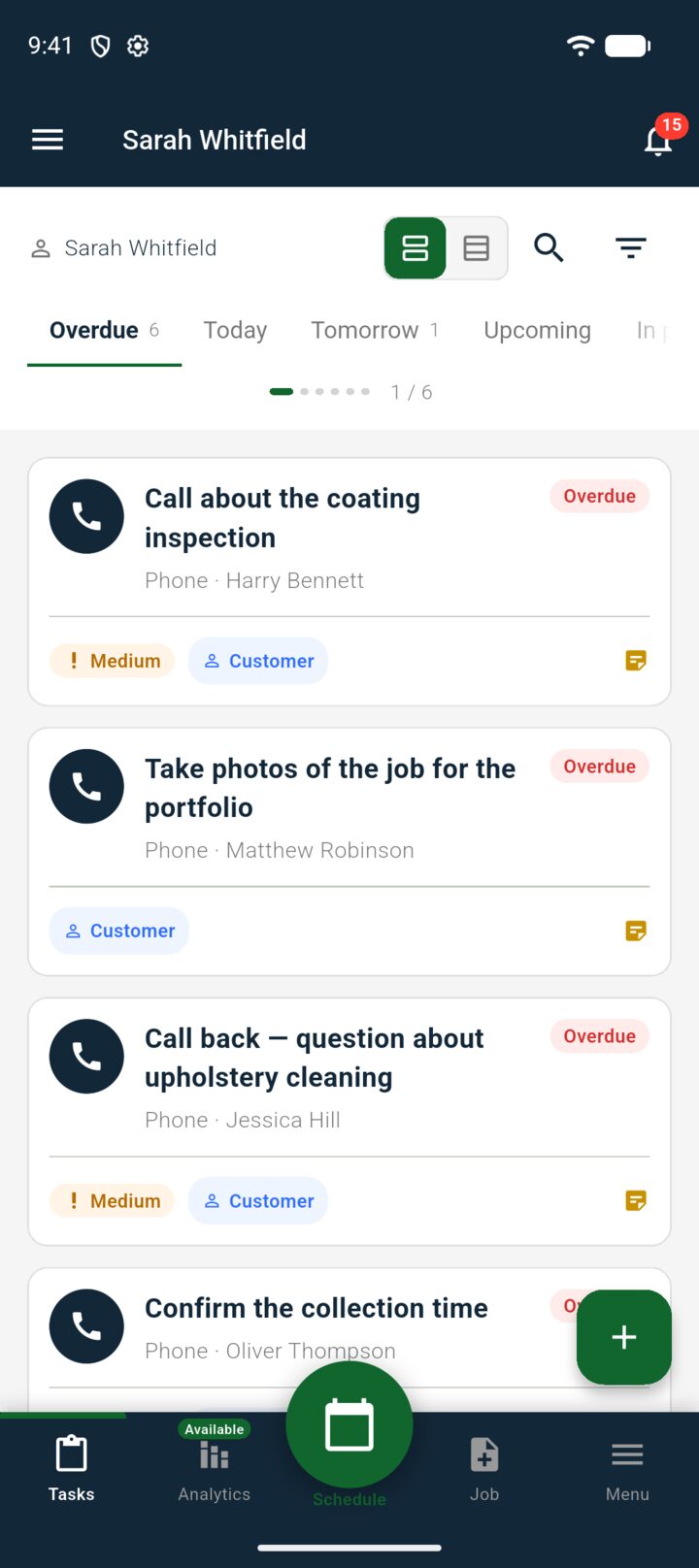
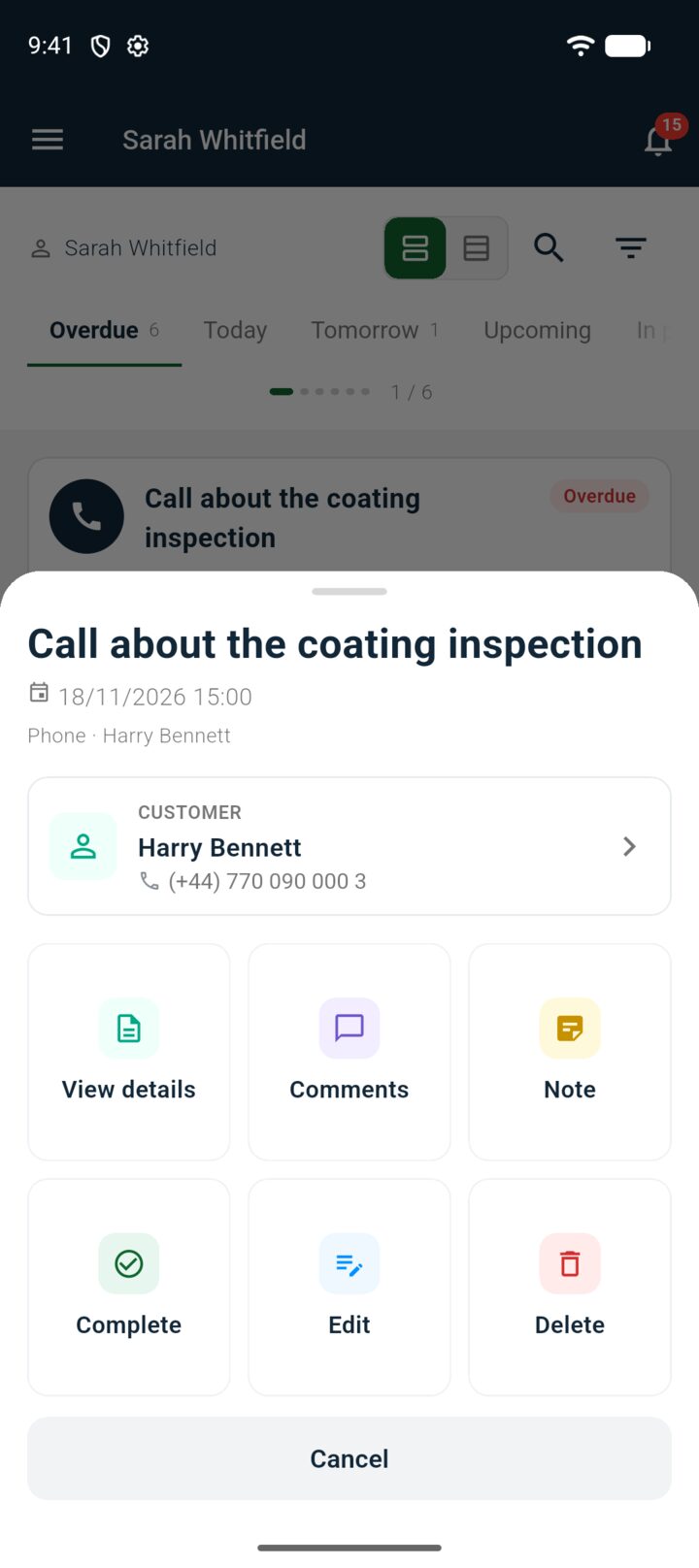
Yes. In the Bonaveo mobile app you have the list of tasks in progress and overdue, plus the task panel with comments.
Can I link a task to a client or a car?
Yes. You can link a task to a client, a vehicle or an order — contact details, history and preferences are then at hand.
Run your studio like a leader
Create an account in 2 minutes and try Bonaveo on your own orders. If you prefer, we’ll show you the system live.
