







Regular customers come back for points — and you stop counting them in a notebook
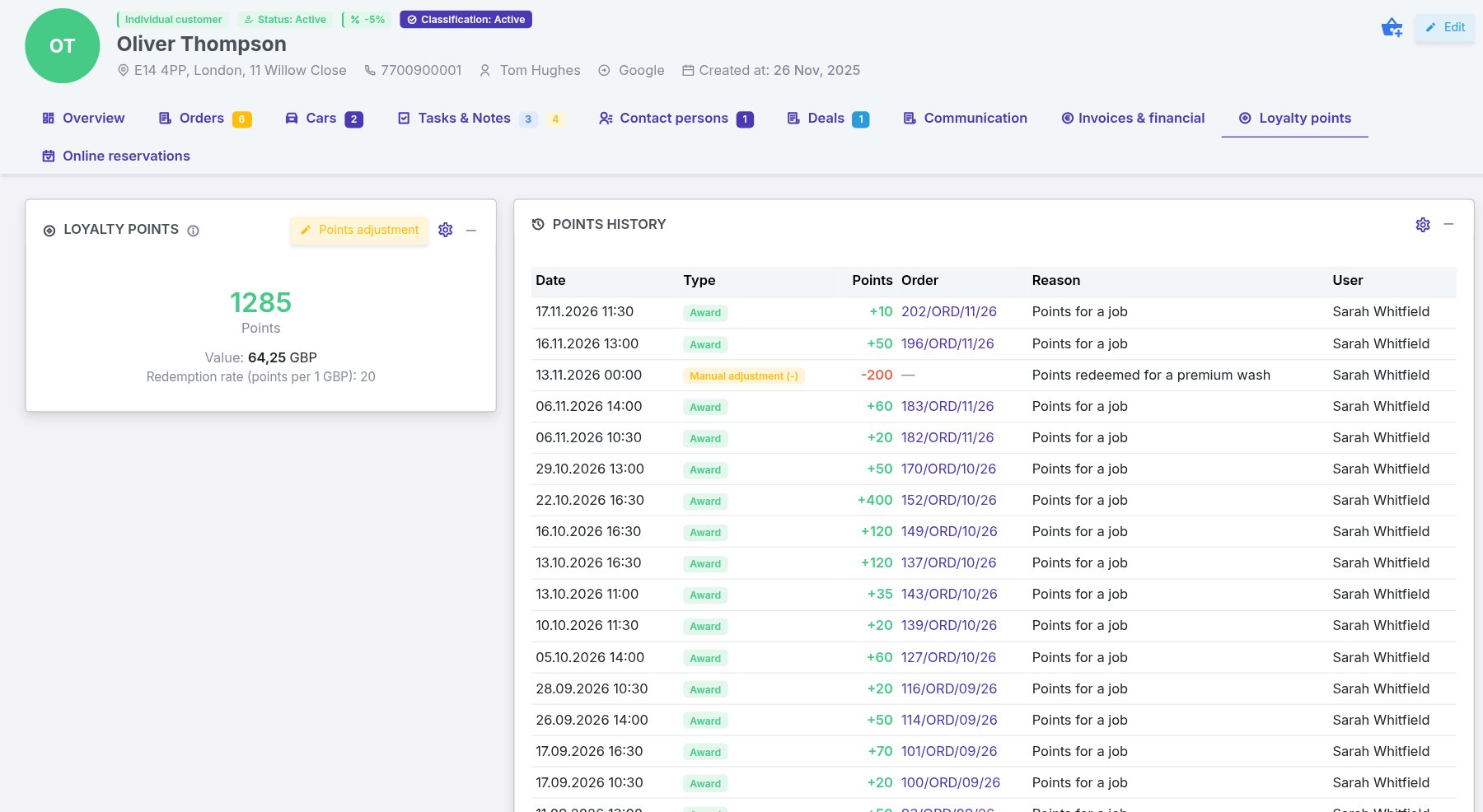
Every settled order adds points to the client — a fixed number set for the service or by an amount-based rate, e.g. 1 point per 1 EUR. The balance and history are on the client record, and you deduct points with a manual adjustment when the client exchanges them for a discount or a gift.
Sound familiar?
You keep regulars’ points in a notebook or spreadsheet and nobody knows who really has how many.
A customer asks about their points at the desk and you have to dig through visits from a year ago.
After a cancelled job the points stay, because nobody remembers to take them back.
Stamp cards get lost, and a customer who has spent thousands with you feels like a newcomer.
The system adds points itself when a job is settled, reverses them on cancellation and keeps the balance with its full history on the customer card.
Try it free for 14 daysWhat is the loyalty programme?
It is a points account for every customer, kept by the system. Points grow with settled jobs, and you record a redemption with a manual adjustment and a note — the rules of the programme are yours.
How does it work in practice?
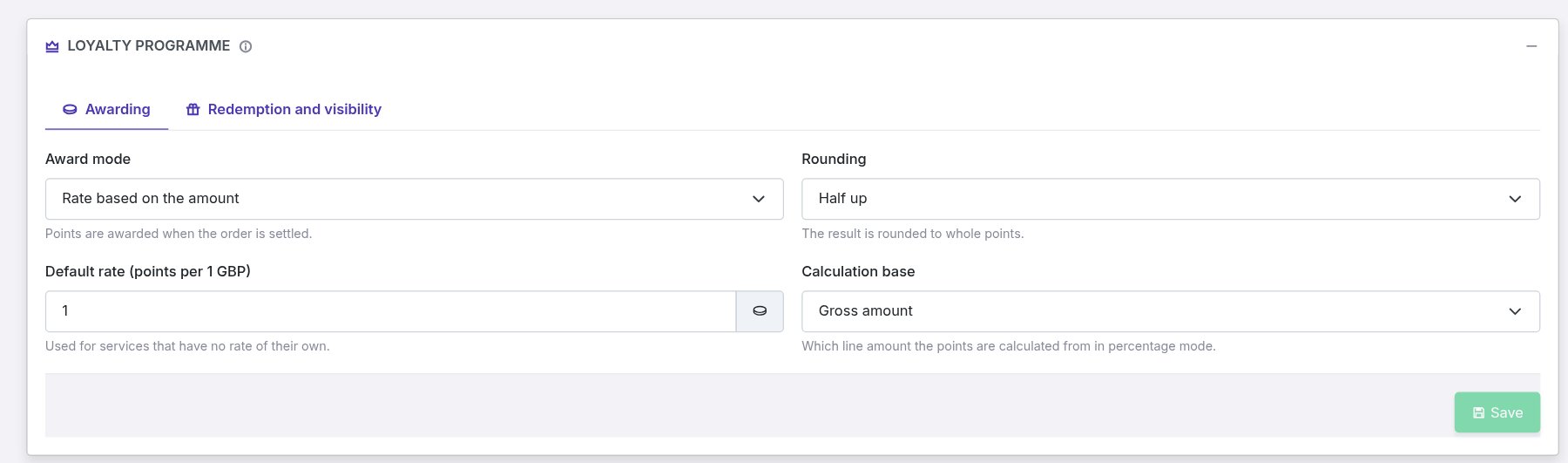
You set the rules once in the programme settings. From then on the points take care of themselves.
Fixed mode
You assign points to a service or product, and the customer gets them for every unit on a settled job.
Amount-based rate
Points for every 1 EUR of the item’s net or gross price, e.g. 1 point per 1 EUR; a service can have its own rate.
Awarded on settlement
Points are added when the job is settled — from every job, including online bookings and dealer jobs.
Reversal on cancellation
Cancelling a settled job adds a negative entry; a cancelled job earns no points.
Manual adjustment
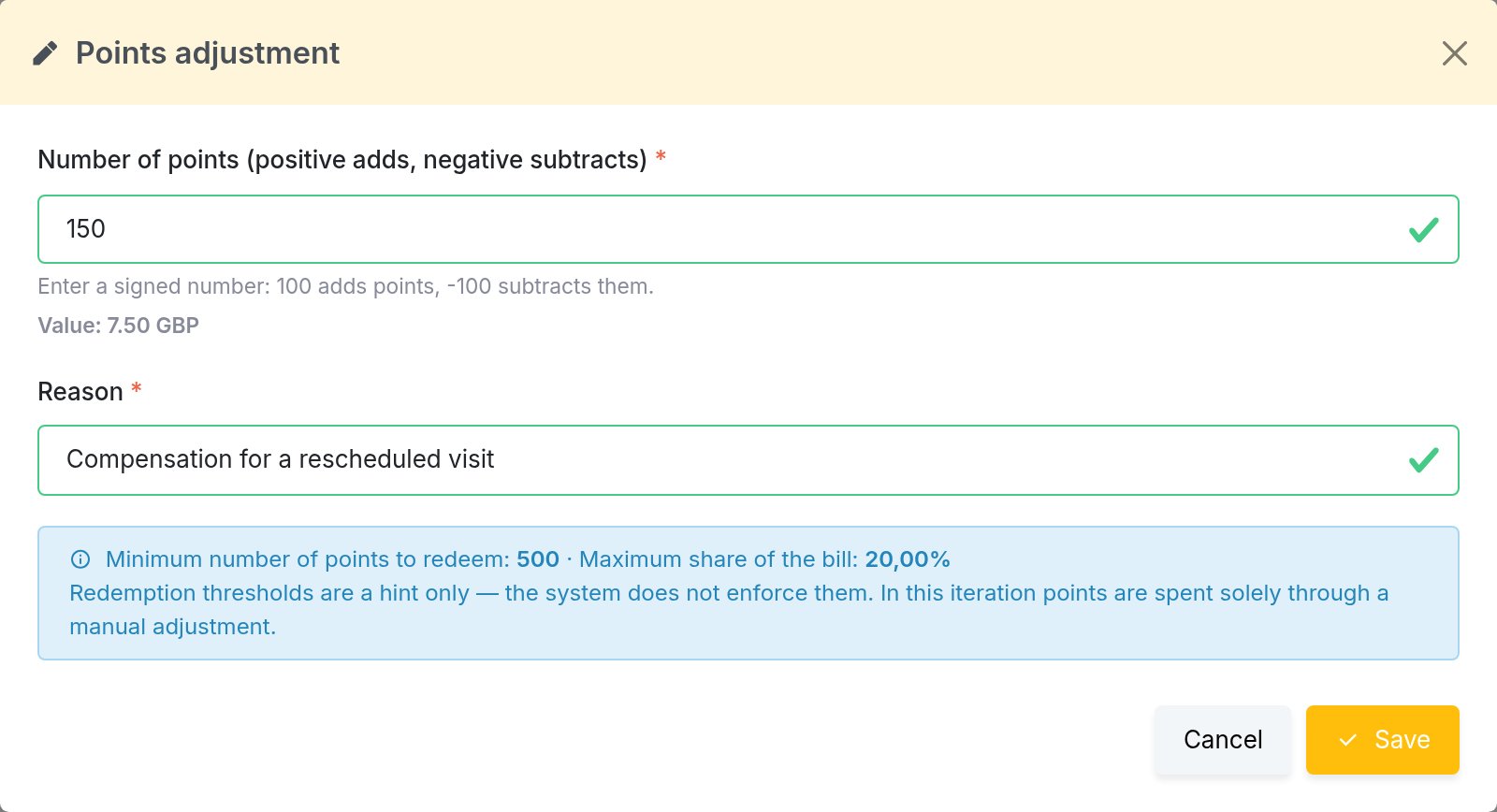
You add or deduct points with a required reason — that is how you record a redemption.
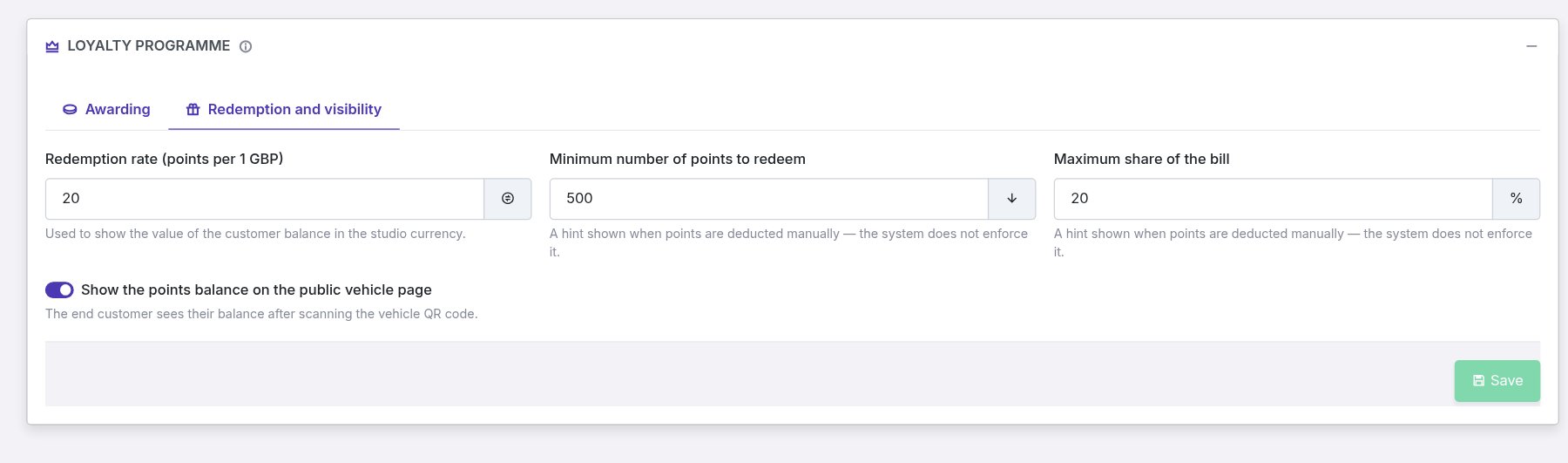
Hints when redeeming
When deducting, you see the balance value in the studio’s currency, your minimum threshold and the maximum share of points in a bill.
What does it look like in the system?
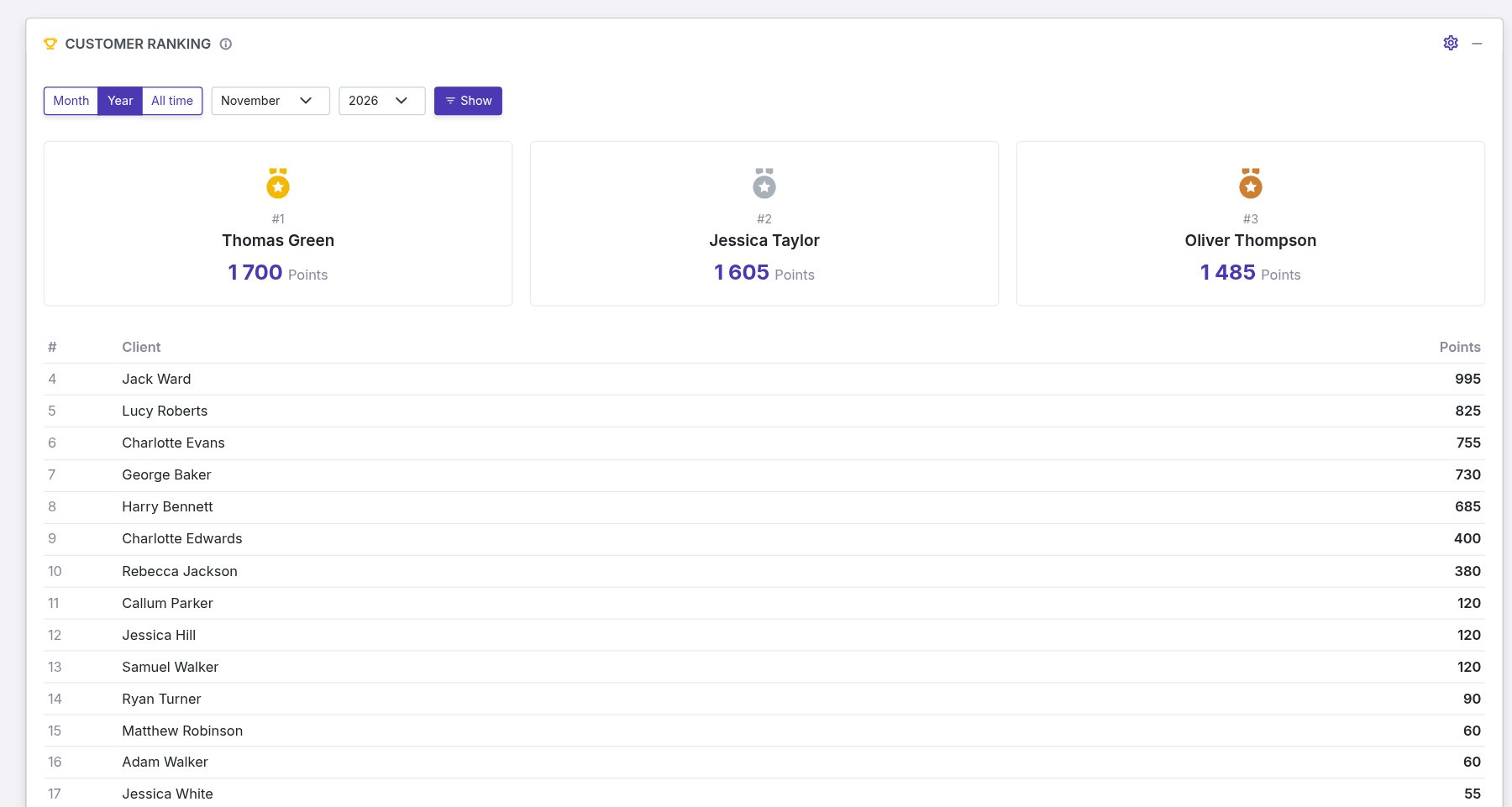
Programme settings, the customer's points balance and history, a manual adjustment and the ranking of top customers — screenshots from a sample studio.
Join more than 50 studios working with Bonaveo
Average Google rating of 5.0. The first 14 days are free, no card needed.
What do you gain with the loyalty programme?
The loyalty programme gives regular customers a reason to come back to you — without stamp cards or counting by hand.
More return visits
Collected points are a concrete reason to book the next service with you.
No counting
Points are added automatically when a job is settled.
Quick answers for customers
You see the balance and its value straight away on the customer card.
A clean history
Every balance change has a date, a reason and the person who made it.
Your rules
You decide how many points a service earns and what customers can redeem them for.
Balance for the customer too
If you wish, customers can see their points on the public vehicle page.
Related features
The loyalty programme runs on data from customer cards and jobs.
Frequently asked questions
When does a customer get points?
When the job is settled. A job that is created or edited but not settled earns no points, and a cancelled job earns none at all.
How are points calculated?
You choose one of two modes: a fixed number of points set for a service or product, or an amount-based rate — points for every 1 EUR of the item’s net or gross price, with an optional separate rate for selected services.
How does a customer redeem points for a reward?
You deduct points with a manual adjustment and a note, e.g. “50 EUR off”. The system shows the balance value in money and your minimum threshold and limit, but does not enforce them — you grant rewards by your own rules.
What happens to points when I cancel a settled job?
The system adds a reversal entry with negative points — exactly as many as were awarded for that job. The history stays readable and the balance corrects itself.
Can customers see their points?
Yes, if you turn it on in the programme settings — the balance and its value appear on the public vehicle page the customer opens from the QR code.
Can I check or correct points on my phone?
Yes. The mobile app for your team shows the customer’s balance and points history and lets you make a manual adjustment — with the same permissions as in the browser.
Run your studio like a leader
Create an account in 2 minutes and try Bonaveo on your own orders. If you prefer, we’ll show you the system live.
