







Clients remember their visit, and you don’t have to call anyone
The system automatically reminds customers about their upcoming appointment.
Sound familiar?
A client didn’t show up because they forgot — and the bay stood empty all day.
In the evening you call tomorrow’s clients one by one instead of resting.
An employee was supposed to send a reminder, but it slipped their mind in the rush.
Everyone writes text messages their own way, from a private number.
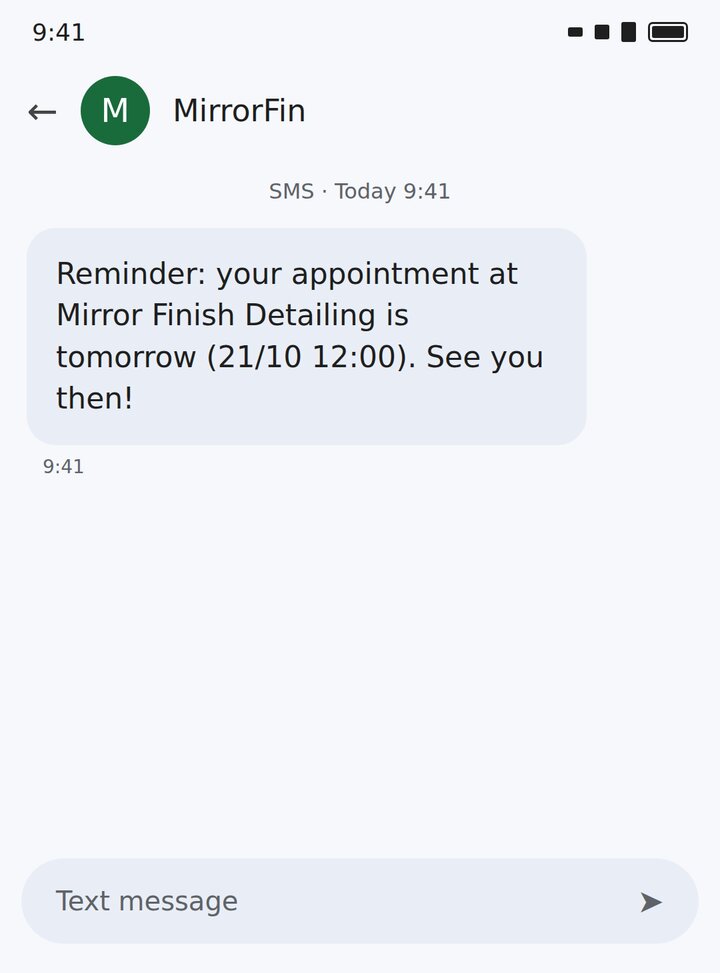
You add an order to the schedule and the system sends the client a reminder the day before the visit — with your wording and the car’s details.
Try it free for 14 daysWhy are reminders crucial?
Every "empty slot" is a real loss. Automatic reminders a day earlier raise attendance, take duties off the team and build a professional image for your brand.
How does it work in practice?
Add an order to the Schedule — the system will send a reminder a day before the appointment by itself. You decide on the content, channel and sender.
Starts from the Schedule
Add an order to the calendar — the reminder sets itself up, with no extra steps.
Editable content + variables
The message components fill in automatically: make/model, time, address, phone, amount.
SMS
In higher packages you can also set your own SMS sender name.
Measurable effect
Fewer missed appointments, better punctuality and a relieved team — without calling and rewriting.
What does it look like in the system?
SMS appointment reminders in the CRM system for auto detailing.
Join more than 50 studios working with Bonaveo
Average Google rating of 5.0. The first 14 days are free, no card needed.
What do you gain with reminders?
Reminders arrive at the right time and with the right content — the customer shows up on time, and the team focuses on the work.
Higher attendance
Fewer missed appointments, more punctual customers.
Team time
Zero manual phone calls and rewriting messages.
Professional image
Sender name and consistent brand language in communication.
Integration with the process
Part of the cycle: reminder → completed order → review request.
Related system features
Reminders work best together with these modules.
Frequently asked questions
When is the reminder sent?
By default, a day before the scheduled appointment. Sending happens automatically after adding the order to the Schedule.
Can I change the message content?
Yes. The content is editable and supports variables, e.g. vehicle make/model, time, address, phone, amount.
Can the SMS have my name as the sender?
Yes, in higher packages you can set your own sender name so that messages arrive from your company.
Does this feature reduce missed appointments?
Yes. Automatic reminders significantly increase attendance and reduce empty slots in the calendar.
Do I have to remember the reminder for every order?
No. The reminder sets itself up when you add an order to the schedule — no extra steps.
Will you move my clients and their cars from Excel or another program?
Yes. At the start we move your clients and their cars from your spreadsheet or previous system, so you don’t start from scratch.
Run your studio like a leader
Create an account in 2 minutes and try Bonaveo on your own orders. If you prefer, we’ll show you the system live.
