







Hand over every car with a signed record and close the job with no loose ends
Close every order with a signed protocol. Collect notes, customer consents and signatures from both sides on a tablet, then print the document or email it to the customer as a PDF.
Sound familiar?
A customer picks up the car and comes back a few days later with complaints they never raised at pick-up.
You have no confirmation that the customer collected the car and accepted what was agreed.
The handover record is a sheet of paper that gets lost, or there isn’t one at all.
What was agreed at handover stays in the conversation, and later nobody remembers it the same way.
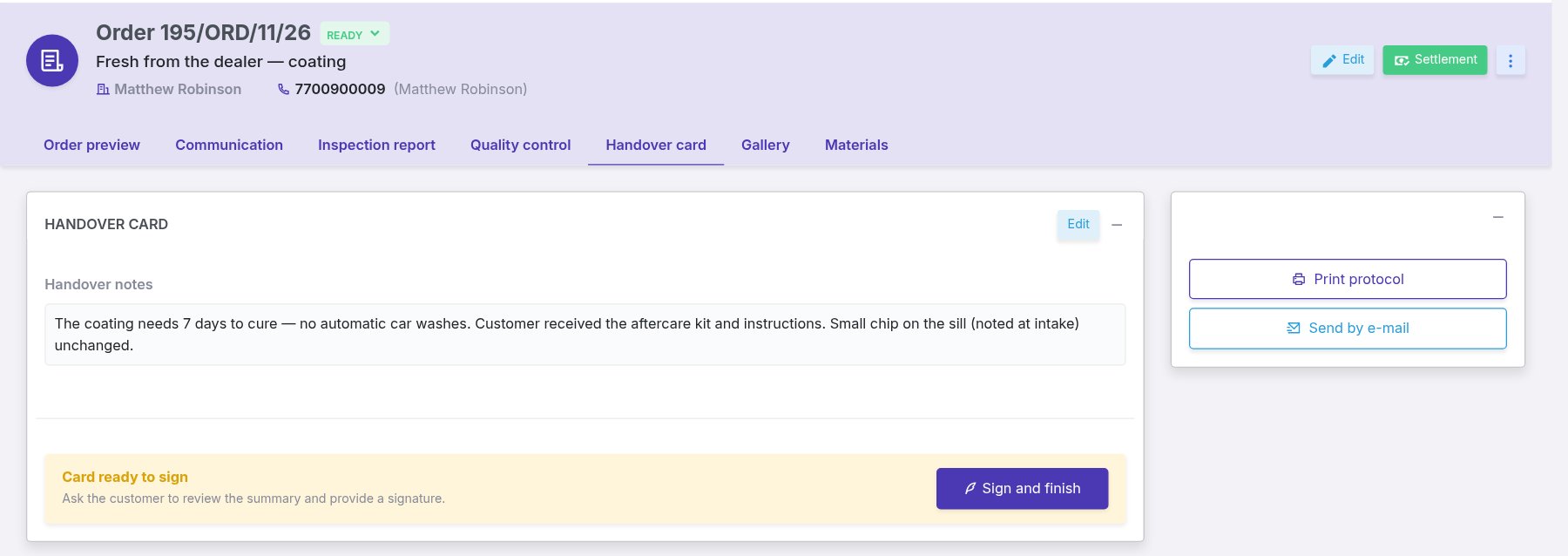
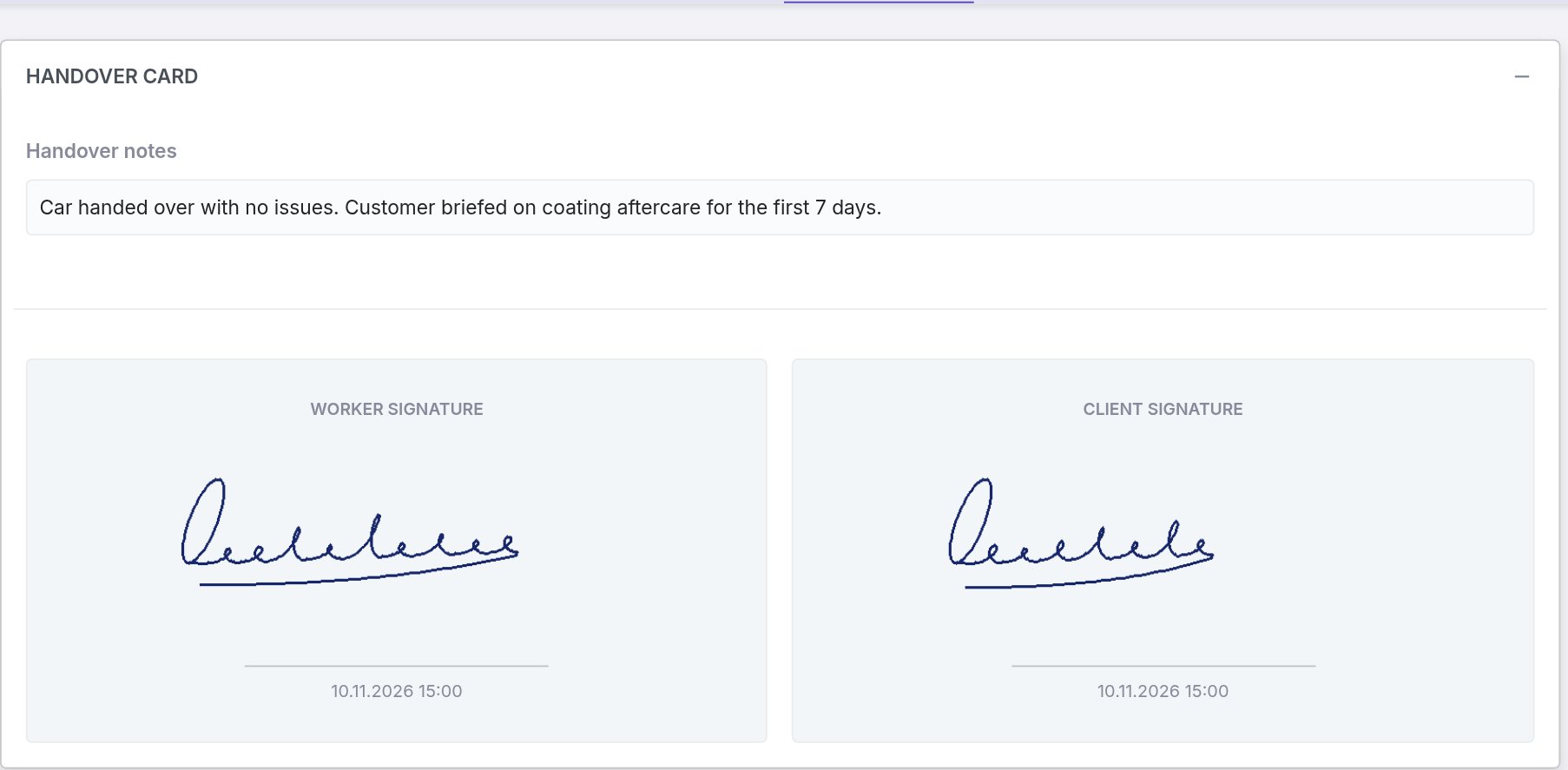
The vehicle handover card collects remarks, the customer’s consents and both parties’ signatures at pick-up. Once signed, the record is locked against changes, and you print the finished PDF or e-mail it to the customer.
Try it free for 14 daysWhat is the Vehicle handover card?
The Vehicle handover card is the protocol you sign with the customer when you hand the car back. It is the counterpart of the Vehicle intake card – together they close the order from both ends: you know what condition the car arrived in, and you have proof that the customer collected it.
How does the handover card work in practice?
You open the card in the "Handover card" tab of the order. It takes a moment to fill in, and once signed the document is locked against changes.
Part of the order
One handover card per order, always at hand in the order details.
Notes
Describe what was agreed or handed over to the customer at collection.
Customer consents
The customer ticks the consents you prepare in the settings. The consent wording at the moment of signing is stored too.
Sign with a finger or stylus
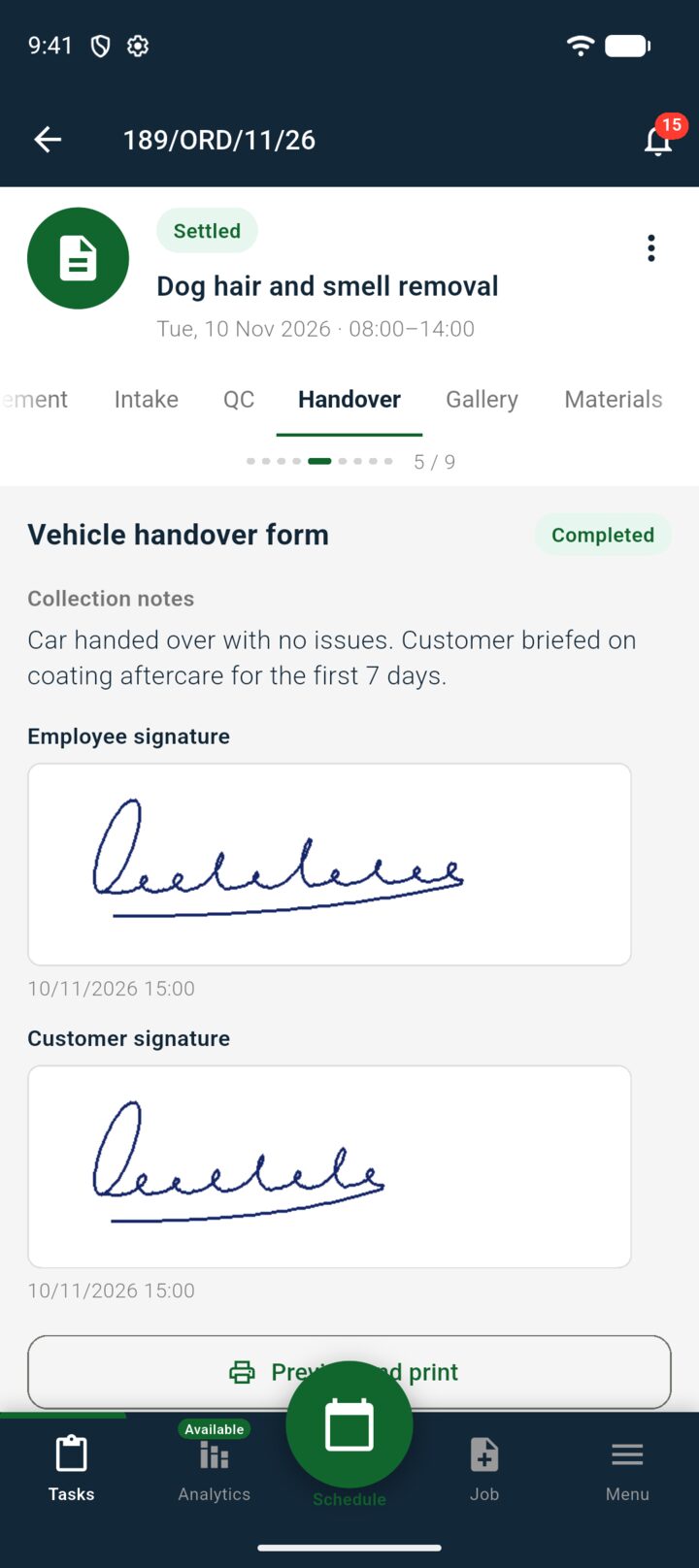
The customer and the employee sign on a tablet or phone screen. After signing, the card is closed.
Print the protocol
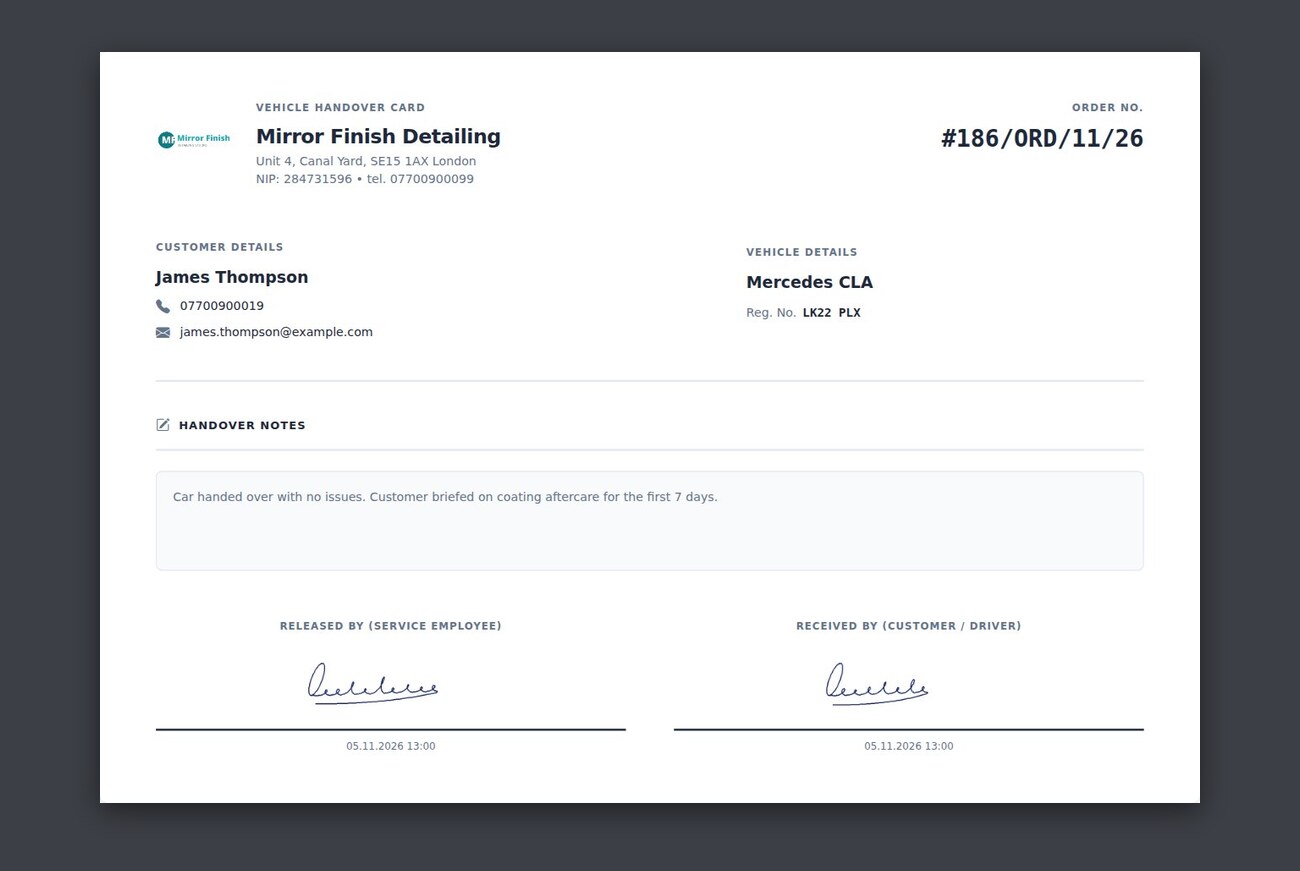
Print the protocol or save it as a PDF in one click.
Send by email
Send the PDF to the customer's contact person. The system checks their consent to email contact.
What does the handover card look like in the system?
The handover card is created in the order details and, once signed, is ready to print or send to the customer.
Join more than 50 studios working with Bonaveo
Average Google rating of 5.0. The first 14 days are free, no card needed.
What do you gain with the handover card?
Most misunderstandings appear after the car has been collected. A signed handover protocol is simple proof that the customer took the car and accepted what was agreed – no digging through messages and notes.
Fewer disputes
The customer's signature at collection ends discussions about what was agreed.
Quick collection
Notes, consents and signatures in one window – no paper forms.
Professional image
The customer gets a clear protocol instead of a handwritten note.
Documents in one place
The protocol, consents and signatures stay with the order in the CRM.
Your brand in the email
The protocol email goes out with your studio's logo and footer.
Complete order history
Intake, quality control and handover in a single order.
Related system features
The Vehicle handover card works best together with these CRM modules for auto detailing.
Frequently asked questions
What is the Vehicle handover card?
It is a protocol signed with the customer when they collect the car. It contains notes, accepted consents and the signatures of the customer and the employee.
Can the customer sign the card on a tablet?
Yes. The customer and the employee sign with a finger or stylus on a tablet or phone screen, directly in the browser.
Which consents can the customer accept?
The ones you prepare in the consent settings. The system stores the customer's decision together with the consent wording at the moment of signing.
Can I send the protocol to the customer?
Yes. You send it by email as a PDF attachment to the customer's contact person who has agreed to email contact. You can also print it.
Can a signed card be changed?
No. Once signed, the card is closed and cannot be edited – which keeps its value as evidence.
Can I fill in the handover card in the phone app?
Yes. In the Bonaveo mobile app you open the handover card on the job and fill it in next to the car, together with the customer.
Will the e-mail with the record look like it’s from my studio?
Yes. The e-mail with the record goes out with your studio’s logo and footer, and with the Studio branding feature in your colours too.
Run your studio like a leader
Create an account in 2 minutes and try Bonaveo on your own orders. If you prefer, we’ll show you the system live.
