







Every car checked before it goes back to the customer
Check every car before you hand it back. The checklist builds itself from the services on the order, and your team ticks off items, adds photos and signs off the inspection.
Sound familiar?
A customer calls after pick-up because they spotted a streak or a spot that wasn’t cleaned.
Everyone on the team checks a car their own way, and something always slips through.
A new team member doesn’t know what to look at before a car is handed back.
You have no proof of what the car looked like when the work was finished.
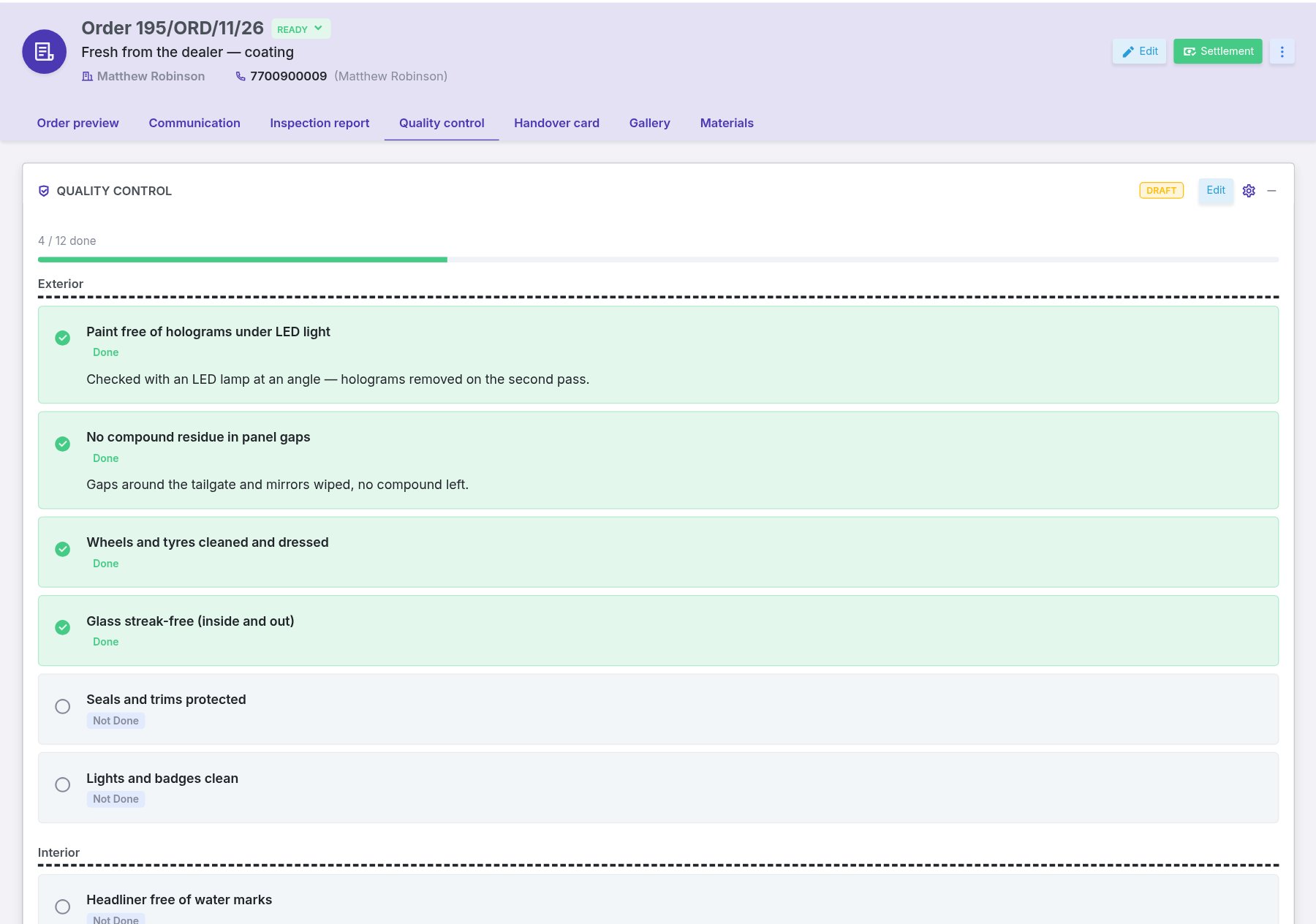
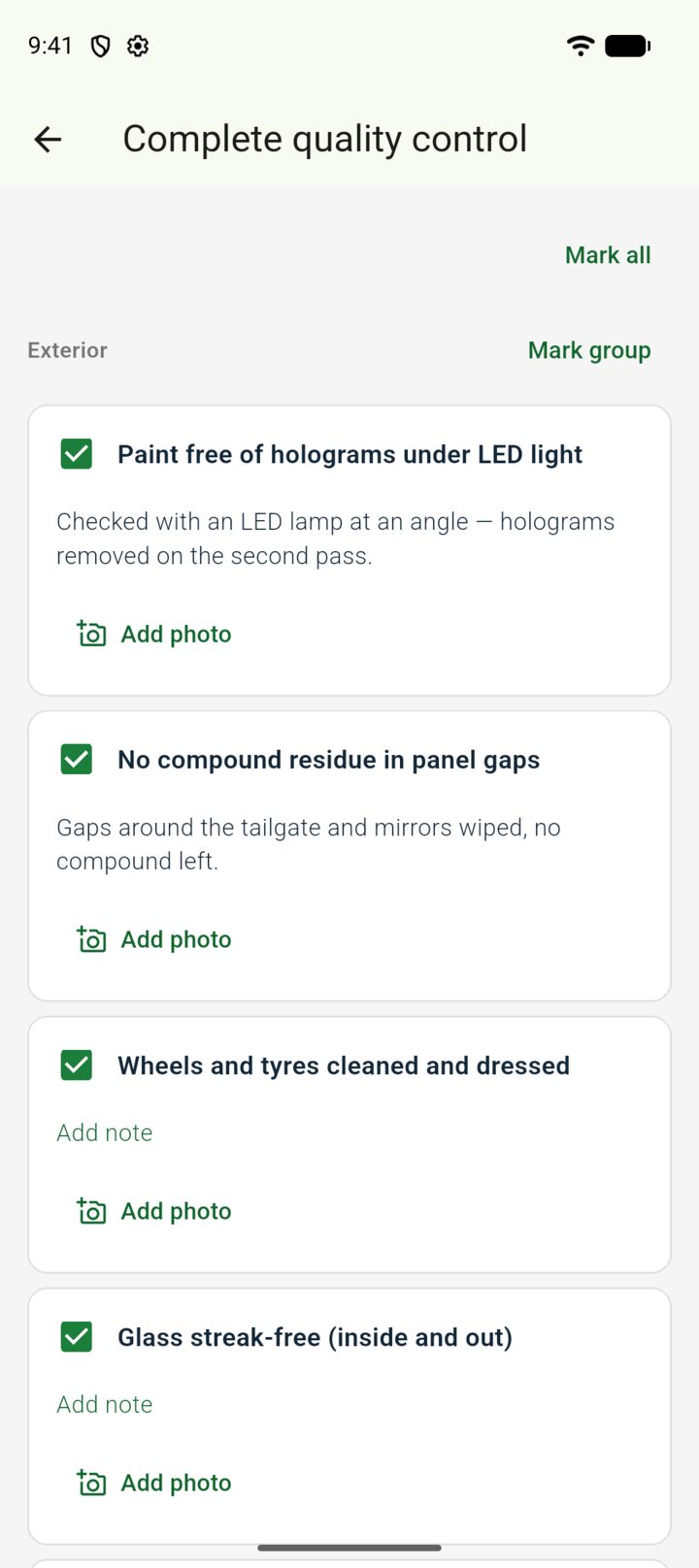
The quality control card builds its checklist from the services on the order. Your team ticks off items, adds photos and can only sign off the inspection once everything has been checked.
Try it free for 14 daysWhat is the Quality control card?
The Quality control card is a list of points to check before the car leaves. You set it up once – in a catalogue of checkpoints assigned to services – and the system assembles the card for every order based on the services performed on it.
How does the Quality control card work in practice?
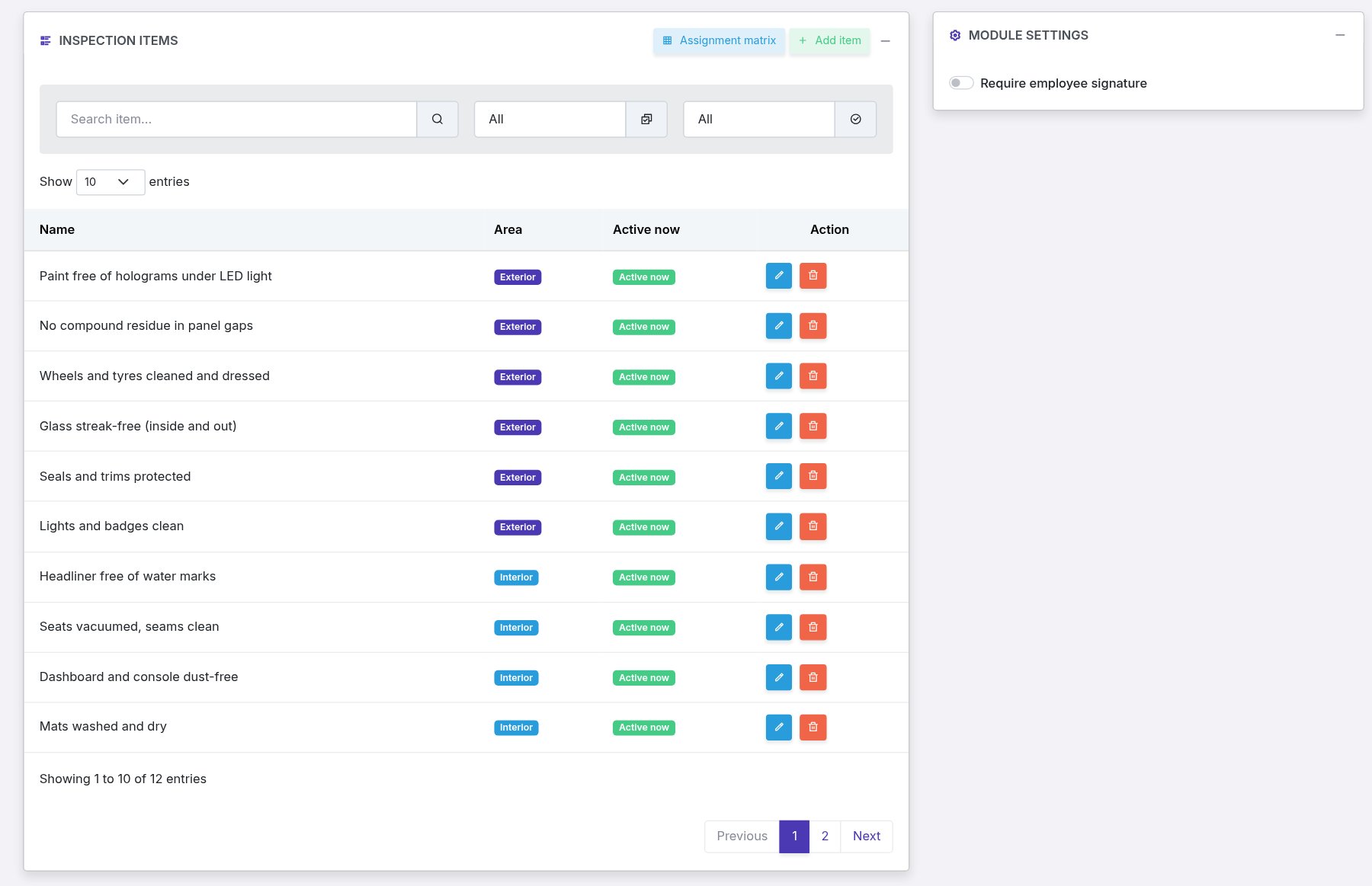
Prepare the catalogue of checkpoints once and assign them to services. From then on, every order has its own card in the "Quality control" tab.
Checkpoint catalogue
Create checkpoints with descriptions, split into the car's exterior and interior.
Assign to services
Link checkpoints to services in a matrix or straight from the service card.
Card on the order
When you open the order, the checklist is already there. Added a new service? Its checkpoints appear on their own.
Tick off and track progress
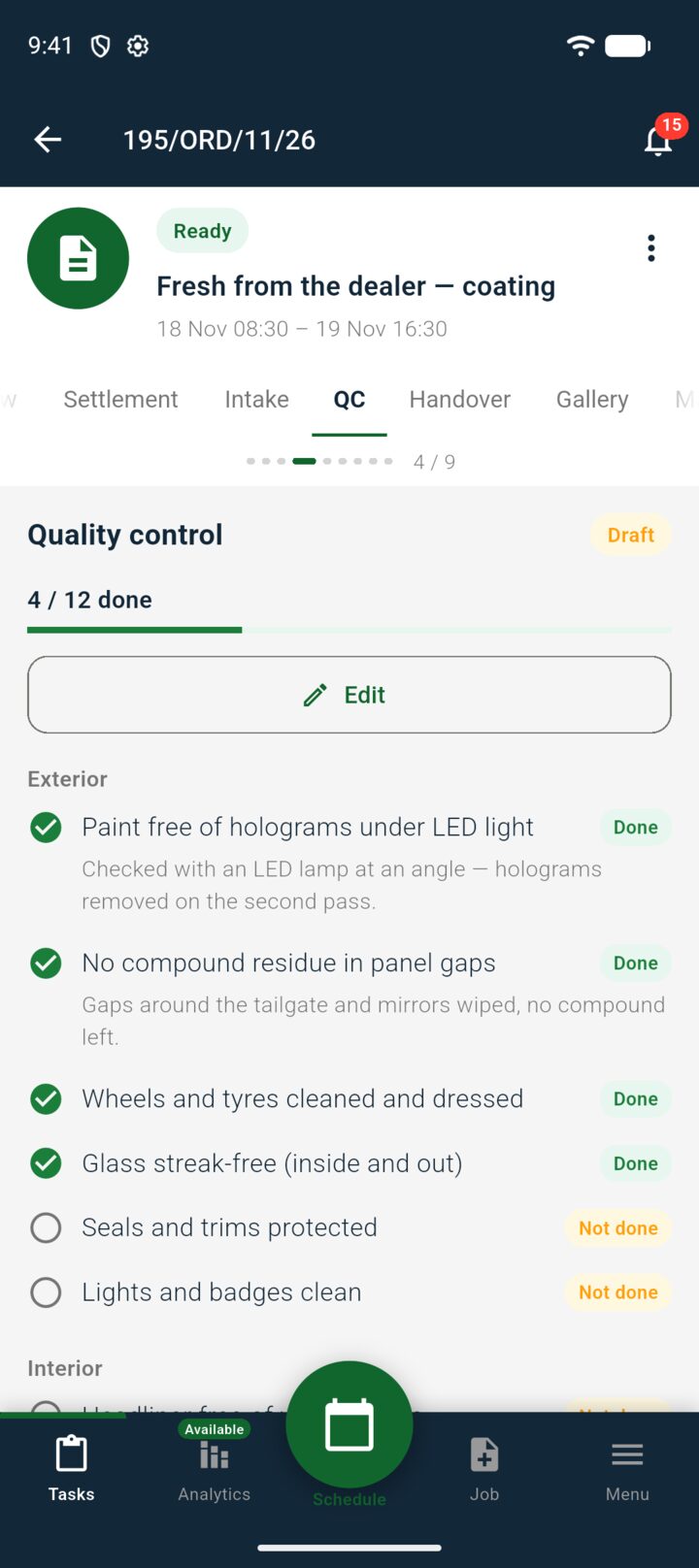
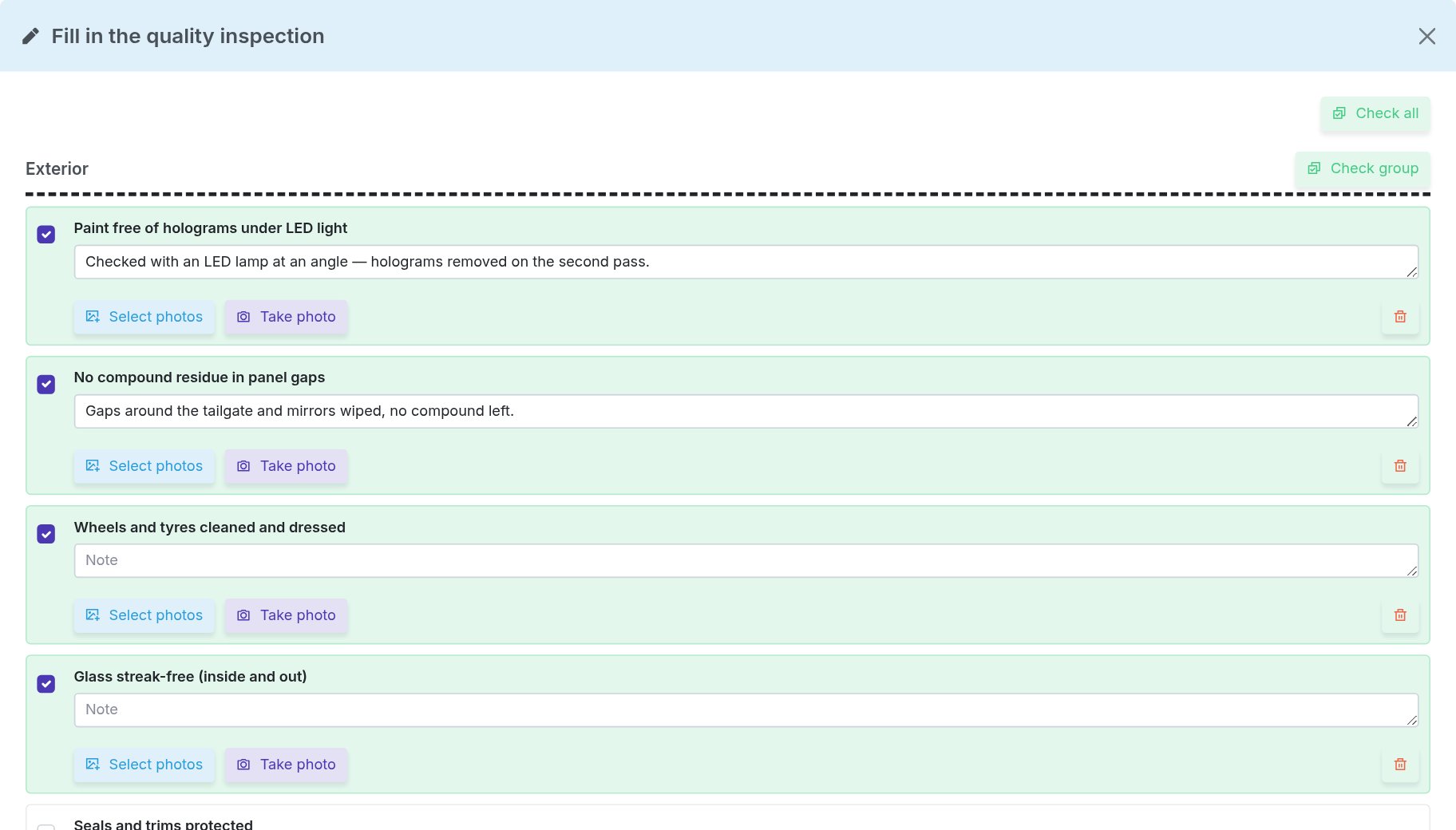
Mark checkpoints as done one by one, by group or all at once, while a progress bar shows what is left.
Photos from your phone
Add photos to checkpoints, including HEIC photos from an iPhone. They are stored securely in the CRM.
Sign-off and signature
A signed-off card is locked. You can also require the employee's signature at sign-off.
What does the Quality control card look like in the system?
Quality control lives in the order details, and you configure the checkpoint catalogue in the settings.
Join more than 50 studios working with Bonaveo
Average Google rating of 5.0. The first 14 days are free, no card needed.
What do you gain with the Quality control card?
In a team, everyone checks a car a little differently, and small imperfections only surface at the customer's. A shared checklist means every car goes through the same inspection – no matter who worked on the order.
One quality standard
Every car is checked against the same list.
Easier onboarding
A new employee knows what to check from day one.
Fewer rework jobs
Catch imperfections in the studio, not after a call from the customer.
Photo documentation
Inspection photos stay with the order in case of questions.
Team transparency
The order tab shows what has been checked and what is still pending.
Confident handover
Once the inspection is signed off, you can move on to the handover with confidence.
Related system features
The Quality control card works best together with these CRM modules for auto detailing.
Frequently asked questions
What is the Quality control card?
It is a list of points to check before the car is handed back. The system builds it automatically from the services performed on the order.
Where do the checkpoints come from?
From the catalogue you prepare in the settings. You assign each checkpoint to one or more services, and the card contains only the checkpoints for services on that order.
Can I add photos to checkpoints?
Yes. You can add a note and photos to every checkpoint, including HEIC photos from an iPhone – the system converts them automatically.
When can the inspection be signed off?
Only once every checkpoint is ticked. After sign-off the card is locked and can optionally require the employee's signature.
What happens when a new service is added to the order?
Until the inspection is signed off, the checkpoints for the new service are added to the card automatically, without losing earlier progress.
Can the inspection be done on a phone?
Yes. In the mobile app a team member opens the list of inspection cards, ticks off items and adds photos straight from the phone.
How much work does it take to set up the checklist?
You prepare the catalogue of checkpoints once and link them to services in a matrix or straight from the service card. From then on, the card on every order builds itself.
Run your studio like a leader
Create an account in 2 minutes and try Bonaveo on your own orders. If you prefer, we’ll show you the system live.
