







Customers book themselves, and the slots go straight into your schedule
Customers pick a service and a free slot at any time of day, and the booking goes straight into your CRM schedule as an order. Slots are calculated from your schedule and workstations, so there are no double bookings. We switch online booking on for your studio on request.
Sound familiar?
The phone rings while you’re working on a car, because someone wants to book a slot.
A customer messages in the evening about a visit, and you only reply the next morning.
Two customers booked for the same workstation at the same time.
A slot written on paper or in your phone never made it into the schedule.
Online booking shows customers only the free slots from your schedule. Each booking becomes an order in the CRM straight away, and the customer confirms it by text message.
Try it free for 14 daysWhat is online booking?
Online booking is a page where customers book a visit to your studio on their own. Free slots are read live from your work schedule, and every booking appears there straight away as an order.
How does online booking work in practice?
On the booking page the customer sees your location's details, picks a service, car type and slot, and then confirms the booking by SMS.
Bookable services
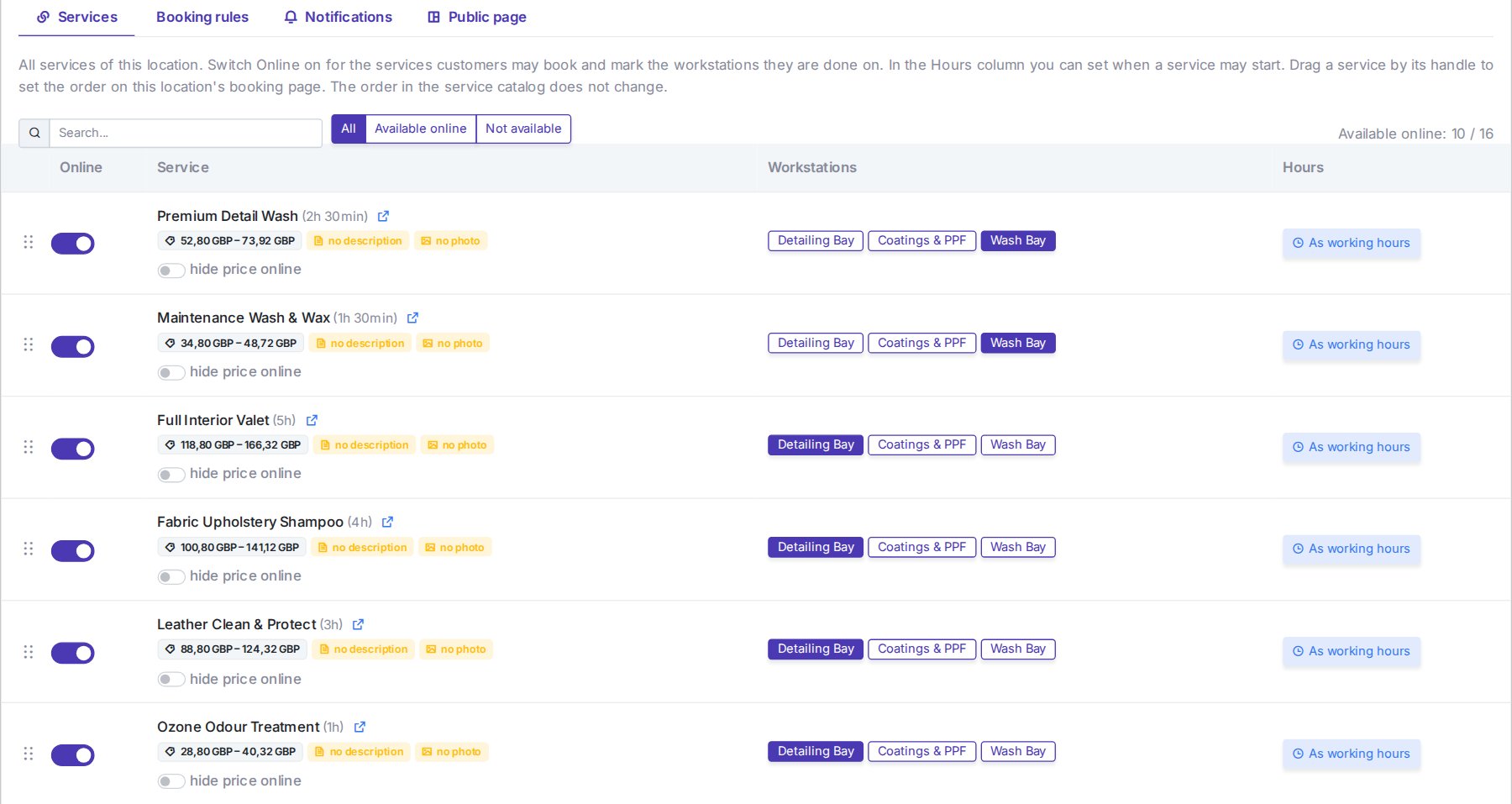
You decide which services customers can book online and on which workstations they are performed.
Live free slots
Slots take into account opening hours, exceptions, days off and orders already planned in the schedule.
Order in the schedule
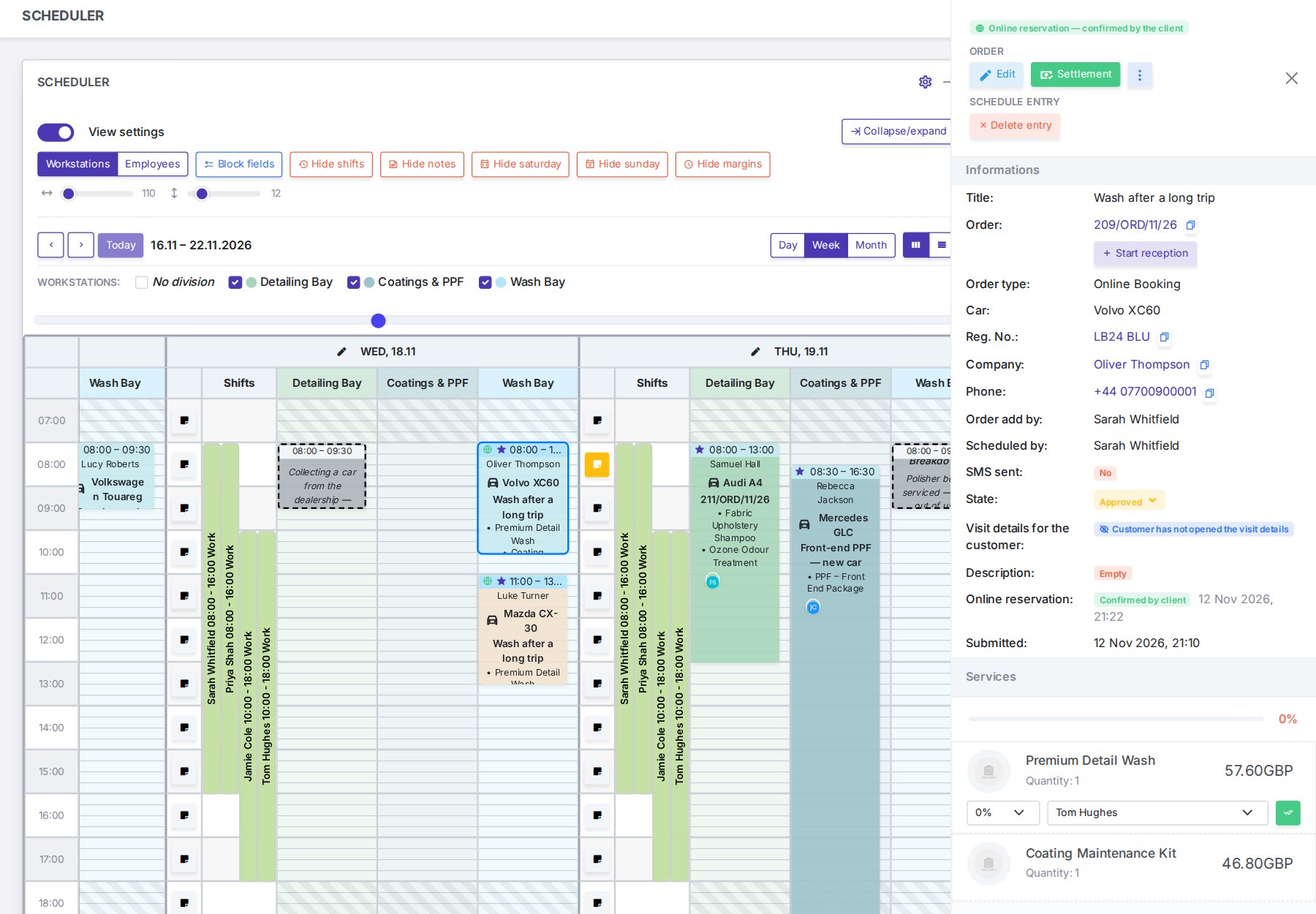
The booking appears in the schedule immediately, including for other people who have it open.
SMS confirmation
The customer confirms the booking with a code or link from an SMS, and you can also confirm the order manually in the schedule.
Customer in your database
The system recognises a returning customer by phone number or creates a new one.
Team notifications
Your team gets an email about each new booking, and the customer gets a confirmation email if they provided one.
What does online booking look like in the system?
The customer booking page and bookings visible in the CRM schedule.
Join more than 50 studios working with Bonaveo
Average Google rating of 5.0. The first 14 days are free, no card needed.
What do you gain with online booking?
More and more customers want to book on their own, without calling during business hours. Online booking takes phone scheduling off your plate, while the CRM schedule stays the single source of truth.
Bookings around the clock
Customers book in the evening and at weekends too.
Fewer phone calls
Less time spent arranging slots, more time working on cars.
No double bookings
A slot taken by someone else disappears from the list.
Customer consents
The customer accepts the consents you prepare, and the system records the decision.
Per location
Switch booking on and off separately for each location.
In your studio's colours
With studio branding, the booking page takes on your brand's colours and logo.
Related system features
Online booking works best together with these CRM modules for auto detailing.
Frequently asked questions
How do I switch on online booking?
Get in touch – we set up booking for your studio and its locations. After that you switch it on and off yourself in the settings and decide which services are available online.
How does the system know which slots are free?
From the schedule: opening hours, exceptions, days off and orders already planned on the workstations where the service is performed.
Can a double booking happen?
No. If a slot is taken before the customer completes the booking, the system will not accept it.
How does the customer confirm the booking?
With a code or link from an SMS. You can also confirm the booking manually in the order details in the schedule.
Can I decide who gets booking notifications?
Yes. For each location you choose whether email and SMS notifications go to everyone, to selected people, or to no one.
Can I switch booking on for just one location?
Yes. You switch online booking on and off separately for each location.
Can the booking page use my studio’s logo and colours?
Yes. With Studio branding, the booking page takes on your brand’s colours and logo.
Run your studio like a leader
Create an account in 2 minutes and try Bonaveo on your own orders. If you prefer, we’ll show you the system live.
